Перейти к содержимому
Quick Answer: Is ONVIF Profile T Better for New IP Security Camera Projects?
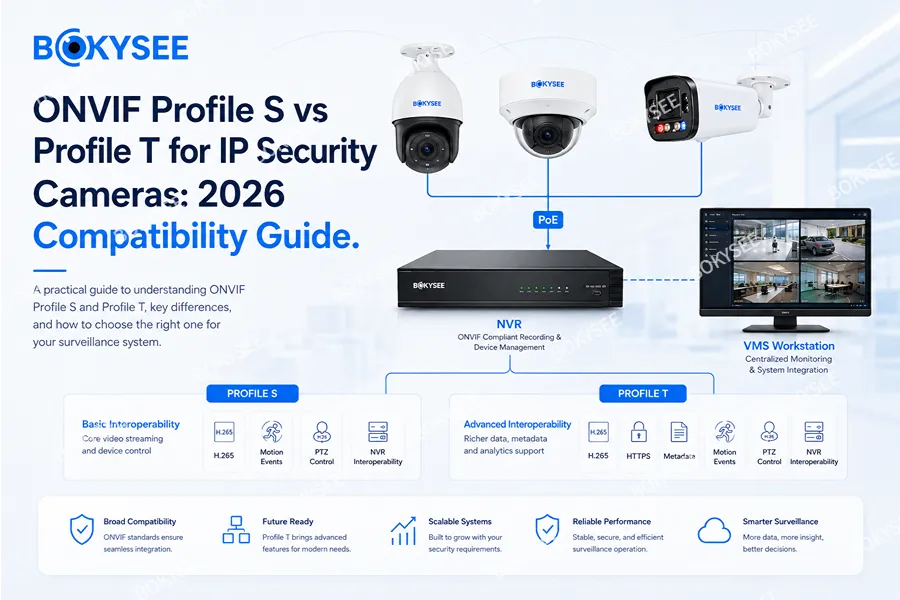
For most new IP security camera projects, ONVIF Profile T is the more future-ready choice. It supports H.264 and H.265 video, imaging configuration, motion and tampering events, metadata streaming and modern authentication-related functions. Profile S remains important in existing systems, but ONVIF support for Profile S ends on March 31, 2027. Existing cameras will not suddenly stop working; however, distributors and integrators should begin testing Profile T cameras for new product lines and long-term projects.
Bokysee recommends verifying the exact camera, NVR, firmware, codec, audio, PTZ and event requirements before bulk purchasing. Buyers can first review the Bokysee IP security camera product range and then test selected samples with the target recorder or VMS.
What Is ONVIF Profile S for IP Security Camera Compatibility?
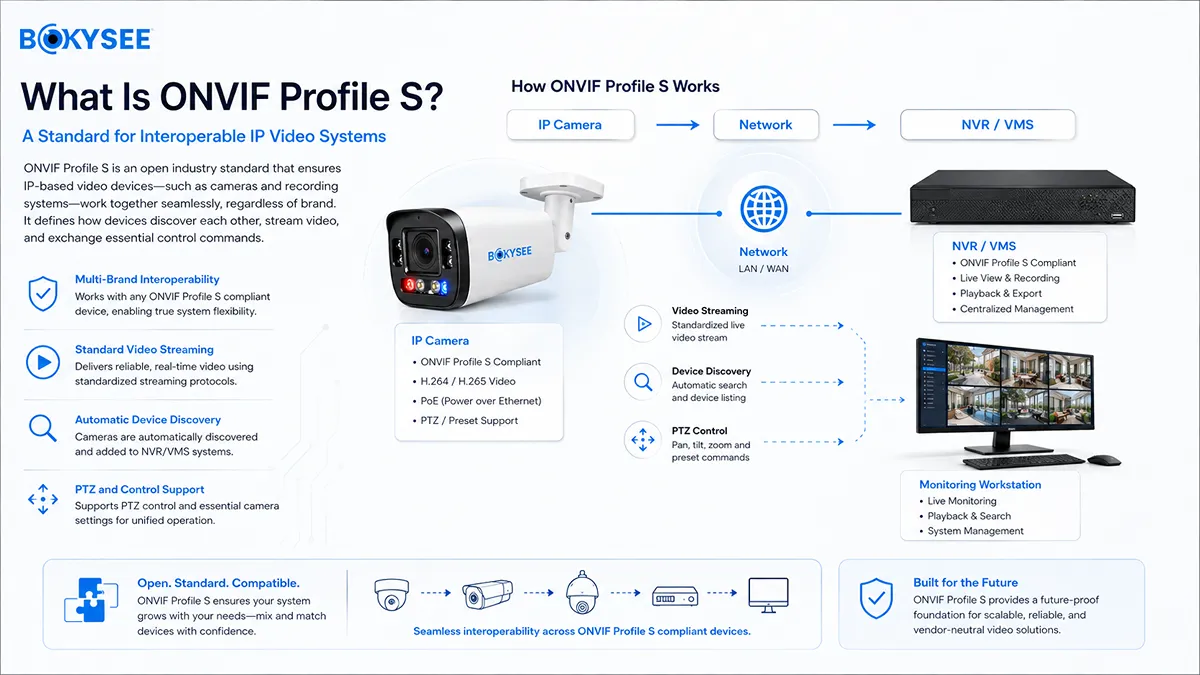
ONVIF Profile S was designed to enable basic video interoperability between IP-based surveillance devices. In practical projects, it has commonly allowed an IP security camera to connect to an NVR, VMS or client from another manufacturer.
A Profile S device can provide discovery and video streaming, while other functions may depend on implementation. One camera may connect and record correctly but fail to transmit motion events, two-way audio, advanced analytics or certain PTZ controls. Therefore, “ONVIF compatible” should be treated as a test requirement rather than a simple marketing label.
Use the Bokysee ONVIF IP camera compatibility checklist to verify connection, recording, playback, audio and smart functions before deployment.
Profile S will remain in installed systems for years. The important change is that ONVIF will no longer accept new or updated Profile S conformance submissions after the support deadline. The official ONVIF Profile S deprecation announcement explains the transition.
What Is ONVIF Profile T for Modern IP Security Cameras?
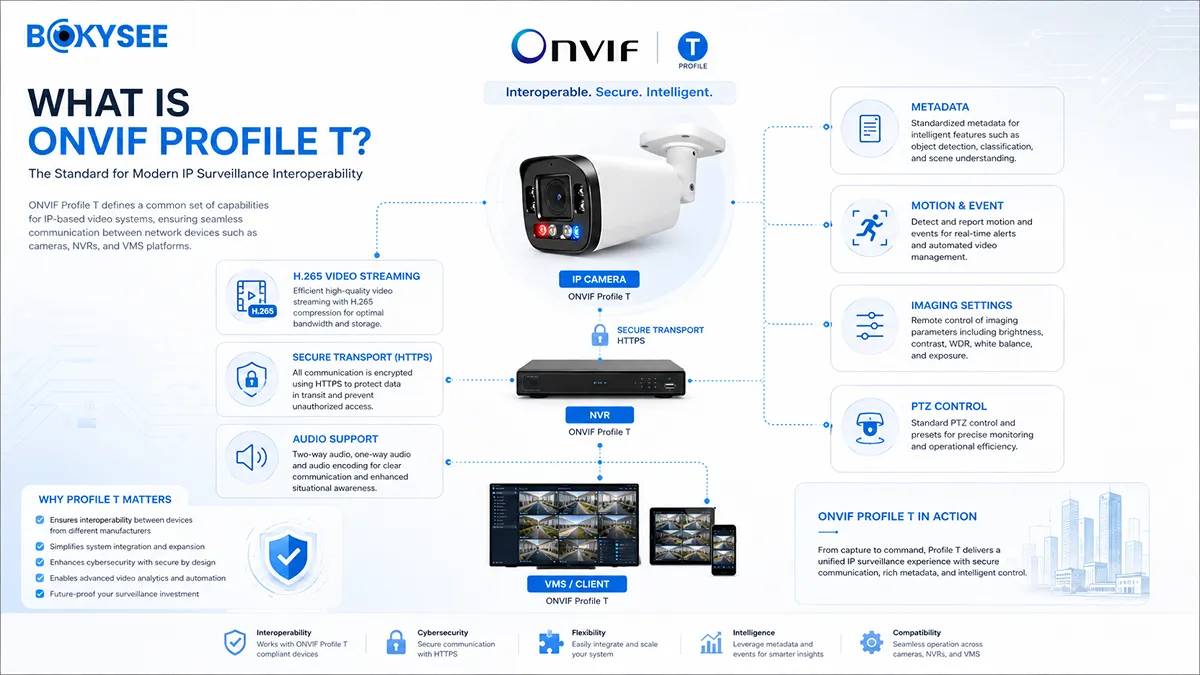
ONVIF Profile T is designed for modern IP video systems. The official ONVIF Profile T overview lists H.264 and H.265 streaming, imaging settings, motion and tampering events, metadata streaming and related client or device functions.
Profile T matters because professional projects usually require more than a live picture. Common requirements include:
· H.265 recording for efficient bandwidth and storage
· Main-stream and sub-stream configuration
· Motion and tampering events
· PTZ movement and preset control
· Metadata for intelligent video applications
· Image settings controlled from a client
· Audio output or bidirectional audio where implemented
· More secure authentication and transport planning
Optional functions still vary between devices and clients. A real camera-and-NVR test remains the final verification method.
ONVIF Profile S vs Profile T: Which IP Security Camera Features Are Different?
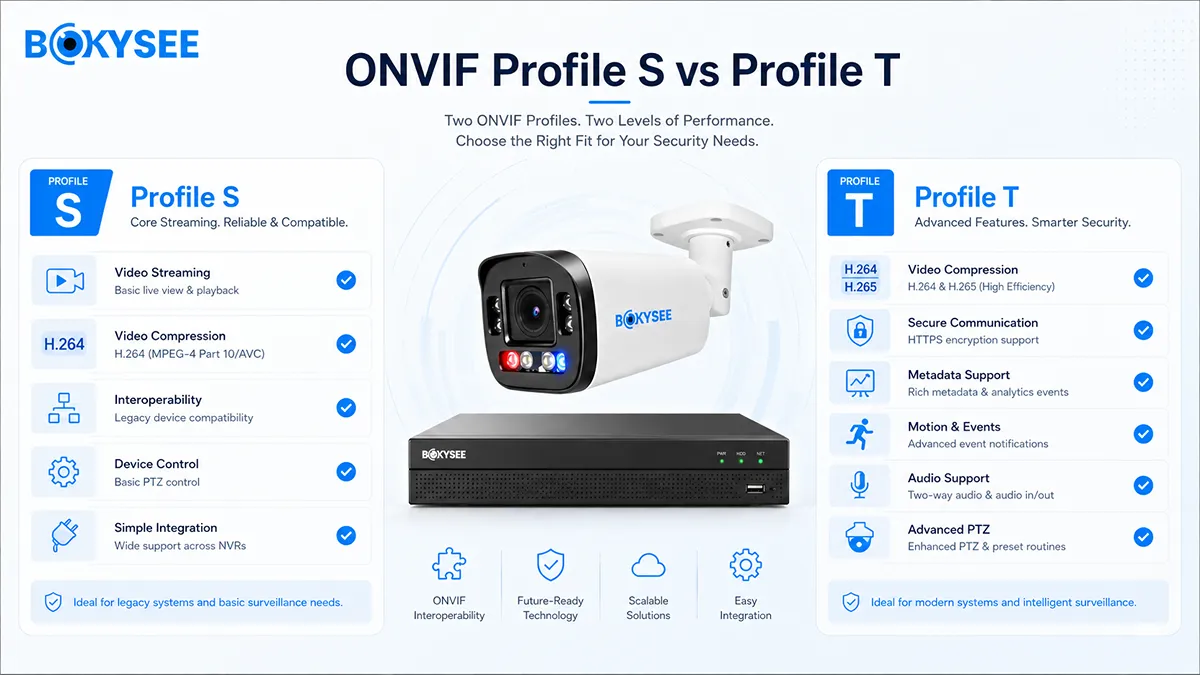
| Project Requirement | Profile S | Profile T | Recommended Test |
| Basic IP video streaming | Commonly supported | Поддерживается | Continuous live view and recording |
| H.264 | Commonly supported | Поддерживается | Codec, bitrate and playback |
| H.265 | Not the focus of Profile S | Поддерживается | Camera, NVR and client together |
| Imaging configuration | Implementation-dependent | More comprehensive | Exposure, WDR and image controls |
| Motion and tampering events | May be limited | Covered | Event recording and notification |
| Metadata streaming | Often limited or proprietary | Поддерживается | AI metadata with target VMS |
| Управление PTZ | May be supported | Stronger client requirements | Movement, presets and patrols |
| Audio output | Varies | Supported where implemented | One-way and two-way audio separately |
| Best use | Existing/basic systems | New professional systems | Prefer Profile T for new specifications |
Buyers should also check whether the exact model appears in the ONVIF conformant products database. A general compatibility claim is not the same as formal conformance for a specific model and firmware.
Will Profile S IP Security Cameras Stop Working After March 31, 2027?
No. The deadline does not deactivate installed devices. Existing Profile S cameras and NVRs may continue connecting, streaming and recording normally.
The change affects future conformance, firmware planning and purchasing specifications. Older systems may remain operational but become harder to expand or maintain. Owners should:
1. Record exact camera and NVR models, hardware and firmware.
2. Check whether devices also support Profile T.
3. Update firmware through the official supplier.
4. Avoid exposing cameras directly to the public internet.
5. Test replacement cameras before a recorder upgrade or system migration.
For mixed-brand projects, keep an approved camera and NVR sample for repeatable laboratory testing.
How to Test an ONVIF Profile T IP Camera with an NVR Before Bulk Purchase
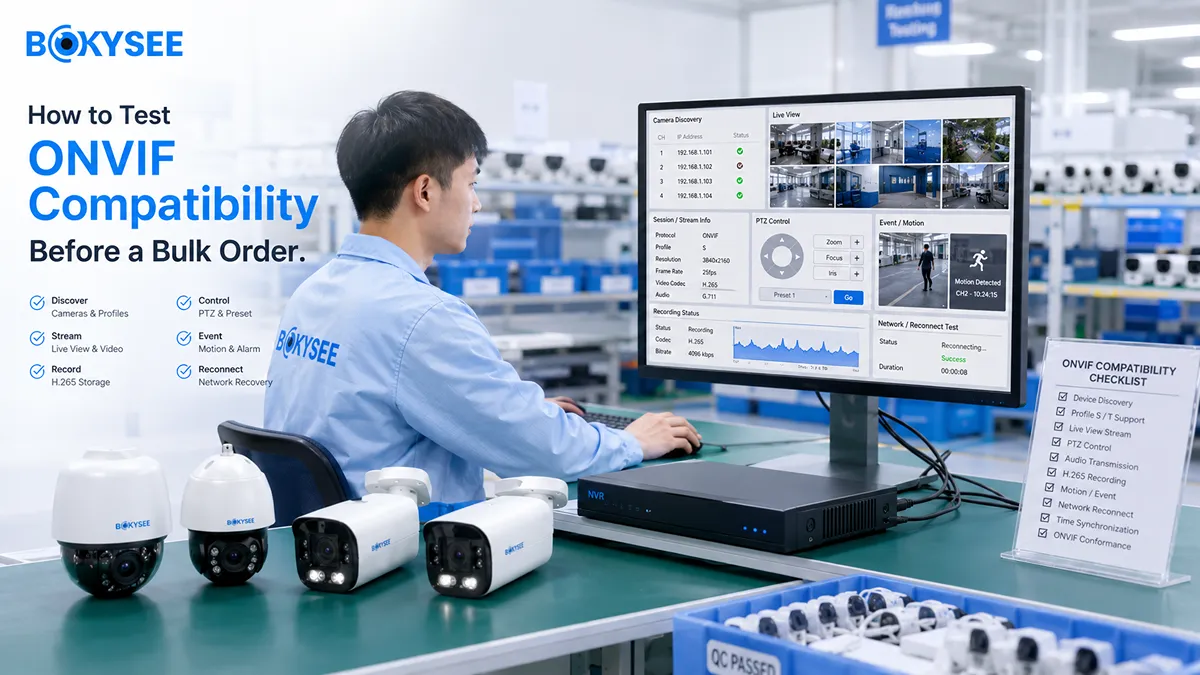
Confirm the exact camera and NVR firmware
Record model, hardware version, firmware date and claimed ONVIF profile. Compatibility can change after an update, so the approved version should be included in the sample report.
Add the IP security camera through ONVIF
Verify discovery, IP address, ONVIF port, user permissions, password and time settings. Test both automatic discovery and manual addition because some networks block multicast discovery.
Test main-stream and sub-stream recording
Confirm resolution, FPS, H.264 or H.265, bitrate, continuous recording and event recording. The Bokysee IP security camera encoding settings guide is a useful supporting resource.
Test playback and evidence export
Check timeline playback, search, fast-forward, download, export and time stamps. A live picture alone is not enough for a professional system.
Test project-specific functions
Test audio, PTZ presets, motion events, human or vehicle detection, tampering alarms and metadata according to the project. Advanced AI functions may remain proprietary even when basic video works.
Run a 72-hour stability test
Operate through day and night cycles. Reboot the camera, NVR and switch. Disconnect and reconnect the cable. Confirm automatic recovery and correct time synchronization.
How ONVIF Profile T Supports H.265 IP Security Camera Projects
H.265 is especially relevant in systems with many 4MP, 5MP or 8MP cameras because total bitrate affects NVR bandwidth, storage and remote viewing. Profile T provides a standardized path for H.265 streaming, but the camera, recorder and playback client must all support the selected media profile. During testing, verify live view, continuous recording, playback, export and reconnection after a network interruption. Do not approve H.265 only from a specification sheet; confirm that the target NVR receives the correct resolution, FPS and bitrate from the actual camera firmware.
Which ONVIF Profile Should Distributors Specify for New IP Security Camera Orders?
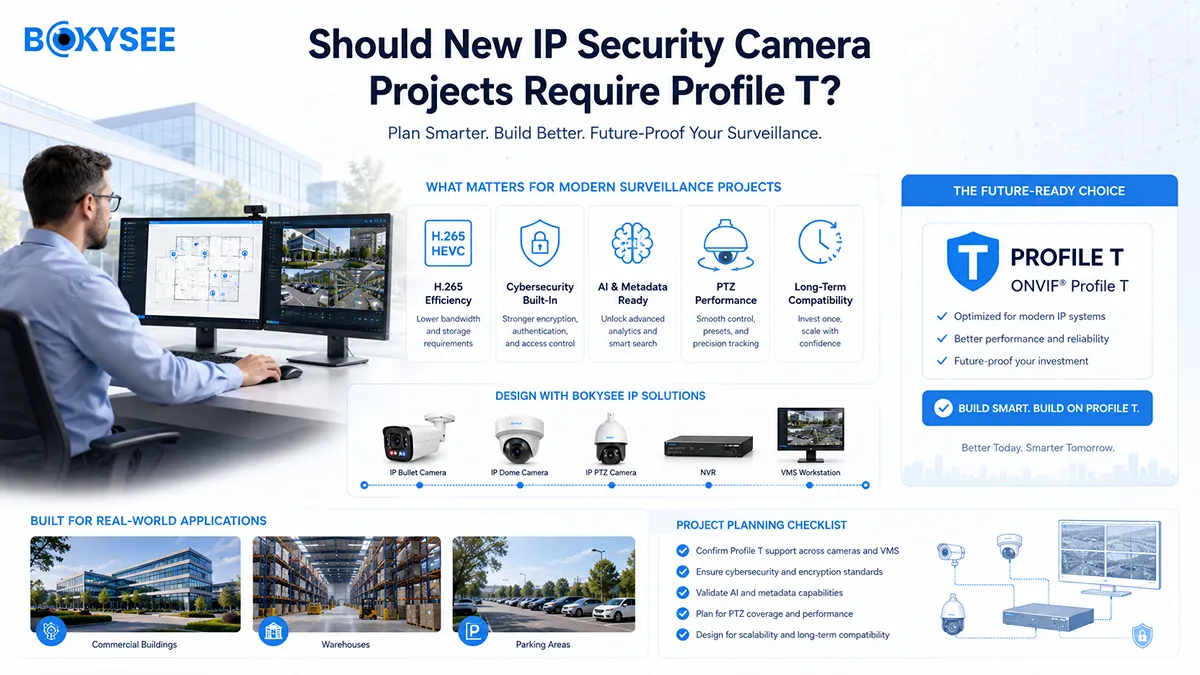
Profile T should normally be preferred for new products, especially when the market requires H.265, multi-brand NVR integration or long-term expansion.
A stronger purchasing specification should state:
· Profile T support for the exact model and firmware
· H.264 and H.265 main-stream recording
· Sub-stream live view through the target NVR
· Audio reception where required
· PTZ movement and preset testing for PTZ models
· Motion-event transmission
· Stable reconnection after network interruption
· RTSP availability where required
· Sample approval before logo or packaging production
Buyers can review an 8MP ONVIF PoE IP security camera and confirm the required functions with Bokysee before ordering.
ONVIF IP Security Camera Procurement Checklist for OEM and Project Buyers
| Procurement Question | Почему это важно |
| Which ONVIF profile supports the exact model? | Models from one supplier may use different platforms |
| Is formal conformance available? | Distinguishes testing from a general claim |
| Which firmware version was approved? | Updates can change streams and events |
| Does H.265 work through the target NVR? | Both sides must support the codec |
| Are main and sub streams available? | Needed for recording and efficient live view |
| Does audio work through ONVIF? | Video compatibility does not guarantee audio |
| Do PTZ presets and patrols work? | Basic movement may work while advanced controls fail |
| Can AI events reach a third-party NVR? | Analytics are often manufacturer-specific |
| Is RTSP available? | Provides a secondary video path |
| Can samples be tested before OEM production? | Reduces project and after-sales risk |
Keep the approved sample, configuration, firmware and test report for future incoming inspection.
ONVIF Profile S vs Profile T FAQ for IP Security Camera Buyers
Is ONVIF Profile T backward compatible with Profile S?
Many modern devices support both, but universal backward compatibility should not be assumed. Test the exact combination.
Does ONVIF Profile T support H.265 IP security camera streaming?
Yes. Profile T supports H.264 and H.265. The camera, NVR and client must support the selected codec. See the official ITU-T H.265 recommendation.
Can a Profile S camera still connect after 2027?
It may continue working. The date concerns ONVIF support and future conformance submissions, not automatic shutdown.
Does ONVIF guarantee human or vehicle detection compatibility?
No. Basic video can work while analytics remain proprietary. Test event messages and metadata separately.
Is RTSP the same as ONVIF?
No. RTSP controls streaming; ONVIF also covers discovery, configuration and interoperable functions. The RFC Editor RTSP 2.0 specification is the protocol reference.
Final Recommendation: Build a Profile T Migration Plan Before the Next IP Security Camera Order
Profile S will remain in many installed systems, but new projects should move toward Profile T and documented compatibility testing. The best decision is based on an approved camera, NVR, firmware and function combination—not a logo alone.
Bokysee supports model selection, sample testing and NVR evaluation. Share the target NVR, resolution, codec, audio, PTZ, AI requirements and quantity to receive a suitable ONVIF IP security camera solution for approval before bulk production.






 Russian
  English
  Spanish