 Перейти к содержимому
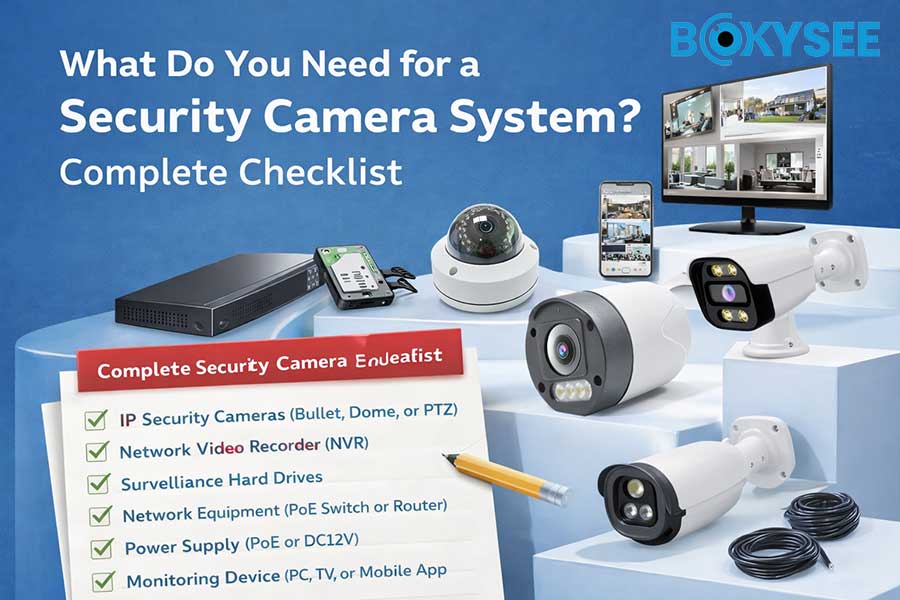
Security worries are getting bigger at homes and businesses. Experts say that a Security Camera System people can see can scare off criminals. Many owners want to feel safe, so they add surveillance. A good system gives important proof and makes clients happier. Picking the right surveillance helps keep people and things safe.
Core Security Camera System Components and Features
Essential Security cameras and Recording Devices
Types of Security cameras (Indoor, Outdoor, Specialty)
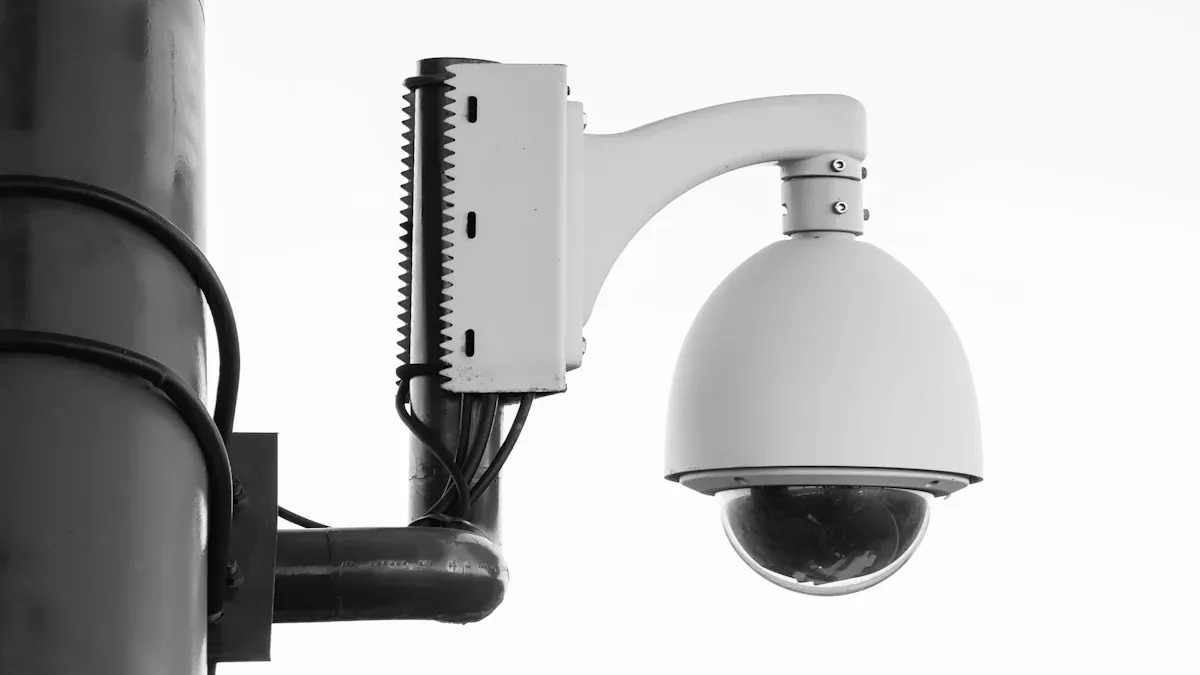
Камеры видеонаблюдения watch over areas and record video. Indoor security cameras help keep rooms and hallways safe. Outdoor security cameras are strong and protect doors or parking lots. Specialty security cameras can see in the dark or recognize faces. High-definition video shows clear details. A wide field of view lets you see more space. Night vision helps you record when it is dark. Smart features like person detection tell you if someone moves.
-
Indoor Security Cameras: Watch inside rooms.
-
Камеры наружного наблюдения: Guard outside places.
-
Specialty Security Cameras: Have night vision or facial recognition.
Recording Devices (NVR, DVR, Cloud Storage)
Recording devices save video so you can check it later. Network Video Recorders (NVR) use IP cameras and ethernet cables. Digital Video Recorders (DVR) work with analog cameras and coaxial cables. Cloud storage keeps video online so you can see it anywhere. Storage size decides how long you keep videos. Good recording devices make sure you do not miss anything important.
-
Сетевой видеорегистратор: Uses network IP cameras.
-
Цифровой видеорегистратор: Works with analog cameras.
-
Облачное хранилище: Saves video online for remote viewing.
Power Supplies, Cables, and Wired Security Cameras
Wired security cameras need cables for power and data. Power supplies keep cameras working all the time. Cables link cameras to recording devices. Wired systems give steady connections and good performance. Ethernet cables work with network IP cameras. Coaxial cables connect HD-CVI cameras. Good wiring stops signal loss and keeps video clear.
-
Power Supplies: Give power to cameras.
-
Ethernet/CAT5 Cables: Work with network IP cameras.
-
Coaxial Cables: Link HD-CVI cameras.
Supporting Accessories and Infrastructure
Mounting Brackets, Housings, and Weatherproofing
Mounting brackets hold cameras on walls or ceilings. Housings keep cameras safe from dust and damage. Weatherproofing protects outdoor cameras from rain and sun. Strong accessories help cameras last longer. Vandal-resistant housings stop people from breaking cameras. Good installation keeps cameras in place.
-
Mounting Brackets: Hold cameras tight.
-
Camera Housings: Protect from damage.
-
Защита от атмосферных воздействий: Shields from bad weather.
Monitors, Viewing Stations, and Network Equipment
Monitors show live or saved video. Viewing stations let you see many cameras at once. Network equipment connects cameras to the internet or your system. Good monitors help you spot danger fast. Routers and switches move data between devices. Safe connections keep your system working well.
-
Monitors: Show video right away.
-
Viewing Stations: Let you see many cameras.
-
Network Equipment: Connects cameras and recorders.
"The best security cameras can work anywhere and adapt to any situation, based on the type of security you need."
Arlo Pro 6 offers up-to-2K resolution, color night vision, and a 160-degree field of view.
A full system uses cameras, recording devices, power supplies, accessories, and network tools. Each part helps keep your property safe.
Security Camera System Features and Technical Specifications
Video Quality, Resolution, and Field of View
HD, Full HD, 4K Options for Security cameras
Security cameras can show pictures in different quality levels. Some cameras use 1080p, 2K, or 4K ultra HD. Higher numbers mean the picture is sharper and clearer. With 4K, you can see faces and license plates from far away. It is smart to pick a camera with at least 1080p for good video.
-
1080p HD: Gives clear video for simple needs.
-
2K: Shows more detail for bigger areas.
-
4K Ultra HD: Lets you see small things far away.
"When the resolution is higher, the image looks better."
CCTV Security Pros says 1080p, 2K, and 4K are good choices for new security cameras.
Lens Types, Angles, and PTZ Capabilities
Security cameras have different lenses for different jobs. Fixed lenses only look at one spot. Varifocal lenses let you zoom in or out. Wide-angle lenses can see more space at once. PTZ cameras move around to watch many places. PTZ cameras also zoom in to see things that are far.
-
Fixed Lens: Looks at one place.
-
Varifocal Lens: Zooms in and out.
-
Wide-Angle Lens: Sees a big area.
-
PTZ Camera: Moves and zooms for full view.
Environmental Resilience and Durability
Weatherproof, Vandal-Resistant, and Operating Temperature Ratings
Outdoor cameras need to be tough. Weatherproof housings keep rain and dust out. Vandal-resistant cases stop people from breaking the camera. Cameras with good temperature ratings work in hot or cold weather. Pick a camera with IP66 or higher for outside use.
-
Weatherproof Housing: Blocks rain and dust.
-
Vandal-Resistant Case: Stops people from hurting the camera.
-
Operating Temperature Rating: Works in heat or cold.
"A camera works best when it is strong and can handle bad weather."
CCTV Security Pros says weatherproof and vandal-resistant features help cameras last longer.
System Diagnostics and Maintenance
Inspecting Lenses, Housings, and Wiring
Check camera lenses for dirt or scratches often. Clean them so your video stays clear. Look at the housing for cracks or loose parts. Check the wires for damage or wear. Make sure cables are tight to stop signal loss.
-
Clean Lens: Makes video look good.
-
Strong Housing: Keeps camera safe.
-
Safe Wiring: Stops video problems.
Testing Power Supply and Video Feed Quality
Test the power supply to make sure cameras stay on. Check the video feed to see if the picture is clear. Use monitors to watch live video. Look at saved video to find any problems. Update the software to keep your system safe.
-
Reliable Power Supply: Keeps cameras working.
-
Clear Video Feed: Shows what is happening.
-
Software Updates: Make the system safer and better.
"Check camera lenses to make sure they are clean and not blocked."
"Look at the video feed to see if it is clear and works well."
"Update software to keep your system safe and working right.
Security Camera System Connectivity and Integration Options
Wired Security Cameras vs. Wireless Security cameras
Pros and Cons of Each Approach
Wired security cameras get power and send data through cables. These systems work well in most places. Wired cameras are harder for hackers to break into. You need to use more cables and mounting brackets to set them up. Wired cameras show video without stopping or freezing.
Wireless security cameras send data using Wi-Fi signals. You can put wireless cameras in many different spots. They are fast to install because you do not need lots of wires. Wireless systems use batteries, so you must check them often. Hackers and signal problems can affect wireless cameras more.
Comparison of Wired and Wireless Security Cameras:
-
Проводные камеры stay connected and last a long time.
-
Wireless cameras are simple to put in and move around.
-
Wired systems take more work to install and need cable care.
-
Wireless systems need battery checks and software updates.
-
Wired cameras are safer from hackers than wireless ones.
-
Wireless cameras can stop working if the power goes out.
"Wired cameras need more work to set up but less fixing later."
"Wireless cameras are easy to install but need battery checks."
Smart Home, Mobile, and Security Device Integration
App Compatibility, Remote Access, and Automation
Smart home integration lets security cameras work with other devices. Mobile apps help you watch live video on your phone or tablet. If your camera works with your app, it is easy to use with smart home systems. Remote access means you can check your cameras from anywhere with internet. Automation sends alerts when cameras see movement.
Security systems get app updates to work better. Mobile apps tell you if something strange happens. Smart home devices can turn on alarms or lights with your cameras. Automation helps keep your home safe by turning on things during emergencies.
Key Features for Integration:
-
App compatibility lets you watch and control cameras from far away.
-
Mobile access helps you see what is happening right now.
-
Automation sends alerts and turns on other devices.
-
Software updates make your system safer and add new tools.
"Smart home integration lets you control cameras and other devices together."
"Mobile apps give you quick video and alerts."
"Automation helps keep you safe when something happens.
Camera Checklist for Businesses and Outdoor Security Camera Checklist
Camera Checklist for Businesses
Coverage, Redundancy, and Access Control
Security experts say you should check every part of your business. Cameras are needed at all entry points. Parking lots need cameras to keep things safe. Storage rooms must have cameras to protect items. Overlapping camera views help stop blind spots. Extra cameras make sure you still get video if one fails. Access control systems decide who can see the footage. Managers should give each person the right permissions. Checking these rules often keeps access safe.
Key steps for business camera coverage:
-
Put cameras at every entrance and exit.
-
Watch parking lots and loading docks.
-
Make camera views overlap to cover all spots.
-
Use backup cameras in important places.
-
Only let trusted staff see the footage.
"Our list of the most common questions for Security Cameras, Alarms, and Access Control Products."
Business owners ask about coverage and access control the most.
Integration with Existing Security Cameras and Systems
Security systems work better when they are connected. New cameras should fit with the old ones. Recording devices must work with all types of cameras. Network compatibility helps stop connection issues. Software updates keep everything working together. Alarm systems can start camera recording when needed. Intercoms let you check who is at the door. Maintenance checks make sure all parts work as a team.
Integration checklist for businesses:
-
Make sure new cameras match old ones.
-
Check that recording devices work with all cameras.
-
Update software on every device.
-
Connect alarms and intercoms to cameras.
-
Test the system every month.
Outdoor Security Camera Checklist
Weatherproofing, Night Vision, and Placement
Outdoor security cameras help protect your property from danger. Weatherproof housings keep out rain and dust. Night vision lets cameras record when it is dark. Putting cameras near gates and fences makes things safer. Corners of buildings give a wide view. Mounting cameras high stops people from messing with them. Security experts say outdoor cameras are very important.
Outdoor camera essentials:
-
Pick cameras with IP66 or higher ratings.
-
Choose models with infrared night vision.
-
Put cameras at the corners of buildings.
-
Mount cameras high so people cannot reach them.
-
Watch driveways, walkways, and yards.
"Security experts everywhere agree that they are needed for protecting your property and assets."
Power Supply and Cable Protection
Outdoor cameras need steady power to work all the time. Weatherproof power supplies stop power loss. Cables must stand up to water and sunlight. Conduits protect wires from getting damaged. Battery backups keep cameras on if the power goes out. Checking wires often helps find problems early.
Power and cable tips for outdoor cameras:
-
Use weatherproof power adapters.
-
Pick UV-resistant cables for outside.
-
Cover wires with metal or plastic conduits.
-
Add battery backups for emergencies.
-
Check cables and connectors every season.
Using a good checklist helps you build a strong security camera system for any business or outdoor space.
Comparing Top Security Camera System Brands and Solutions
CCTV Security Pros and CCTV Camera World
Overview of CCTV Security Pros
CCTV Security Pros sells systems for homes and businesses. Many people trust this company for good products. They have both wired and wireless choices. Lots of users like the high-definition video quality. The company makes weatherproof cameras for outside. Many models have night vision to see in the dark. CCTV Security Pros gives cloud and local storage options. Business owners pick this brand for big properties.
CCTV Camera World Product Highlights
CCTV Camera World uses advanced camera technology. The brand sells 4K ultra HD cameras for clear pictures. Customers can use network video recorders with smart search tools. CCTV Camera World has mobile app support for remote viewing. The company offers power-over-ethernet for easy setup. Many users like the strong customer support. Most products come with long warranties.
Бокизее and Other Leading Security Cameras Brands
Bokysee Security Camera Systems: Features and Value
Bokysee makes cameras that are easy to set up. Many homeowners choose Bokysee for plug-and-play systems. The brand has motion detection and instant alerts. Bokysee sells indoor and outdoor models. Customers can use cloud storage or local SD cards. The price is lower than many other brands. Bokysee has simple mobile apps for live viewing.
Other Notable Brands (Arlo, Ring, Lorex)
Arlo is known for wireless cameras with smart features. Ring sells video doorbells and cameras for home entry points. Lorex has wired and wireless systems with 4K resolution. Arlo gives color night vision and two-way audio. Ring sends real-time alerts to your phone. Lorex has lots of storage for long recordings.
Popular Features Across Brands:
-
High-definition video quality
-
Night vision and motion detection
-
Mobile app support
-
Weatherproof design for outdoor use
-
Гибкие варианты хранения
Feature Comparison, Pros, Cons, and Use Cases
Best for Home vs. Business Applications
Homeowners like wireless cameras because they are easy to install. Businesses use wired systems for strong connections. Home security protects doors, garages, and backyards. Business security covers parking lots, warehouses, and offices.
Best Use Cases:
-
Arlo and Ring are good for homes with smart features.
-
CCTV Security Pros and Lorex are best for businesses with advanced storage.
-
Bokysee works well for small offices or apartments.
Price, Performance, Customer Support, and Warranty
Price changes by brand and features. Arlo and Ring have mid-range prices and smart tools. Lorex and CCTV Security Pros cost more but have premium systems. Bokysee is cheaper for basic needs.
Performance Factors:
-
4K resolution gives sharp pictures.
-
Motion alerts help you spot danger fast.
-
Cloud storage lets you see video from anywhere.
Customer Support and Warranty:
-
CCTV Camera World and Lorex give long warranties.
-
Arlo and Ring have helpful customer service.
-
Bokysee has easy guides for setup.
"Brand reputation, specific needs, features, and budget all matter when picking a security camera system."
The right brand depends on your property, what you need, and your budget. Look at video quality, features, storage, and support before you choose.
A good security camera system needs tough cameras and good recorders. You also need safe tools to put everything together. Make a checklist so you do not forget anything important. The checklist helps you plan where cameras go and pick the best gear. It also helps you set up your system the right way. Check off each step for better safety and smart spending. First, look at your property and pick brands you trust. Remember to check your system often to keep it working. Build a system that protects your space every single day.
Смотрите также
Step-by-Step Guide to Setting Up Your IP Camera
Choosing the Perfect IP Camera System for Your Requirements
Comprehensive Guide to Managing Your Security Camera Setup





 Russian
  English
  Spanish