Ir al contenido
When selecting a CCTV camera, it is not just a question of comparing megapixels, costs, or technical data. Buyers should pay attention to following factors like monitoring coverage, light conditions, environment, network connection, recording capabilities, and desired level of detail. It is necessary to take into consideration the application of the surveillance system as well.
When making comparisons between security camera selection, the critical factor for potential consumers is whether the hardware can meet their surveillance needs. Some camera systems are intended for monitoring any activities and others demand having specific facial features, identifying particular vehicles, providing perimeter security, or recording continuously.
Today, our team will provides information on how to select the appropriate type of camera, resolution, lens, night vision capability, and connectivity options. We will explore the factors that determine the compatibility of the cameras, storage requirements, and common buying mistakes. This CCTV buying guide explains how to choose CCTV camera options for different security needs.
CCTV Camera Selection Starts With the Application
Prior to any comparison of camera specifications, first define the area requiring surveillance and the purpose that the security system should meet. It is through the application needs that the usefulness of camera specifications can be determined.
Identify the Area You Need to Monitor
The first step is to find out where the cameras should be put. Offices, residences, shops, warehouses, factories, car parks, and building entrances all have their own needs for cameras.
For indoor settings, one might need a camera with a viewing angle appropriate to that place, and for outdoors one will need a camera protected from water, dust, temperature changes, and sunlight. Industrial buildings can even require several cameras.
A rough site plan that indicates entrances/exits, key assets, obstructions, and the spots where security violations can take place should be drawn first.
Define the Main Security Objective
The next thing that needs to be decided is what the camera needs to be able to see.
For example, a retail shop would have to have cameras installed which will be able to detect customers and checkouts. A warehouse might need cameras which can see inventory storage locations, docks, and entry points. An industrial complex may need cameras that can see access points.
Also, determine what is the purpose of the surveillance system. It is used for detection, observation, recognition or identification. Different amounts of detail and different distances are needed for these purposes. The same camera that is needed for detection in a big space is not going to be able to identify a person at the other end of the area.
Evaluate Lighting and Environmental Conditions
Lighting conditions affect picture quality. Places with bright natural light, variable lighting conditions, backlighting, or poor night lighting may need different levels of camera ability.
Where outdoor installation is involved, think of the rain, dust, humidity, temperature, and sunlight. See whether the ingress protection and operational temperature limits of the camera meet the real installation environment conditions. Vulnerable places to vandalism will need impact resistance.
There are indoor situations too that can affect the image quality. Windows, reflecting surfaces, bright entrances, and poor lighting are among such cases. In this situation, wide dynamic range WDR will assist in handling images having both bright and dark parts.
Plan the Coverage Area and Installation Position
Figure out the field of view necessary for each monitoring point. A wide-angle camera allows one to monitor a bigger area, but objects may look small and hard to discern at a distance.
Take into account mounting height, camera orientation, potential obstruction and blind zones. Make sure that no cameras are placed on such locations where objects such as walls, shelves, signs and equipment obstruct viewing of the necessary areas.
If it comes to big installations, a few cameras with well-considered viewing angles would be more effective than one camera trying to monitor all the areas.
How to Choose the Right CCTV Camera Type?
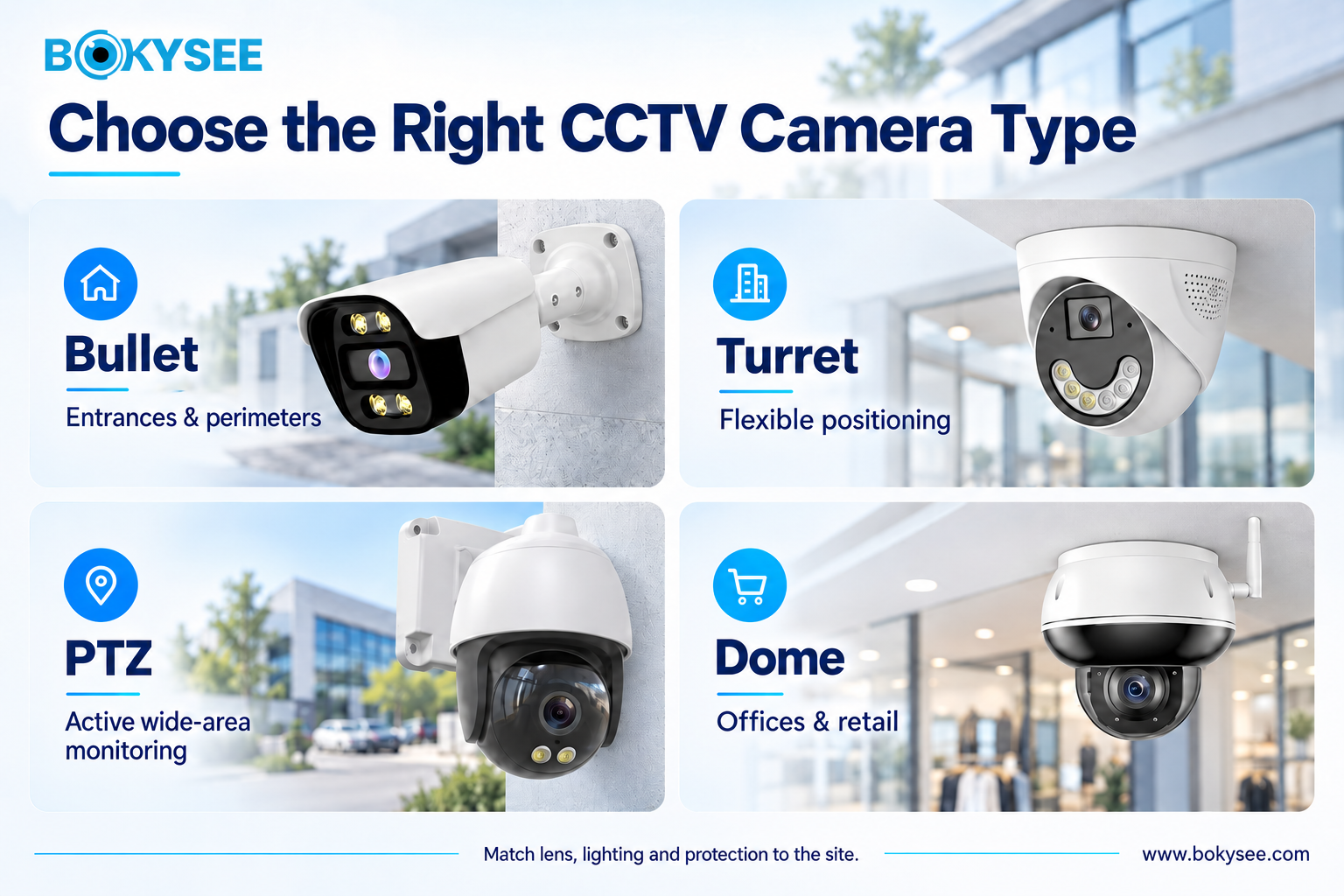
Different types of CCTV cameras are found on the market today, depending on their use and installation location. The selection of one depends on considerations of coverage, mountability, protection against the environment, and degree of control when using the camera.
1. Dome Cameras for Indoor and Discreet Monitoring
The dome security camera has a spherical case that may obscure the orientation of the camera from the observer. Dome security cameras are widely used in offices, shops, reception rooms, hallways, and business facilities.
The compact structure of these devices may be suitable for places that require a discreet design. In some cases, the housing may be vandal proof.
But potential buyers must not think that all dome security cameras are vandal proof. It is important to know the characteristics of the specific dome camera before buying it.
2. Bullet Cameras for Outdoor Surveillance
The bullet cameras are long and have a directional look. They are usually applied to observe entrance areas, parking lots, loading docks, gateways, and perimeter outdoors.
The design of the camera will make it clear that there is a security system installed. Many camera models have infrared night vision capability and are protected against bad weather, which makes them ideal for open installations provided their specifications fit the location.
If you choose an outdoor CCTV camera, consider its protection class, temperature range, mounting options, resistance to the environment, and the lens coverage capability.
3. Turret Cameras for Flexible Installation
Turret cameras come with a spherical-shaped camera head that is incorporated in a small base unit. The camera can be installed in a way that the lens can face the desired surveillance area because of its flexible features.
These security cameras are suitable for use in residential homes, offices, retail premises, warehouses, and commercial areas. Depending on the type, turret cameras are able to offer infrared lighting, color night vision, high definition, and enhanced motion detection.
However, the decision of using them must be based on lens compatibility, lighting performance, environmental rating, and mounting needs.
4. PTZ Cameras for Large-Area Monitoring
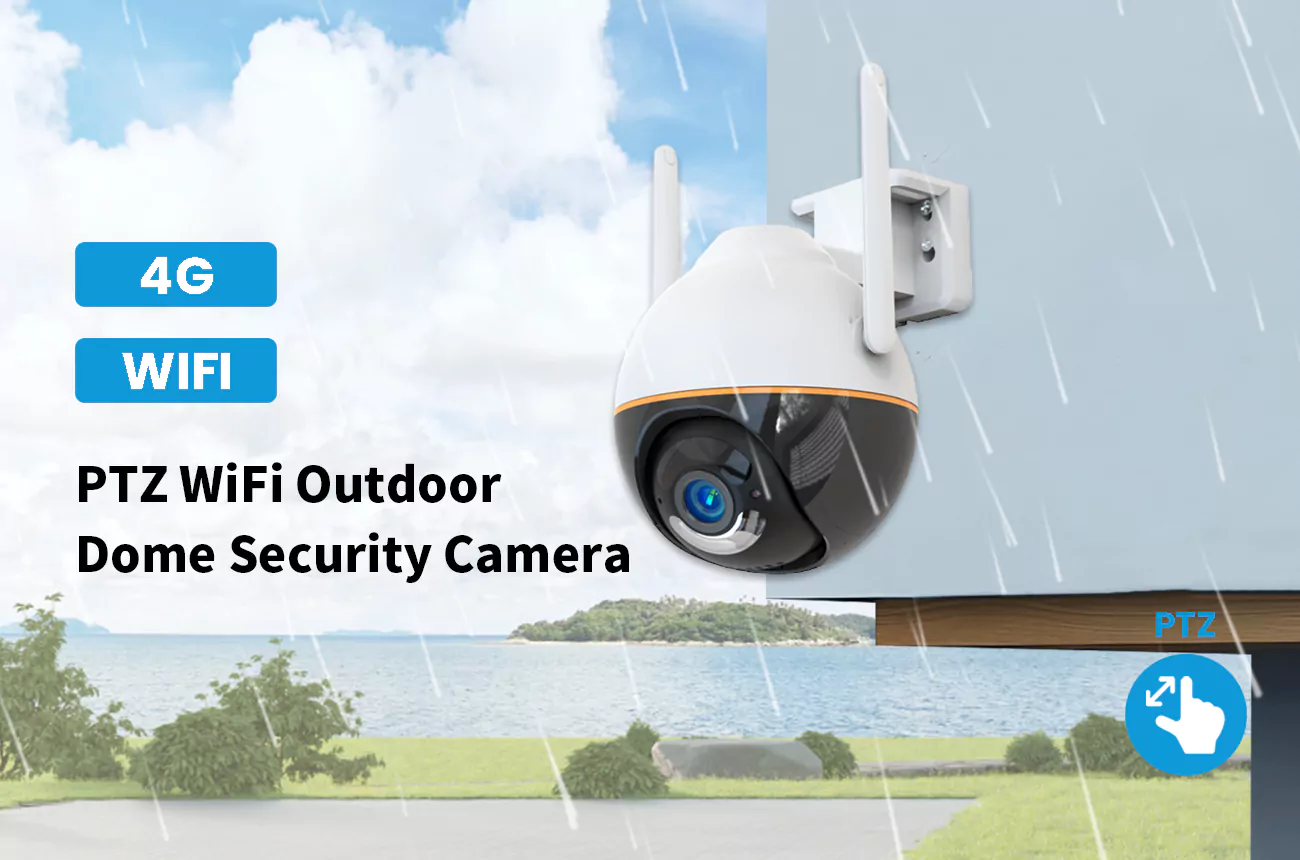
Pan-tilt-zoom (PTZ) cameras allow operators or automated controls to move the viewing direction horizontally and vertically while adjusting zoom. They are useful for monitoring campuses, industrial facilities, large parking areas, and other locations requiring active observation.
Optical zoom can provide more detail on distant targets than simply enlarging a digital image. Preset positions and automated patrol functions may also help operators monitor multiple locations.
One limitation is that a PTZ camera cannot continuously face every direction at once. When it moves toward one target, other areas may temporarily leave its view. Fixed cameras may therefore be necessary to maintain continuous coverage of critical locations.
5. Special-Purpose Cameras for Specific Applications
Certain security systems need special camera designs. The fisheye cameras offer a very wide field of view and can cover large indoor spaces, but their pictures might need to be processed by means of a dewarping program to interpret.
● One additional type is the cámara IP, which is essential when networking capability is required for video transmission and viewing.
● Cámaras térmicas are capable of sensing the difference in infrared radiation, which makes them useful under conditions of low visibility. These cameras cannot be used as substitutes for ordinary cameras in case there is a need for high-quality visible pictures.
● ANPR or LPR cameras are intended for vehicle recognition and their efficiency depends on the vehicle speed, the camera angle, light and the shutter settings and visibility of plates.
● Multi-sensor cameras use several imaging sensors to cover different directions or viewing angles. It is necessary to purchase special cameras depending on the monitoring job.
CCTV Camera Types Comparison
Below is a table that shows a comparison between common CCTV camera types, their applicable use, and the considerations in choosing a camera.
| Tipo de cámara | Best Application | Main Consideration |
| Dome | Offices and retail stores | Mounting position and vandal resistance |
| Bullet | Perimeters and entrances | Directional coverage |
| Turret | Indoor and outdoor areas | Flexible positioning |
| PTZ | Large monitored areas | Remote pan, tilt, and zoom control |
| Fisheye | Broad overhead views | Image distortion and detail |
| ANPR/LPR | Vehicle entrances | License plate capture conditions |
Choosing CCTV Resolution And Lens
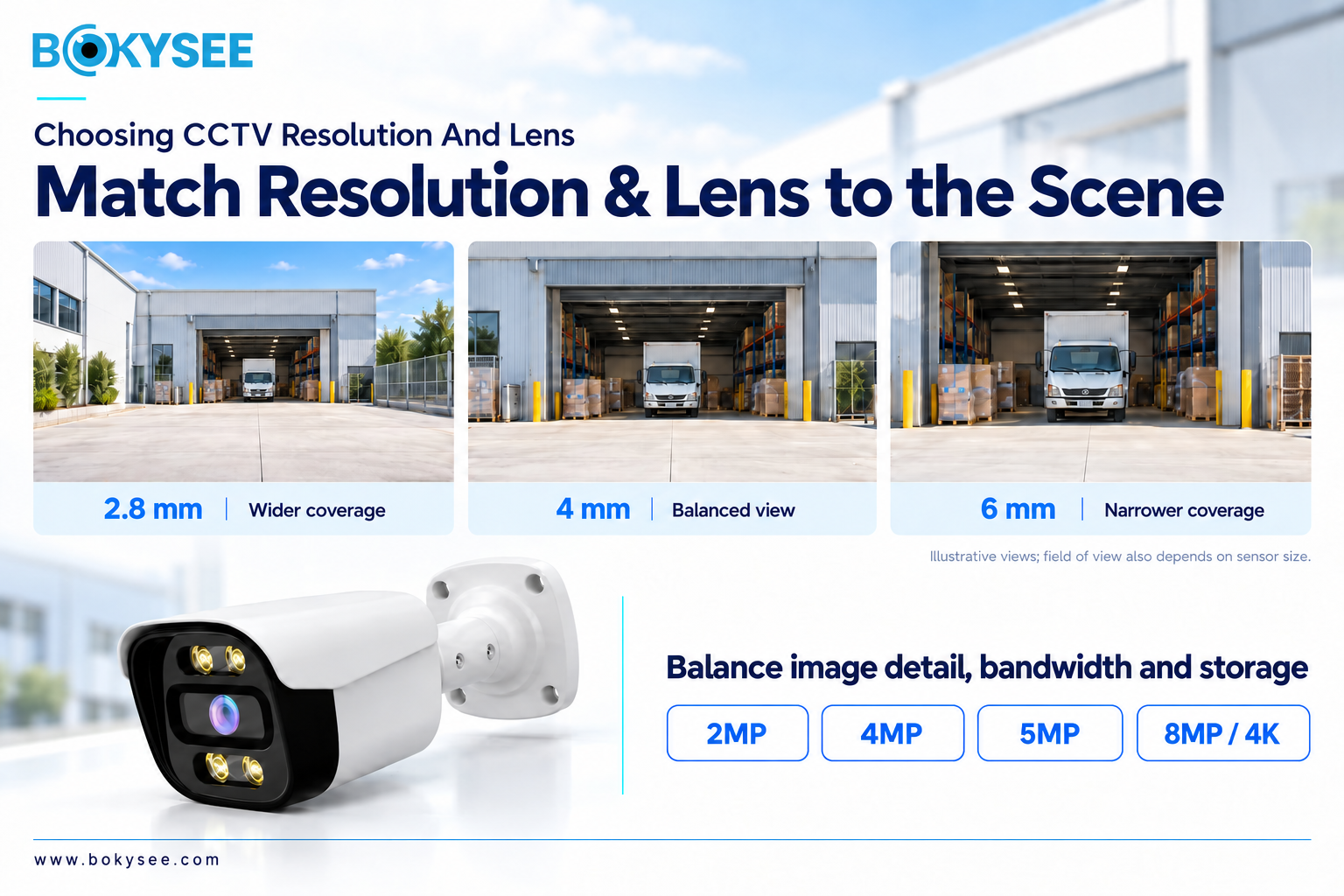
Both resolution and the choice of lens have an impact on how much information a CCTV camera will see. The two need to be considered jointly in order to generate usable footage.
What CCTV Resolution Do You Need?
CCTV resolution is usually measured in megapixels (MP), which are an approximation of how many pixels are contained within an image. High-resolution CCTV cameras are able to record more image details under certain other conditions.
The 2MP camera will be enough to monitor basic activity in a small office, corridor or any other location where just a general activity is required. A 4MP camera can deliver extra details in the case of monitoring retail shops, entrances to business premises, and other places where some additional details are necessary. Some 5MP or 8MP resolutions can also be applicable in some cases.
Nevertheless, a high resolution doesn’t automatically mean good-quality images because the image quality depends on sensor performance, lenses, light conditions, compression, frame rates, and viewing distance.
One shouldn’t purchase the most megapixels available but rather select an appropriate resolution depending on size and identification requirements.
Understand CCTV Lens Types and Focal Length
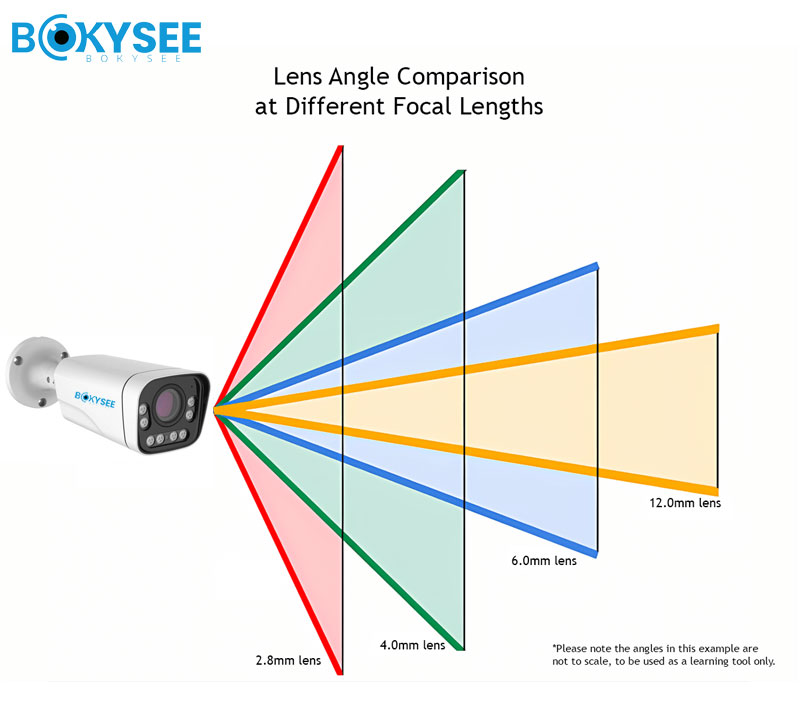
It is the CCTV lens that defines the portion of the scene that will be captured by the camera, along with the size of the objects in the image. There are two popular types of CCTV lenses.
First, there is the fixed CCTV lens. In essence, this type of lens has a constant focal length and can thus be used in installations that have a predetermined viewing angle.
Second, the varifocal CCTV lens provides the user with the ability to alter the focal length within the specified range. It is thus possible for the installer to adjust the field of view.
Popular focal lengths are 2.8mm, 4mm, and 6mm. Generally speaking, shorter focal lengths allow for wider viewing angles and vice versa.
Match Field of View to the Monitoring Distance
Field of view refers to the area that can be seen through a particular camera lens. Wide field of view allows for more coverage, whereas narrow field of view will have details of image on a small area.
For instance, a wide-angle camera might be the right choice for a reception area or small retail shop, where general surveillance is needed. Narrow field of view will suit better when one has to watch a gate, doorway or vehicle entry points.
When buying cameras, buyers need to differentiate between detection and identification of an object. It takes fewer details to detect the presence of a person than to identify his/her face. The same is applicable for monitoring of vehicles versus license plate recognition.
When identifying an object, the number of pixels that hit the target object should be taken into account.
Balance Image Detail With Bandwidth and Storage
Higher definition video can contribute to greater demands for network bandwidth and recording storage space, especially where there are multiple cameras that are running all the time.
Factors such as resolution, frame rate, compression, amount of movement within the scene, recording times and the retention period determine the need for storage space. Motion activated recording is another way to reduce the need for storage space in some applications, although it needs to be set up correctly in order not to miss anything.
It is important to calculate the storage capacity needed before purchasing any cameras to ensure that the network, NVR and the drives will cope with the system you intend to have.
Use a CCTV storage capacity calculator to estimate recording storage based on camera count, resolution, frame rate, compression, and retention time.
CCTV Resolution Comparison
The following table compares common CCTV resolutions, their main considerations, and typical applications to help buyers select a suitable camera.
| Resolución | General Consideration | Typical Application |
| 2MP (1080p) | Lower storage and bandwidth demand | Basic monitoring |
| 4MP | Greater image detail | Offices and retail stores |
| 5MP | Additional image detail | Commercial surveillance |
| 8MP (4K UHD) | Higher pixel count and storage demand | Detailed wide-area monitoring |
Choosing Night Vision And AI Features
It is possible to enhance surveillance systems with nighttime performance and intelligent detection, but the utility of such a system will depend upon its usage, environment, and configuration. The performance of CCTV night vision must be assessed according to the lighting at the site.
Compare Infrared, Color Night Vision, and Low-Light Cameras
Infrared (IR) cameras utilize IR illumination in order to capture pictures under low-light conditions. According to the specific camera type, the captured video will be either gray or colored.
Color night vision cameras are made for maintaining the picture color even under low-light conditions. The efficiency of such cameras depends on the illumination level, sensor sensibility, lens opening and image processing. There are cameras that use additional white light in order to keep the color in darker places.
Low-light cameras are meant for capturing the picture in case of insufficient illumination. Such cameras can be used at building entrances, parking lots, warehouses and other outdoor places where lighting is changing during the night.
One should not rely only on night vision advertising but examine the camera performance.
Evaluate Night Vision Range and Image Quality
Most manufacturers provide an infrared illumination distance specification, but that distance does not automatically mean the distance at which the person or object becomes identifiable.
It depends on the reflectance of the target, the lighting, the camera's settings, the choice of the lens, and the illumination pattern. Glare could occur from reflective targets, and there might be some areas in the image that will be either underexposed or overexposed.
The placement of the camera is also significant. A camera that will be installed in front of a reflective window or near a wall might cause unwanted infrared reflections.
To ensure a high level of performance for critical applications, you should ask for test footage or even make tests at the location during nighttime.
Select AI Detection Features According to the Application
Modern video surveillance solutions may have artificial intelligence (AI) capabilities that recognize objects and cause specific events. Typical functionalities include human detection, vehicle detection, line crossing, intrusion detection, and restricted area monitoring.
Human and vehicle detection can be useful in filtering out important actions from random movements. Line crossing and intrusion detection can provide perimeter monitoring, whereas vehicle detection functionalities can be useful in access control procedures.
These can reduce unnecessary alarms when compared to just motion detection, although their effectiveness would depend upon camera positioning, scene situation, configuration, and software abilities.
Select analytics based on your security needs. For a small office, motion alarms can suffice; for a manufacturing facility, perimeter intrusion detection and event-triggered recording can help.
Check AI Compatibility and Recording Requirements
Before buying AI cameras, ensure that you know the location at which analytics is performed. While some functionalities run on the camera, others are dependent upon the NVR, video management systems, or analytics platform.
Ensure that the recording system is capable of handling the event types, metadata, alerts, and playbacks. Ensure compatibility with the camera and recorder models in question since the fact that there is protocol support does not mean that all the advanced functionalities will work.
Look at the privacy, user permission, and data storage policies. Advanced analytics should make your security process better but should not complicate things.
Buyers should also review security camera privacy and cybersecurity guidance to understand the importance of strong passwords, encryption, and secure remote access.
PoE vs WiFi vs 4G CCTV Camera Selection
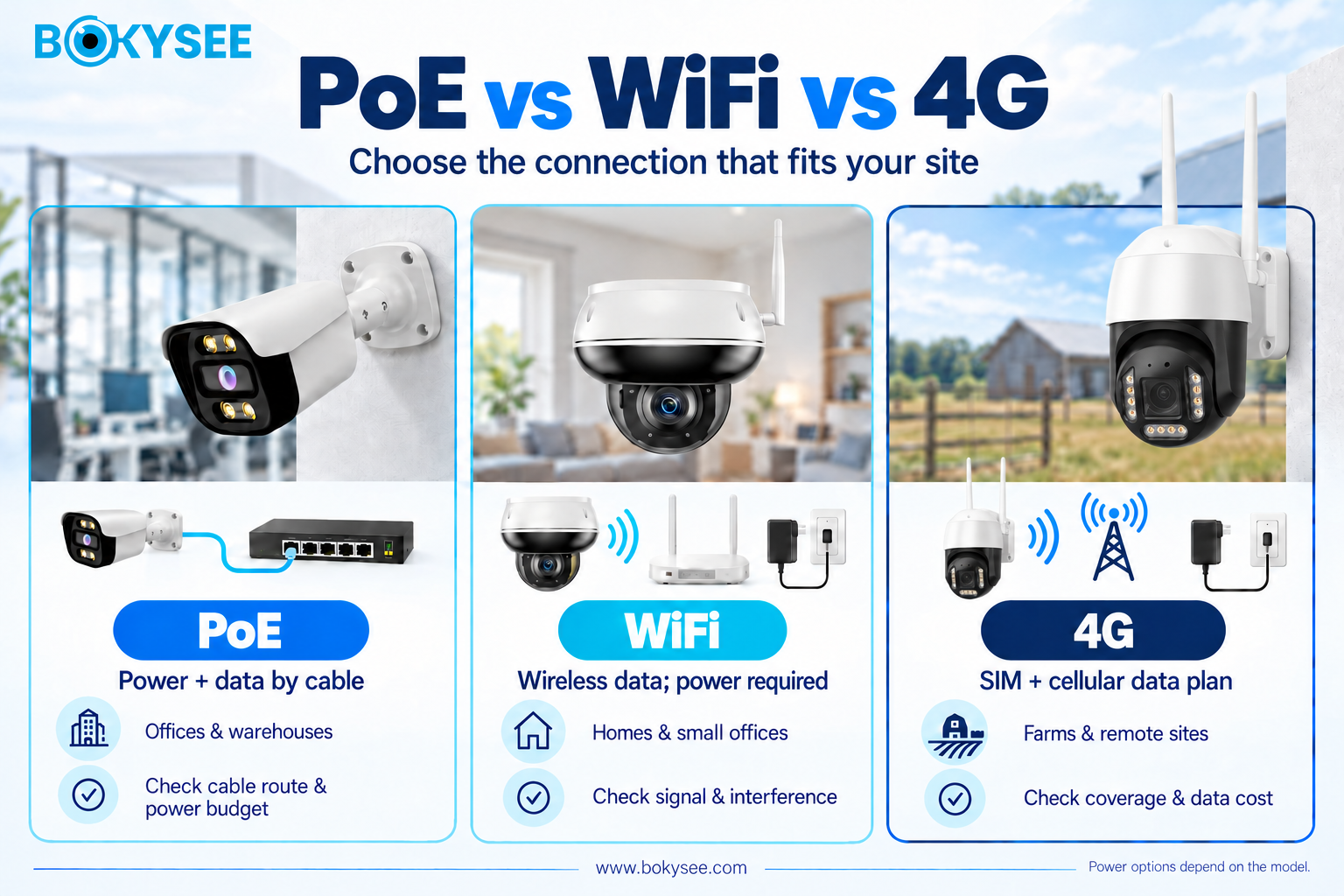
Connectivity influences the installation, reliability of recording, cost of operation, and remote connection. Some of the popular alternatives are Power over Ethernet (PoE), WiFi, and 4G cellular.
PoE CCTV Cameras for Reliable Wired Systems
The PoE cameras get both the power and communication done by a compatible Ethernet cable. This cuts down the requirement of an additional power cable for each camera location.
The applications of PoE include office buildings, storage facilities, factories, shopping centers, and surveillance systems comprising multiple cameras. A wired connection may guarantee predictable network performance if there is proper design of cabling and network infrastructure.
Before installing PoE systems, one must check the type of PoE, the capacity of the switch to provide power and total power budget, and distance of cable run from the switch to the device.
PoE can be a practical choice for commercial projects where good connectivity and central recording is desired.
WiFi CCTV Cameras for Flexible Installation
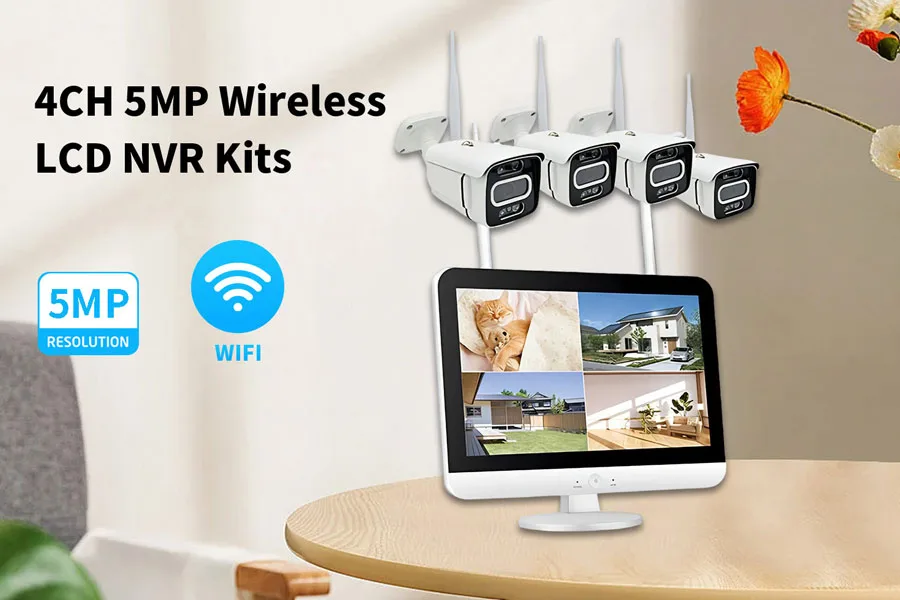
WiFi security cameras use wireless technology to send video footage from their location within a wireless local area network.
Nevertheless, wireless functionality is dependent on factors such as signal strength, interference, construction materials, network traffic, and distance between the camera and access point. Inadequate coverage may lead to delays, unstable connections, or failure to record video.
A wireless security camera also needs to be connected to the correct power supply unless the camera is equipped with a battery.
It is essential to first determine the signal quality at the location before choosing a wireless camera. Video may be recorded locally, by the use of an NVR or in the cloud.
4G CCTV Cameras for Remote Locations
4G cameras link to a suitable cellular network. They can be handy at farms, construction sites, temporary setups, distant storage points, and other places where there is no regular broadband connectivity.
These cameras need proper cellular coverage, suitable SIM card, and a suitable data plan. Remote viewing and cloud transfer of videos can make huge mobile data usage, especially when done in high resolution.
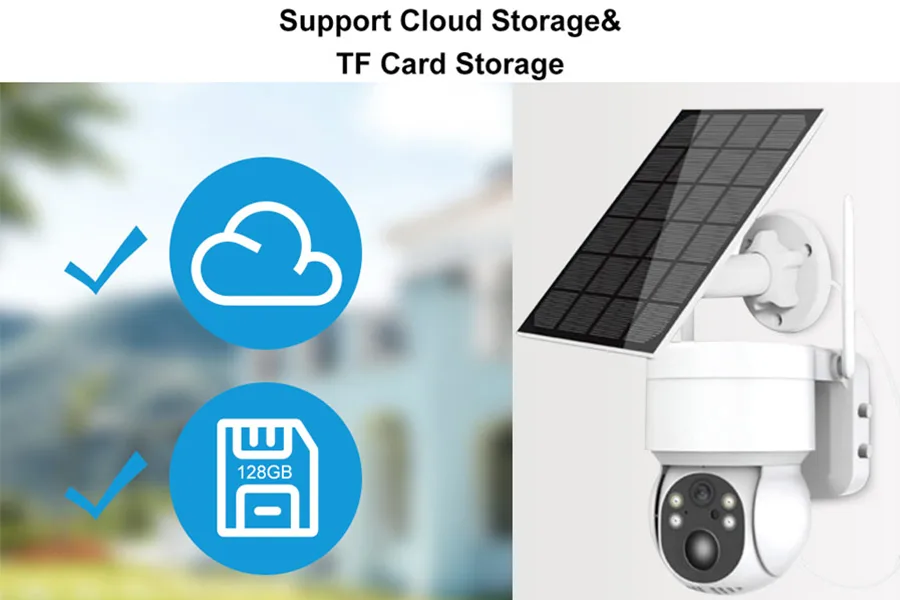
Power needs have to be considered as well. At remote locations, batteries or solar energy can be used when the camera and system support it, depending on usage, environment, and power availability.
Be sure about the cellular frequencies, carrier compatibility, signal strength, recording possibilities, and expected data usage before buying the 4G CCTV camera.
Compare PoE, WiFi, and 4G Before Purchasing
| Característica | PoE | Wi-Fi | 4G |
| Data connection | Cable Ethernet | Wireless LAN | Cellular network |
| Power source | Compatible PoE equipment | Separate supply or supported alternative | Depends on model |
| Main advantage | Stable wired connectivity | Flexible installation | Remote-site connectivity |
| Main limitation | Cabling required | Signal interference | Cellular data costs |
| Typical application | Commercial systems | Homes and small offices | Remote locations |
Choice of solution is based on the site infrastructure, number of cameras, recording demands, and operational costs. PoE can be useful for permanent commercial use, while WiFi can reduce the complexity of smaller systems, and 4G can help solve connectivity problems of distant sites.
These solutions need not necessarily exclude each other. A bigger CCTV system can have wired cameras with wireless or mobile connectivity depending on site needs.
CCTV Camera Selection Checklist For Buyers
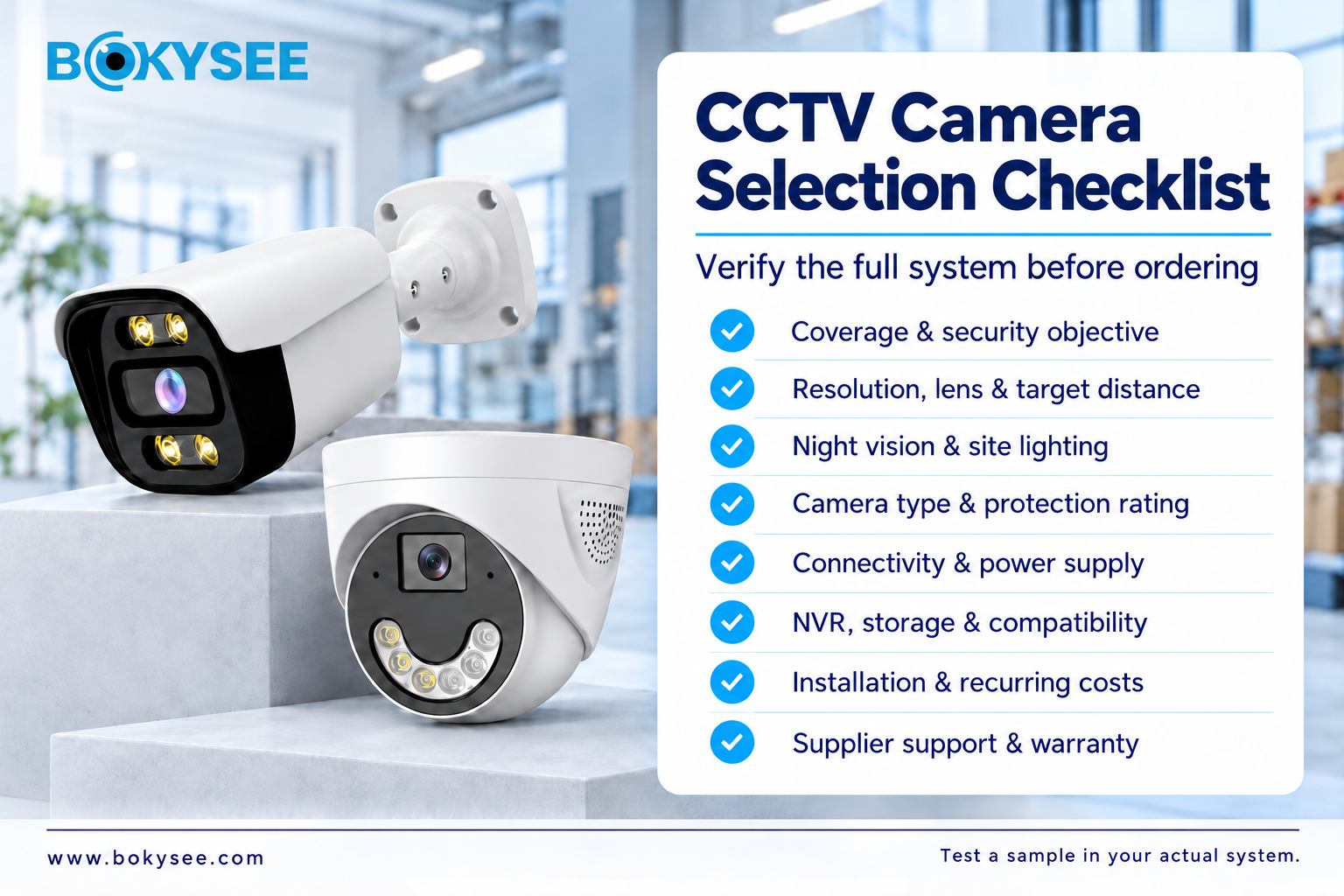
Before making an order, you should look at the camera specifications, compatibility, price, and vendor support. This is to minimize the possibility of choosing equipment that cannot meet the desired performance.
Verify Technical Specifications Before Ordering
Look at the resolution, frame rate, sensor capabilities, lens and field of view. Verify that the camera can provide the needed resolution at the intended distance.
Ensure the camera is able to perform well in terms of night vision, wide dynamic range, and environmental protection. For AI analytics cameras, ensure that the detection capability of the camera is confirmed.
Also look at power supply, audio capabilities, and alarm inputs and outputs. From the datasheet provided by the manufacturer, determine which features are default and which are additional.
When ordering in bulk, ensure that you verify the specifications of the right model and version of the camera.
Check Compatibility With the Existing CCTV System
Compatibility with existing equipment is especially critical when scaling up an existing installation. Verify that the NVR will work with the number of channels, resolution, frame rate, and recording format of the cameras.
In a PoE installation, make sure to verify the ports available on the switch, its power budget, and its network bandwidth. Verify ONVIF compatibility where applicable, but verify compatibility with the required functionality, which could include audio, events, and artificial intelligence metadata.
Buyers should review ONVIF profiles and device compatibility to verify that the camera and recording system support the required features.
Check the requirements for storage capacity, video management software, remote access, and mobile viewing. Some capabilities might require special software or equipment.
Testing an example camera in the existing system before making a big purchase could be helpful in finding compatibility problems.
Compare Total Cost of Ownership
The price of purchase is just a small part of what a CCTV system costs. Installation, cabling, mounting hardware, switches, NVRs, storage drives, and setup can make up a big part of the total cost as well.
Other potential costs can include cellular internet plans, cloud subscriptions, licensing, maintenance, and replacement parts.
It’s better to think about the cost of owning the product throughout its lifetime rather than selecting the cheapest one.
If the higher cost of another model pays off in lower maintenance or avoids expensive upgrades, then it's worth paying for the extra cost.
In case of large-scale installations, ask for an itemized quote.
Evaluate Supplier Support and Product Documentation
Documentation and technical support aid in making sure that cameras are installed and maintained properly. Ask for product datasheets, manuals on installation, compatibility and warranty details before concluding an order.
In commercial and OEM applications, check the availability of the product, delivery time, customizations possible, samples available and technical support provided. In case there is a need for a certification for a specific market or project, make sure that all documentation is available for that particular product.
Also, buyers must know about updates on firmware, availability of spare parts and dealing with defective units.
This feature becomes very important when buying cameras for multiple units or repeat buying programs.
Final Buyer Checklist
● The monitoring objective and coverage area are defined.
● Resolution and lens match the target distance.
● Night vision and lighting suit the installation.
● Camera type and protection ratings match the environment.
● Connectivity and power requirements are confirmed.
● NVR, network, storage, and software compatibility are verified.
● Installation and recurring operating costs are estimated.
● Supplier documentation, warranty, and technical support are reviewed.
Common CCTV Camera Selection Mistakes To Avoid
Even with proper specification comparisons between buyers, there are still some typical errors that might affect the system's efficiency and cost of the project.
1. Choosing Megapixels Without Considering the Lens
Even then, the quality of the image may not be enough to enable identification by the time that the resolution has been maximized. This should be selected based on how wide the lens is compared to the viewing distance.
2. Ignoring Nighttime Conditions
A device that functions well in daylight hours might yield poor results during night hours due to low illumination, glaring, or an unrealistic assumption regarding infrared distance. Perform night tests under circumstances similar to those in the actual installation location.
3. Underestimating Storage and Network Capacity
High-resolution cameras and continuous recording may cause increased need for bandwidth and storage space. Capacity needs to be calculated based on the anticipated number of cameras, recording schedule, frame rate, compression, and storage period before buying equipment.
4. Overlooking Compatibility and Future Expansion
Incompatibility of NVR, insufficient PoE power budget or shortage of channels can lead to costly modifications in the future. Verify existing needs and future growth expectations before designing the system.
Explore More CCTV and Security Camera Guides
Learn more about CCTV camera types, IP camera systems, and connectivity options through our related guides to make informed decisions for your next surveillance project.
Tipos de cámaras de videovigilancia: Guía completa para compradores
Top 10 CCTV Manufacturers and Suppliers in China
Best Places to Install Outdoor Security Cameras
PoE IP Camera: A Complete Buying Guide
Resolución de cámaras IP: Guía de 2MP vs 4MP vs 5MP vs 8MP
How Long Do Solar Security Cameras Last?
PoE Camera Troubleshooting: Power, Video & NVR Fixes
Seguimiento automático de cámaras PTZ: cómo funciona
How Many IP Security Cameras Can an NVR Handle?
Why Is My Security Camera Blurry and How to Fix
Conclusión
CCTV Camera Selection begins with the security objective and location of the camera installation. Camera type, resolution, lens, night vision capability, AI functionality, and connectivity capabilities must match the surveillance needs of the buyer. Comparison of the criteria will enable buyers to purchase systems that produce useful images without additional cost and complications.
It is important for commercial buyers and installers to determine compatibility with NVRs, storage requirements, network limitations, installation costs, and manufacturer support prior to purchasing. In large purchases, it may be prudent to test equipment and consult technical data to minimize purchasing risks.
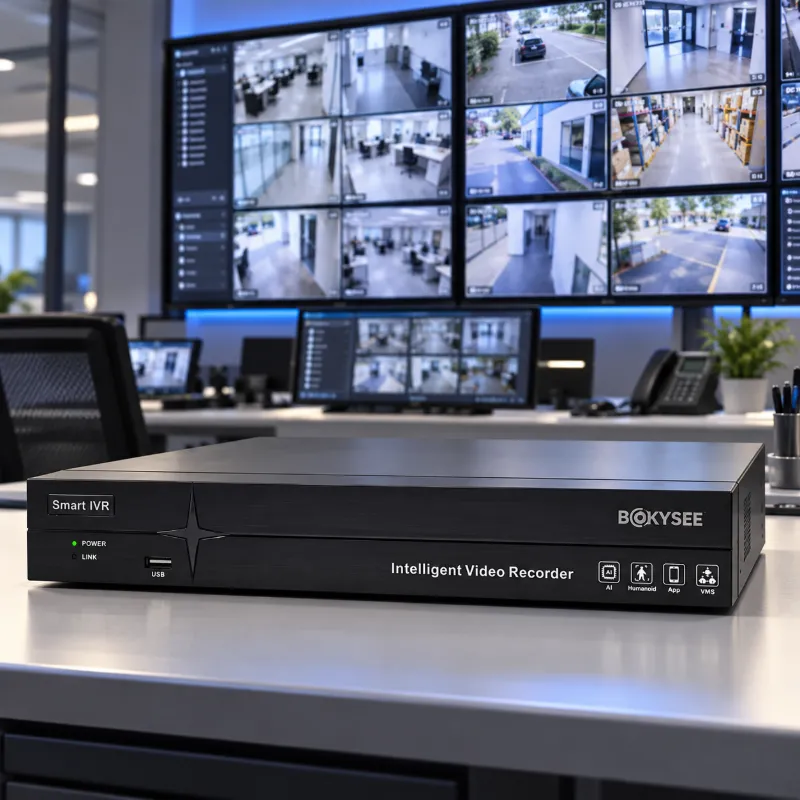
For reliable security camera solutions, choosing the right manufacturer is just as important as selecting the right specifications. Bokysee provides CCTV and IP camera solutions for different surveillance applications. Visit Bokysee to explore its product range and find suitable camera solutions for your business or security projects.





 Spanish
  English
  Russian