Ir al contenido
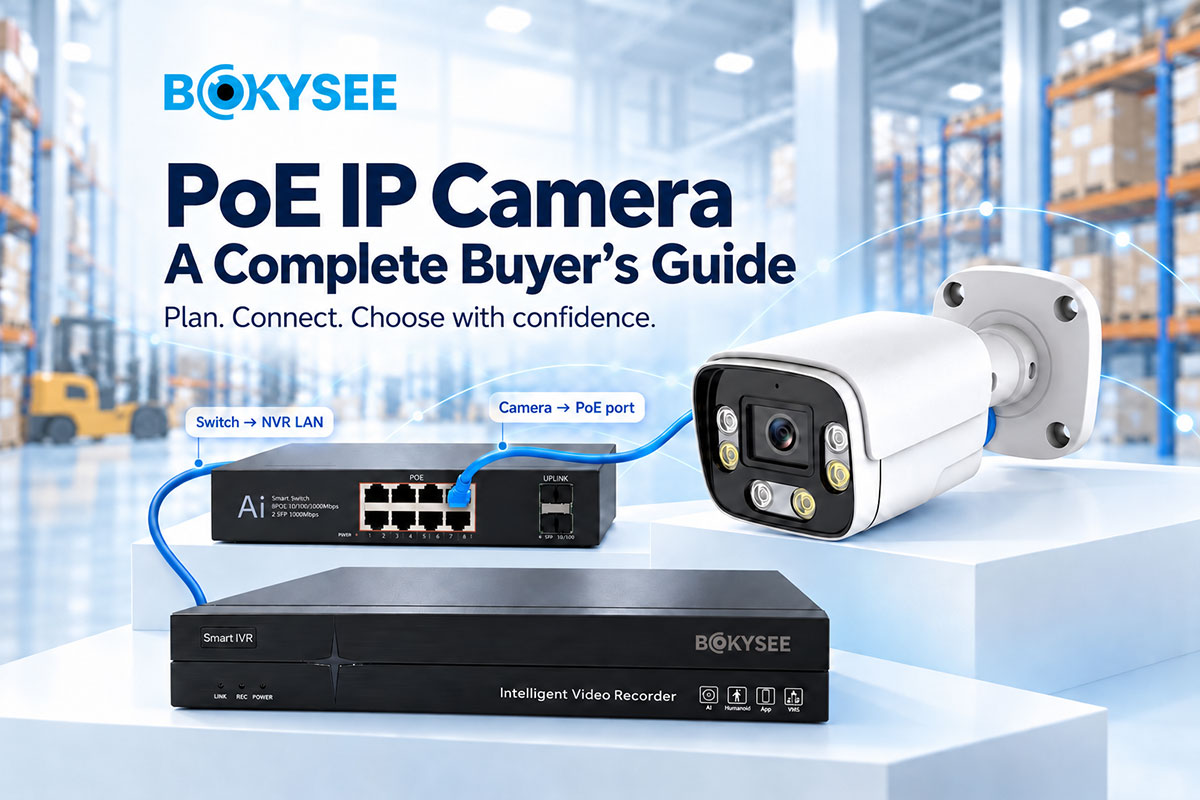
PoE IP Camera: A Complete Guide For Buyers
Cámaras IP PoE are common options in current security systems. PoE IP cameras require one Ethernet cable to deliver power and video signals at the same time. Such design eases installation and cable management. PoE IP cameras fit both residential and business places.
But the choice of PoE IP camera is not only based on its cost or resolution, but also the type of lens, ability to function in night mode, cable length, power requirements, storage capacity, and networking capability.
In this blog, we will discusses the functioning of PoE cameras and compares them to WiFi cameras. Our team focuses on installation procedures, camera features, network components, common issues, and buying advice. We will also helps to evaluate suppliers and select proper products from their portfolio for commercial CCTV installations.
What Is A PoE IP Camera And How Does It Work?
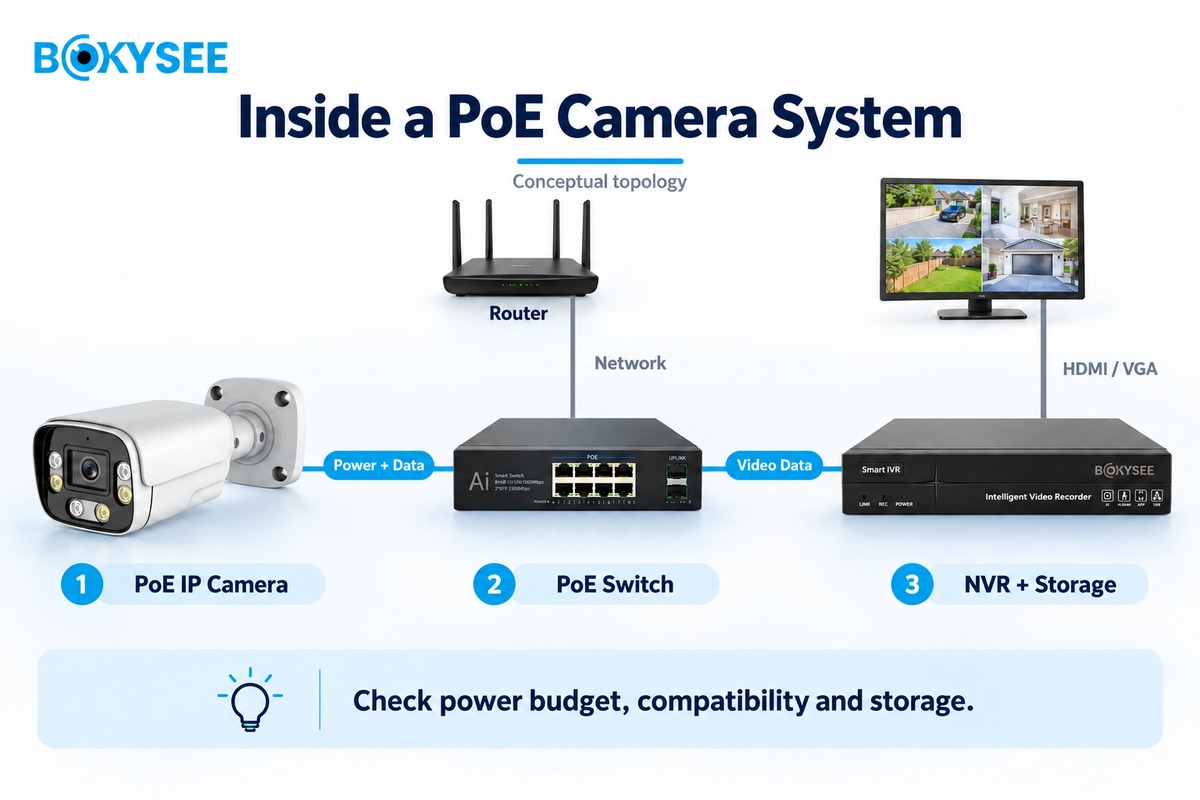
PoE IP camera is a digital security camera, whose operation is powered via and sends video over the same single Ethernet cable. PoE is the abbreviation for “Power over Ethernet camera”. IP means Internet Protocol, which allows data transmission between devices within a network.
Unlike most analog cameras, PoE camera send digital video via Ethernet cable. It can be connected to a network video recorder (NVR), video management software (VMS), and any other compatible recording system.
It gets its power supply from a PoE switch, a PoE-enabled NVR, or a compatible PoE injector. The power supply should provide enough power for the operation of the camera.
Some of the popular PoE standards are 802.3af and 802.3at. Certain devices will demand higher power supplies – 802.3bt standard.
PoE IP camera after connecting will be able to stream video, record it, and remotely monitor it if there is such a possibility on the network and software level.
Main Components of a PoE IP Camera System
The elements required for a functioning PoE security camera system are cameras, cabling, network hardware, recording devices, and storage. Every single one of these components plays an important part.
| Component | Key selection checks | Common mismatch |
| Cámara | Maximum power, lens, codec and target detail | Buying by megapixels alone |
| Conmutador PoE | Port classes, total budget, uplinks and operating temperature | Multiplying port count by the advertised per-port maximum |
| Grabadora de vídeo en red (NVR) | Channels, incoming bandwidth, decoding and supported drives | Assuming recording capacity equals display capacity |
| Cabling | Certified copper, route, distance and PoE resistance performance | Using unsuitable conductors or ignoring patch cords |
| Almacenamiento | Usable capacity, retention, bitrate and drive compatibility | Treating raw disk capacity as usable recording space |
| Network/VMS | VLANs, permissions, throughput and supported functions | Assuming every connected device is fully interoperable |
The main components include:
● Cámaras IP PoE: Film the video and transmit it over the network. Features may include night vision, motion detection, and wide dynamic range (WDR).
● PoE switch: Supplies power to compatible cameras and connects them to the network.
● NVR PoE: Video recording from the camera is stored, and it can also give out power using the PoE ports.
● Ethernet cables: Carry power and data between compatible devices. Cable quality and distance affect performance.
● Storage drives: Store videos recorded for future references. This will be determined by the number of cameras being used.
● Router and network: Allow devices to communicate and can support secure remote viewing.
● Monitoring software: Helps users view live video, search recordings, manage cameras, and receive alerts.
Illustrative warehouse plan: For 16 cameras recording at an assumed 4 Mb/s each, video traffic is 64 Mb/s. Start with at least 16 NVR channels; consider a 32-channel model if expansion is planned. Check additional streams and overhead separately. Power and storage calculations appear in the sizing examples below.
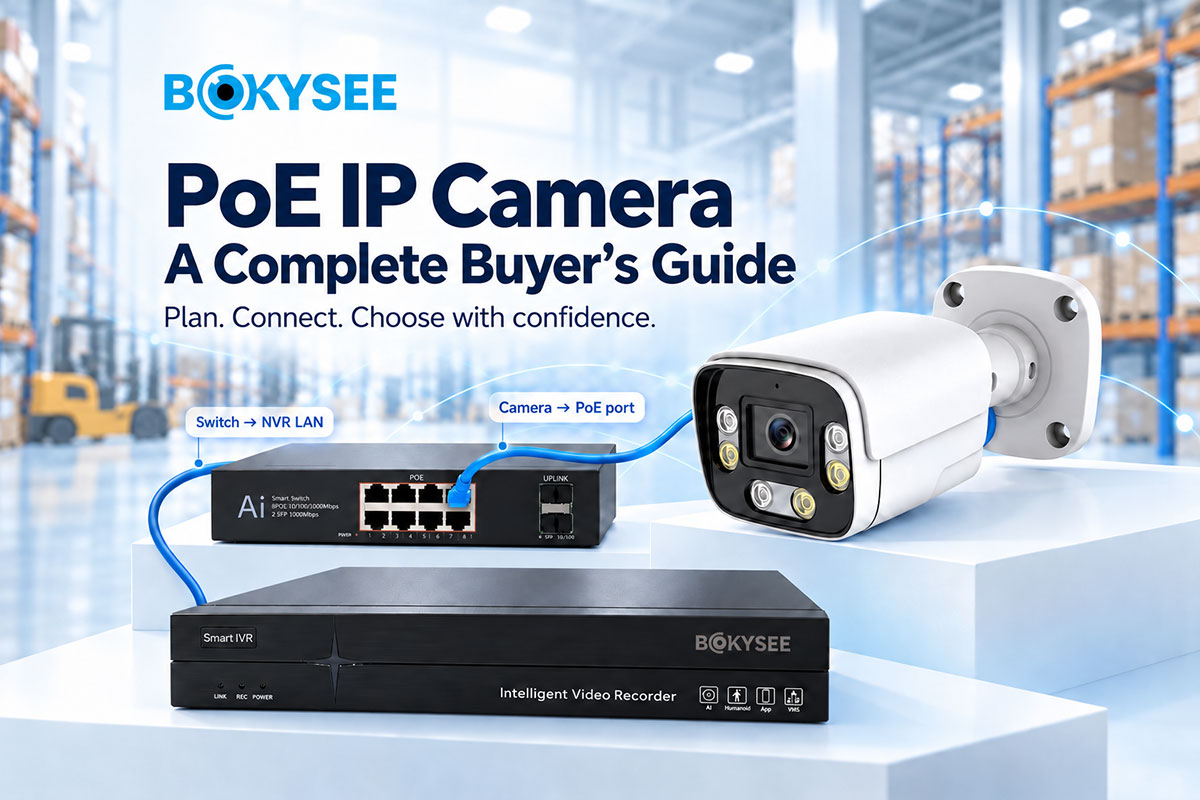
Conceptual topology: Camera → PoE switch → NVR LAN; NVR → monitor via HDMI/VGA. In an alternative design, cameras connect directly to an NVR’s integrated PoE ports. Follow the recorder’s network design rather than combining both arrangements indiscriminately.
Brand example: Bokysee lists BK-POE04B4M, BK-POE04B5M and BK-POE04B8M variants. Request the exact variant’s current datasheet and a sample before specifying it. This is a product example, not a claim that it suits every project. Bokysee product listing.
It is important to assess the specifications before purchasing the equipment since all components have to be compatible.
Why Choose PoE IP Cameras For CCTV Projects?
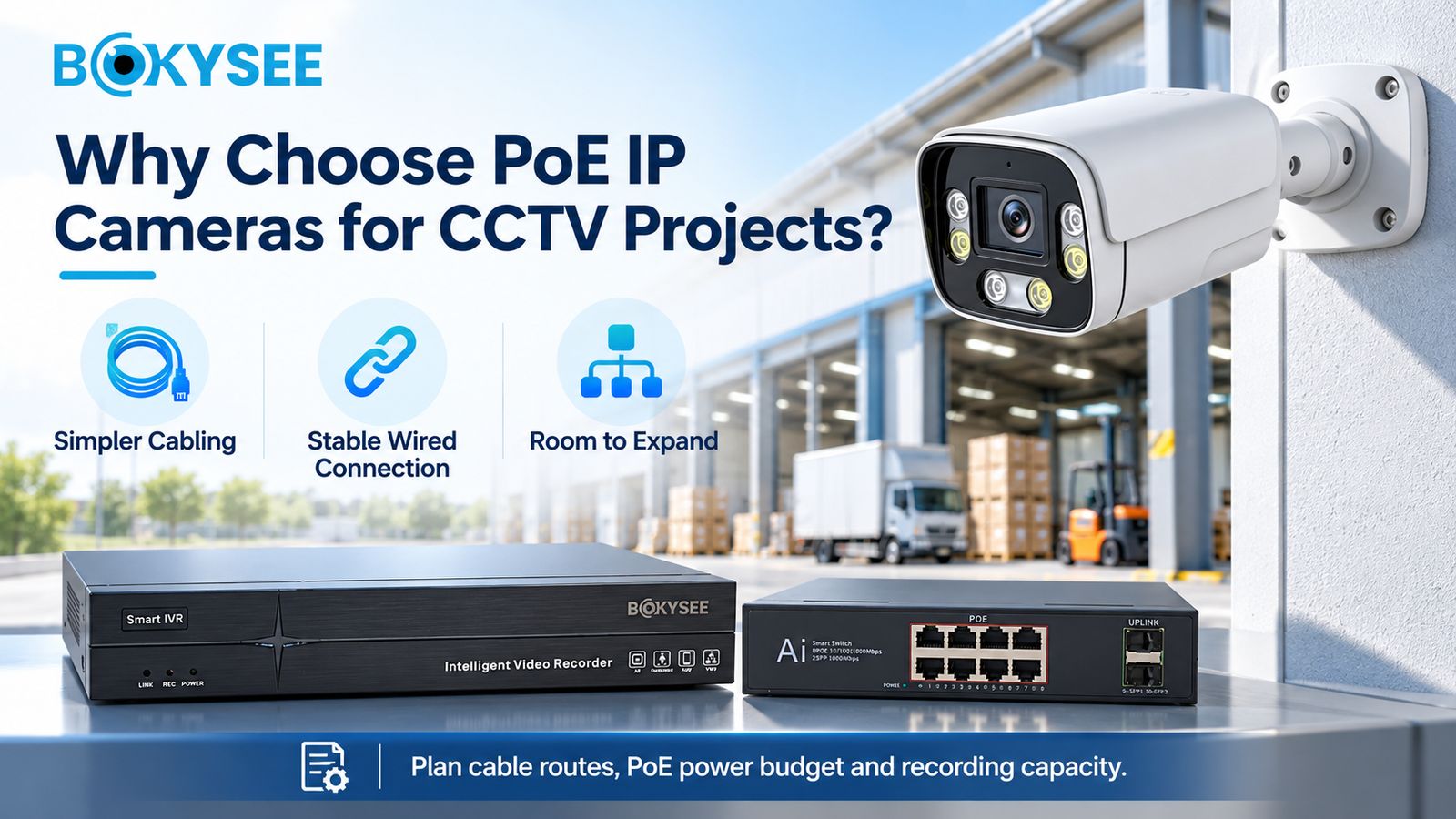
The PoE IP cameras have a number of advantages that include simplifying wiring, providing reliable video connections and ease of expanding a CCTV surveillance system.
Nevertheless, it is important to take into consideration particular features of each place where the camera is installed.
Simplified Cabling and Centralized Power
PoE camera employs only one Ethernet cable to transfer power and also data signal transmission. The use of an extra power cable is not necessary, which makes installation a lot easier.
The fewer cables needed to be installed, the easier will be the process for offices, warehouses, and factories. In this case, one needs only to install cameras at places where Ethernet cables could reach.
At the same time, the buyer has to consider the power budget of a PoE switch since certain camera models require infrared lights, heaters, or other power-consuming options.
Reliable Video Transmission and Remote Monitoring
Wired connection would ensure network consistency and help to eliminate most difficulties associated with poor WiFi connections.
An IP camera system suitable for this purpose can be used to provide features such as remote viewing, playback, detection of movement, and user privileges. These are dependent on the camera, NVR, software, and the networking system.
Other than these, the provision of power backup, security of remote access, and proper storage systems are also some of the important aspects to consider when buying this system.
Scalability for Commercial and Industrial Security
PoE devices can be scaled to fit changing security requirements. A company might initially install surveillance cameras around the entry point and eventually install more for loading docks, storage areas, manufacturing floors, and parking lots.
Before scaling the network, make sure there is enough switch port capacity, power supply, bandwidth on the network, NVR channels, and disk space.
Limitations Buyers Should Consider
POE cameras must have the appropriate Ethernet cables as well as the right networking devices. The maximum Ethernet copper cable channel range is only 100 meters long. Longer ranges will necessitate more networking devices and fiber-optic cables.
Installation of cables in an already built environment can also incur more costs. The camera will not work if there is no power supply source.
Prospective buyers must take into consideration installation cost and site arrangement.
PoE IP Camera Vs WiFi Security Camera
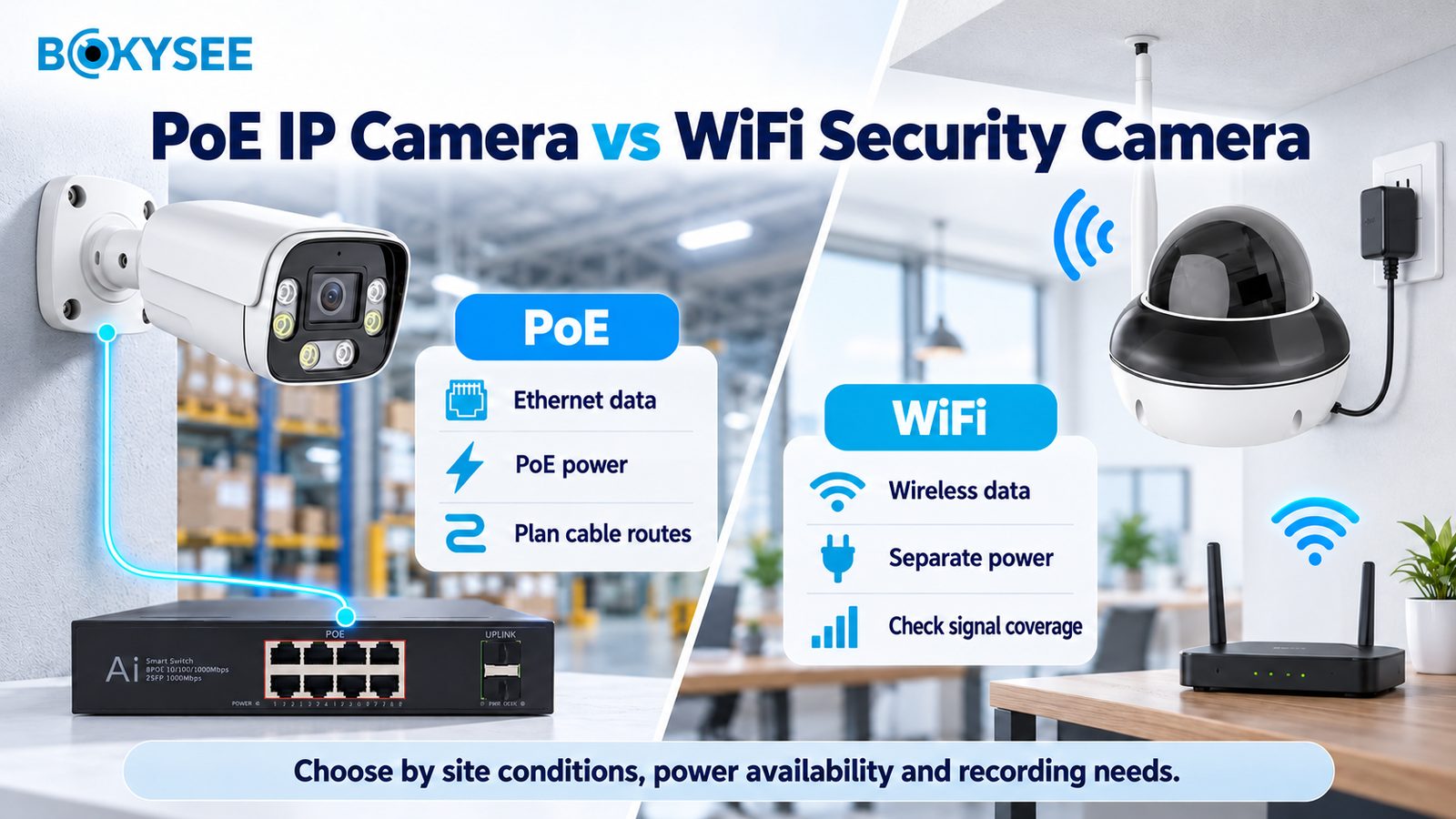
PoE and WiFi cameras have the capability to make recordings and offer remote monitoring. The major difference between the two kinds of cameras is the way they connect to the Internet and get power.
PoE camera acquires both data and power supply through the Ethernet cables, while the WiFi camera transmits data via the wireless network but still needs power.
It is recommended that buyers look into the strength of the signal, power supply, and requirements for recording.
| Característica | Cámara IP PoE | WiFi Security Camera |
| Fuente de alimentación | Ethernet cable from PoE equipment | Separate power or battery |
| Network connectivity | Wired Ethernet | Red inalámbrica |
| Installation requirements | Ethernet cables and PoE equipment | WiFi coverage and power source |
| Connection reliability | Usually steady with correct installation | Depends on signal and interference |
| Coverage flexibility | Depends on cable routes | Easier to move within WiFi coverage |
| Commercial project use | Good for structured, larger systems | Useful where wireless links meet project needs |
How To Install A PoE IP Camera System?
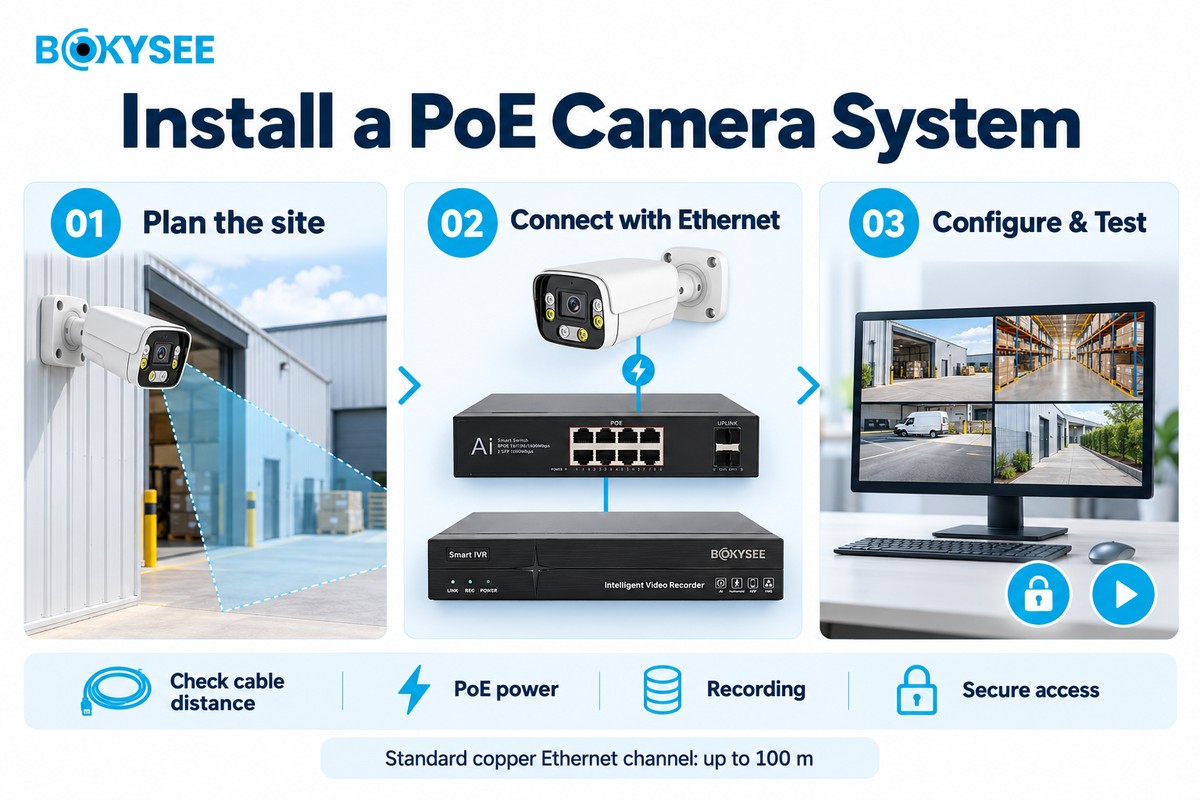
The proper installation ensures improved image clarity, network performance, and longevity of the system. Camera placement, wiring, power requirements, and recording should be considered prior to the installation process.
Step 1: Plan Camera Locations and Network Coverage
Indicate those locations that require surveillance. These might be entrances, exits, stockrooms, production lines, parking lots, and loading docks. Determine whether each camera must monitor a large area or capture fine details at a fixed distance.
Take note of the viewing angles, camera heights, light levels, and blind spots. Avoid putting cameras in locations where light obscures critical detail.
Plan out the paths of cables back to the switch and/or recording devices. Outdoor cable runs might require appropriate conduits and protection from the elements.
Step 2: Select Ethernet Cables and PoE Equipment
Choose Ethernet cable that meets the site’s needs. Cat5e supports many common gigabit network installations, while Cat6 may suit projects that need extra capacity or future expansion.
Use cables and protection suitable for the installation area. Outdoor cable routes need protection against weather and damage. Check the distance from each camera to its network connection. A standard copper Ethernet channel is generally limited to 100 meters.
Also calculate the power needs of all cameras. The switch or NVR must support the required PoE standard and have enough total power for every connected device.
Step 3: Connect Cameras to a PoE Switch or NVR
Mount the camera and connect its Ethernet cable to a corresponding PoE port. NVRs may have integrated PoE ports for connecting the cameras. Alternatively, some systems may require using a PoE switch.
Ensure that the camera turns on and establishes communication with the system. Refer to the manual and follow the instructions for finding your camera, setting up the IP address, and completing initial setup.
Never plug a camera into equipment which does not provide enough power supply to the device.
Step 4: Configure Recording, Network Access, and Alerts
Install the camera on the NVR or VMS device. Monitor the live feed and configure the recording schedule, motion detection, resolution, frame rate, and storage configurations.
Securely update the password and generate user accounts that have appropriate permissions.
Update the firmware periodically and employ safe procedures for remote monitoring. Do not directly connect the camera to the Internet unless you have implemented adequate safeguards.
Verify the live stream, recording, alarm, timing features, and system reboot after a power outage.
Step 5: Common Installation Mistakes to Avoid
Among some common errors are bad cables, too long cables, neglecting power requirements, and selecting a switch with insufficient bandwidth. Inappropriate camera positioning may result in missed areas.
Mark all cables and note down camera addresses. Always test cameras prior to system handover. This will help with later repair and maintenance tasks.
How to Choose Resolution, Lens, and Night Vision?
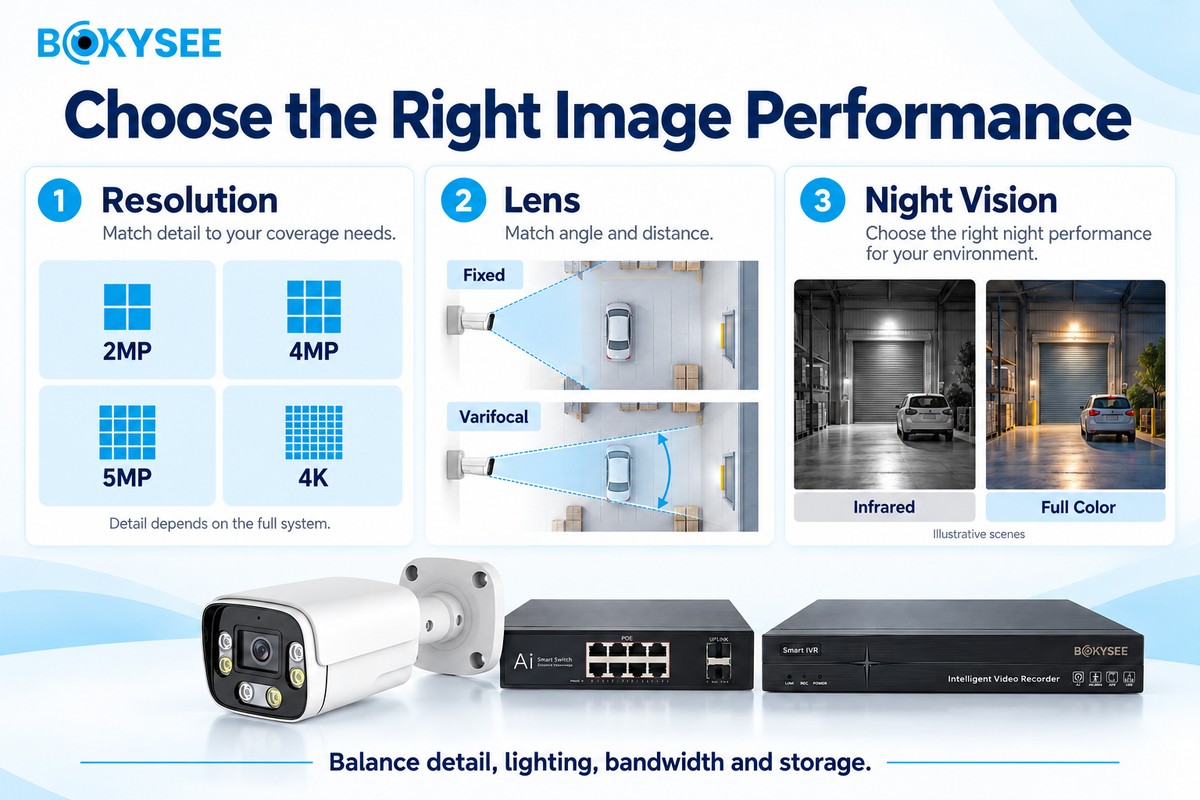
The resolution, lens used, and night vision capabilities influence what the camera captures. Rather than settling on the highest specifications by default, consumers need to align the specifications with the intended target area.
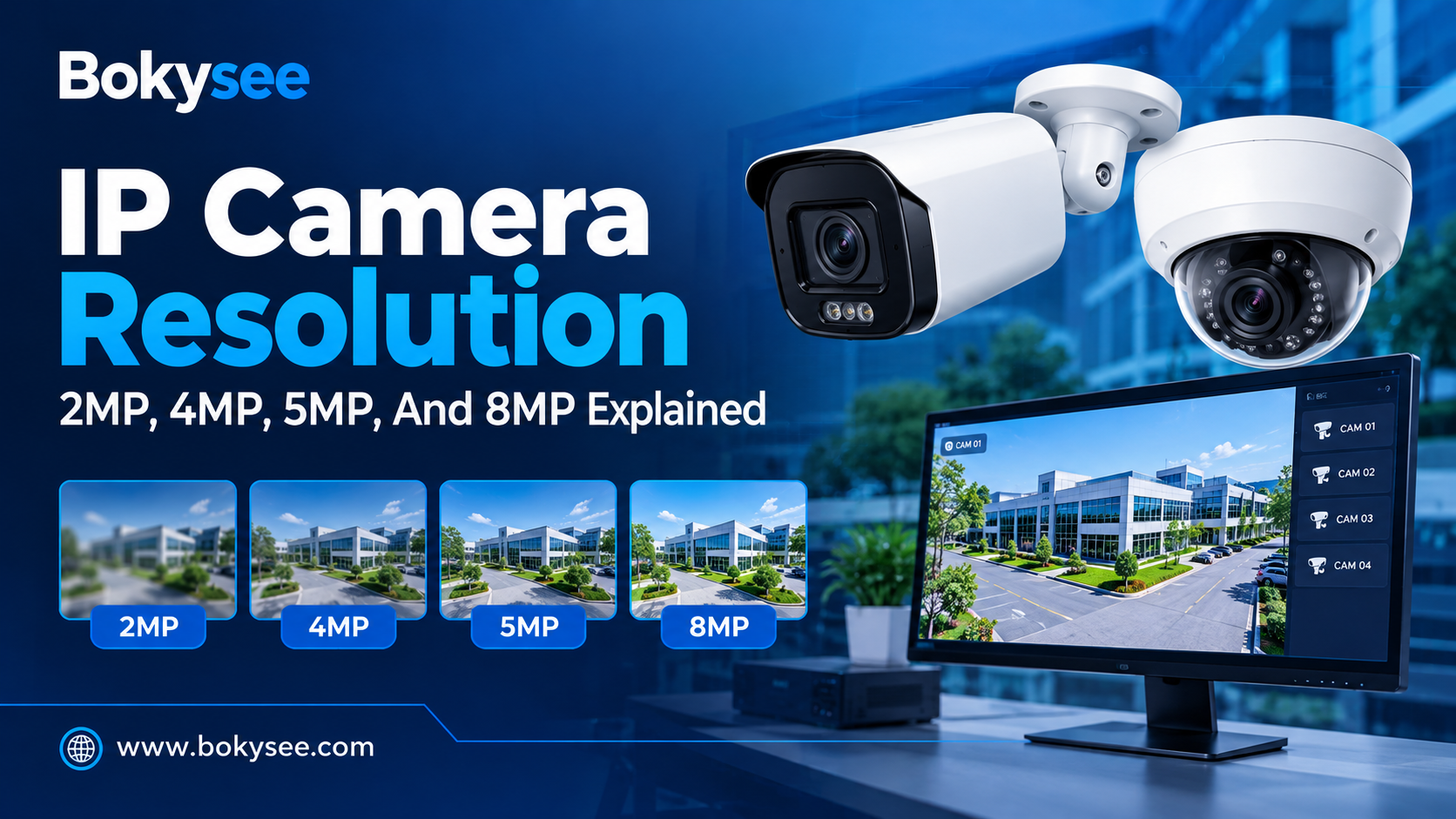
(a) 2MP, 4MP, 5MP, and 4K PoE Camera Resolution
A 2MP camera is suitable for basic surveillance in smaller rooms or entryways.
A 4MP camera has higher resolution and can be suitable for offices and shops, among other indoor locations.
The 5MP camera offers higher resolution if the lens, lighting, and recording capabilities allow it.
A 4K PoE camera typically records in 3840 x 2160 pixels, which equates to 8.3 million pixels in each frame. It will be useful if there is a wide area to monitor and more detail is required.
Higher resolution requires greater use of bandwidth and storage capacity. It does not ensure clarity of images if the target is out of range or the lighting conditions are poor.
(b) Fixed Lens vs Varifocal Lens
The fixed lens has only one focal length and viewing angle. This lens might be a proper choice if you know the position of your camera and the area covered by it.
The varifocal lens allows adjusting the viewing angle according to the focal length settings made by the installer. This type of lens might fit for such places as gates, entries, parking areas, etc.
Make sure to pay attention to the focal length, viewing angle, distance to your subject, and manual or camera adjustment.
(c) Infrared Night Vision vs Visión nocturna a todo color
Infrared night vision uses infrared light to capture images in darkness. The footage is usually black and white. Performance depends on the sensor, light range, target distance, and scene conditions.
Full-color night vision aims to show color in low light. Some cameras use sensitive sensors, while others need visible white light. Color may help users identify clothing or vehicle colors, but extra light may not suit every site.
(d) IP Rating, WDR, and Motion Detection
For outdoor PoE cameras, verify their IP rating for testing against dust and water exposure. The camera being rated will not necessarily be vandal-resistant and corrosion-resistant.
The wide dynamic range (WDR) is useful for displaying scenes where there are light and dark elements, such as someone standing in front of a brightly-lit door.
Motion detection initiates recording and alarms on detecting motion. Detection zones and sensitivity settings help in reducing false alarms caused by motion like tree branches and passing traffic.
How to Source PoE IP Cameras For Projects And OEM
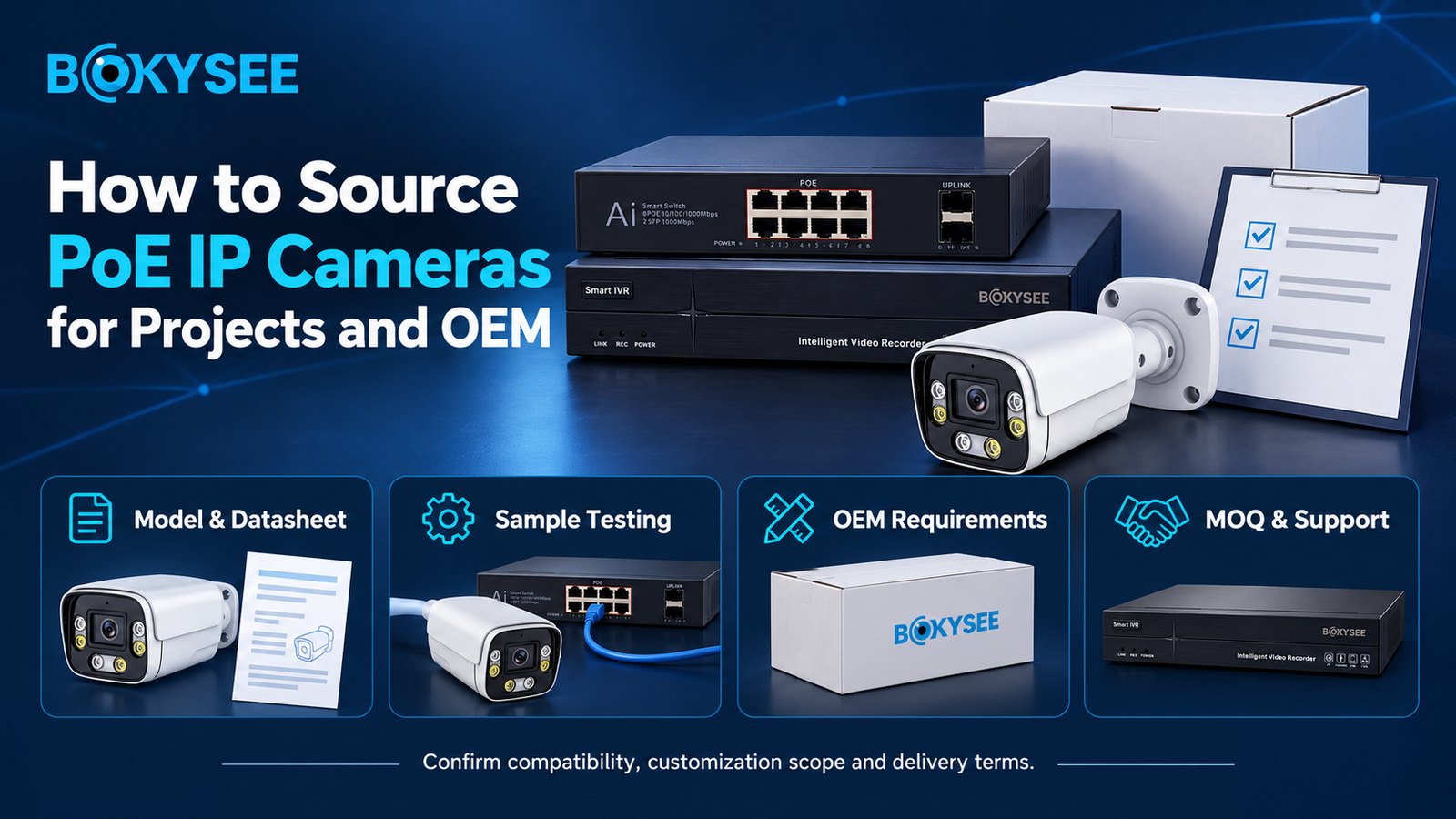
Distributors, importers, installers, and buyers of the projects require not only affordable pricing per unit but also proper quality of the product, reliable technical documentation, and post-delivery assistance.
1. How to Evaluate a PoE Camera Manufacturer
Assess the product line offered by the supplier, their technical expertise, quality control procedures, and experience in undertaking similar projects. Look into the image resolution, camera lenses, low-light performance, networking capabilities, PoE compatibility, and the operating temperature range.
Request the full data sheets and exact models. Determine how the manufacturer makes or buys the cameras from another manufacturer or if the company merely assembles them.
2. OEM, ODM, and Private-Label Customization Options
OEM services may let buyers sell products under their own brand. ODM services may offer more design or feature changes, depending on the supplier.
Options may include logos, packaging, manuals, software settings, language choices, and selected hardware features. Not every supplier offers all options. Custom work may also increase cost and lead time.
Before ordering, confirm the minimum order quantity (MOQ), sample approval process, design rights, software support, and how product changes will be managed.
3. Product Samples, Certifications, and Quality Control
Request samples for testing purposes of image quality, night vision capabilities, network stability, motion detection, and NVR compatibility. Do the test under circumstances similar to where they will be installed.
Verify that the relevant certificates are required in your target market. Certificates vary depending on the product and country. Examine the scope and validity of the certificate rather than making an assumption.
For large orders, discuss manufacturing tests, packing, serial number issues, inspection guidelines, and the handling of defectives.
4. MOQ, Lead Times, Warranty, and After-Sales Support
Confirm the MOQ, lead times, payment options, delivery details, warranty coverage, and return policy prior to purchase. Inquire about the availability of spare parts, software updates, and technical documentation.
The best suppliers provide clear lines of communication and technical support, which in long-term projects may be as important as the initial cost.
How to Choose a PoE Switch and NVR?
The switch and NVR need to meet the demands of the number of cameras, power consumption, network bandwidth, and recording duration. Mismatching can cause connection failures, poor video quality, or lack of footage.
1. Calculate PoE Power Budget for Multiple Cameras
Calculate the maximum power requirement for each camera and sum up the values. Factor in the additional power requirements for infrared lights, heaters, etc. Ensure that the total falls within the total PoE power budget for the switch, not the individual port limitation.
Keep a buffer for future expansions as well. Make sure the switch is compatible with the PoE standards supported by the camera.
2. Choose NVR Channels and Storage Capacity
Select NVR that has enough channels to accommodate existing and future video cameras. Consider its input bandwidth, resolution, recording features, and camera compatibility.
Storage capacity requirement depends on camera count, bitrate, frame rate, recording schedule, encoding technique, and retention period. Continuous recording tends to consume more storage space than event recording. Calculate storage capacity based on the actual camera settings.
3. Check ONVIF and Camera Compatibility
It is possible for ONVIF to allow integration of cameras and recorders made by different brands. But the level of support available for certain functions depends on the hardware, the profile, and the firmware installed on them.
It is important that you check the compatibility of live video, motion detection, audio, playback, and camera functionalities.
Common PoE IP Camera Problems And Solutions
Most camera problems occur in connection with power, cords, network connections, or recording configurations. Review these factors first, before swapping out components.
1. Camera Not Powering On or Connecting to the Network
Begin by checking the cables. Check the functionality of the cable as well as the port in question. Ensure that the switch is compatible with the power requirements of the camera and has adequate power.
In case the camera lights up but cannot go online, ensure that the correct IP address, subnet, VLAN and other networking configurations have been set up for the camera and NVR to communicate.
2. Video Lag, Night Vision Issues, and Recording Failures
Lag in the video could be caused by inadequate bandwidth, excessive bitrate configuration, congestion on the NVR, or cable issues. Inspect the switch uplink and camera stream settings.
For issues with the night vision, inspect the camera lens and check for any reflective surfaces near it which might cause the infrared interference. Make sure that the light range on the camera is appropriate to the surroundings.
In case of stopping the recordings, check the storage device’s condition, available space, recording schedule, clock synchronization, and NVR settings.
PoE IP Camera Buying Checklist For Security Projects
Use this checklist before choosing a PoE security camera system. It helps buyers check the main needs and avoid costly mistakes.
● Resolution and lens: Match image detail, viewing angle, and target distance.
● Installation site: Check indoor or outdoor use, temperature, and weather protection.
● Cable distance: Confirm cable type, route, and distance limits.
● PoE power budget: Make sure the switch or NVR can power every camera.
● Compatibility: Check NVR, VMS, ONVIF, and required features.
● Almacenamiento: Estimate space based on recording settings and retention time.
● Cybersecurity: Review passwords, firmware updates, user access, and remote access.
● Supplier support: Confirm certifications, warranty, quality checks, lead time, and technical help.
For larger projects, prepare a camera list and network plan. These documents help buyers estimate costs, plan cable routes, and reduce delays during installation.
Explore More CCTV Security Solutions
Explore our related guides on CCTV camera types, PoE security camera systems, and other surveillance solutions to make informed purchasing decisions.
PoE vs WiFi vs 4G Solar Security Cameras: Which System Is Best for Your Project?
Smart Dual Light IP Camera for Full Color Night Vision: Why It Matters for CCTV Projects
ONVIF IP Camera Compatibility: What Installers Should Check Before Buying
PoE IP Camera vs WiFi Camera: Which Is Better for Installers?
What’s Inside an IP Camera? Hardware & Bitrate Explained (2026 Guide)
How IP Security Cameras Work: Full Guide to Components, Image Processing & Video Streaming (2026)
¿Qué es la videovigilancia IP? Ventajas de los sistemas de cámaras IP
IP Camera Systems for Business Security: Benefits, Types & OEM Buying Guide
Reflexiones finales
Selecting the appropriate PoE IP camera is a case of ensuring that the image resolution, lens, night vision, power, network capabilities, and storage capacity are all suitable for the particular project. In commercial projects, the quality of cabling, secure remote access, and recording capabilities are as important as resolution.
Bokysee provides CCTV solutions for security projects, distributors, and OEM buyers. Explore Bokysee product range y contact our team for competitive quotations tailored to your project requirements.
Ver también
Understanding Full Color IP Cameras And Their Key Advantages
Emerging IP Camera Innovations In 2025 For Better Security
Guía esencial para comprar cámaras de seguridad 4G
Guide To Encoding Settings For Bokysee IP Cameras
Diferencias clave entre los sistemas de cámaras IP y los modelos tradicionales





 Spanish
  English
  Russian