 Ir al contenido
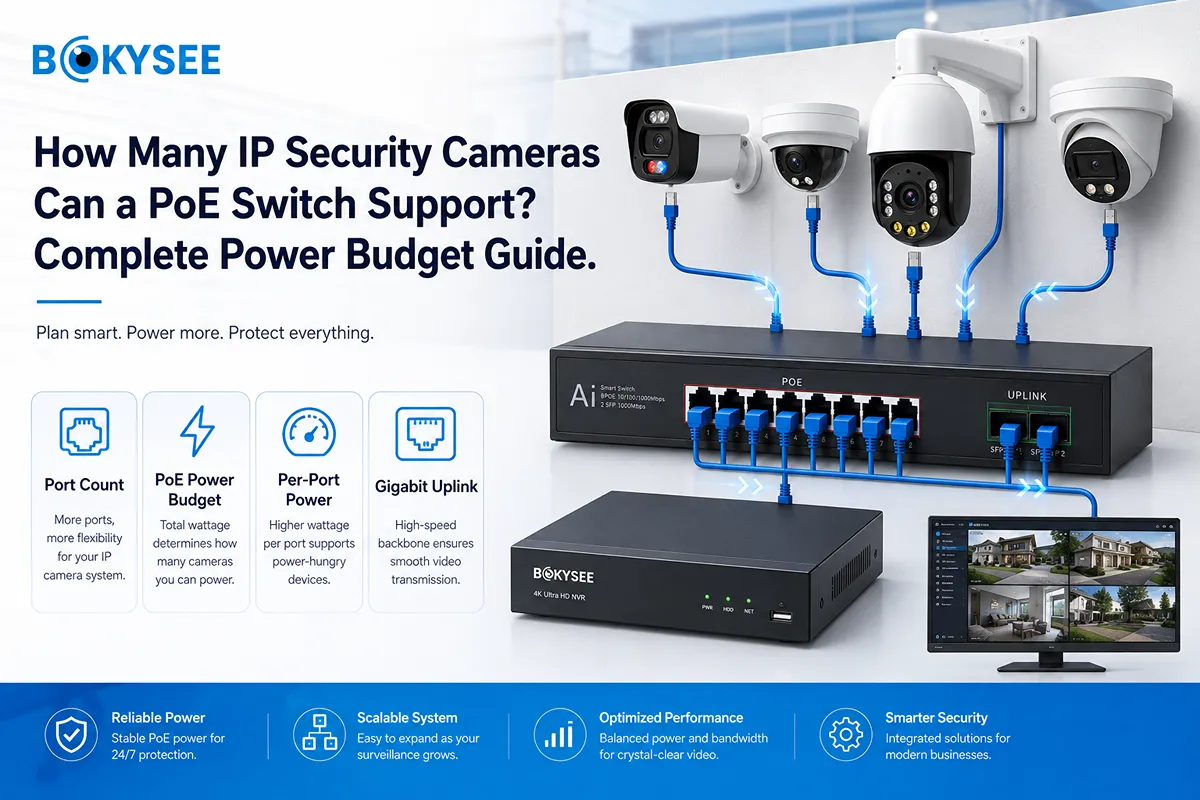
Quick Answer: How Many IP Security Cameras Can One PoE Switch Support?
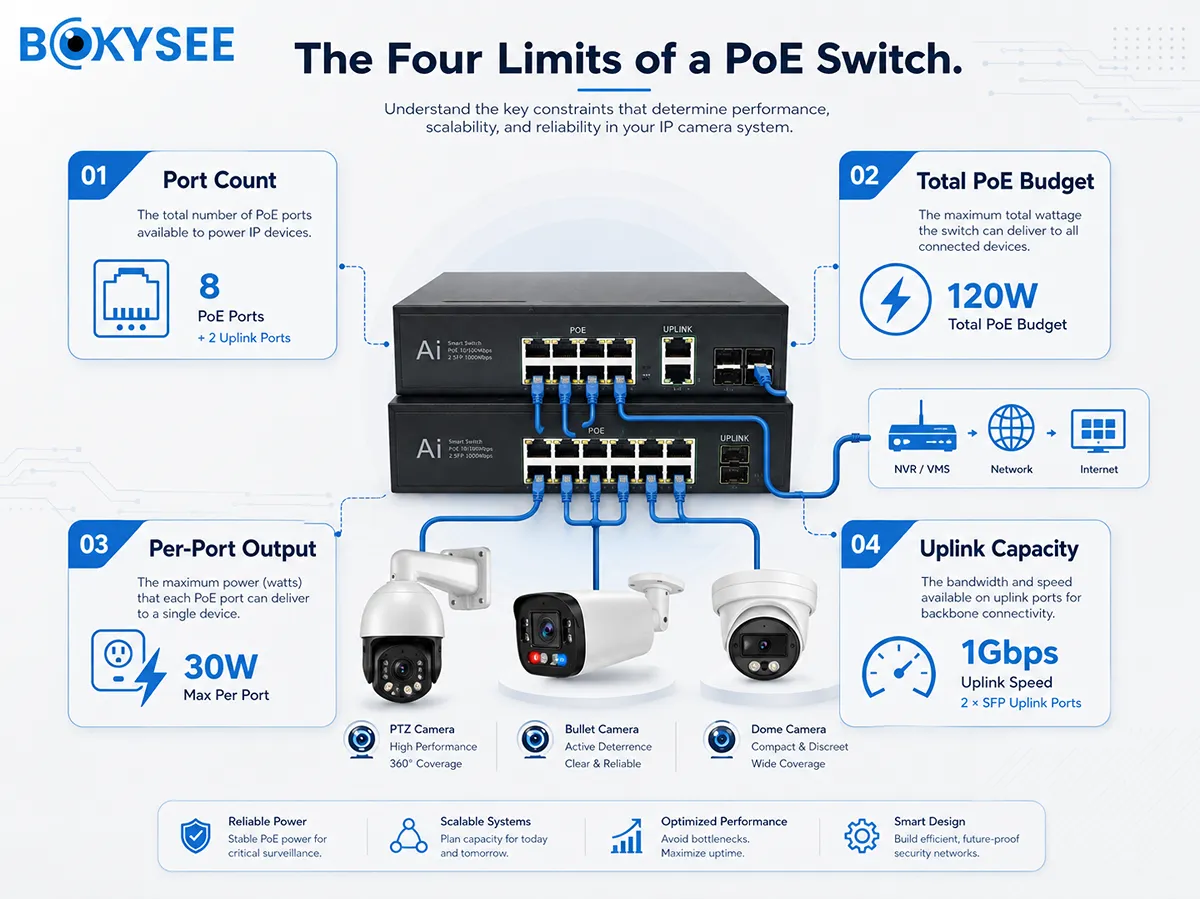
A PoE switch is limited by its usable camera ports, total PoE power budget, maximum power per port and uplink bandwidth. An eight-port model does not automatically support eight cameras in every project. Fixed bullet and dome cameras may need modest power, while motorized zoom, long-range infrared, white-light alarm and PTZ cameras may require much more.
Calculate every camera’s maximum power, add a safety margin and confirm that the uplink can carry all video streams. Buyers can review Bokysee PoE IP security camera solutions before matching the switch and NVR.
How Many IP Security Cameras Can an 8-Port PoE Switch Support?
The answer begins with the real port layout. “Eight-port switch” may mean eight total Ethernet ports rather than eight camera ports. Common designs include:
· Eight PoE ports plus two independent uplinks
· Seven PoE ports plus one shared uplink
· Eight PoE ports with separate SFP uplinks
· Eight Ethernet ports but only four PoE-enabled ports
Always check the port diagram. Even when eight PoE ports are available, the power budget must support all cameras.
If eight cameras each require a maximum of 8 W, the theoretical load is 64 W. A 65 W switch leaves almost no margin for startup, night illumination or temperature variation. A higher budget provides safer operation.
Leave spare ports where possible. A seven-camera project may later add a gate, license plate or PTZ camera. Filling every port on day one makes expansion more expensive.
How to Calculate a PoE Switch Power Budget for IP Security Cameras
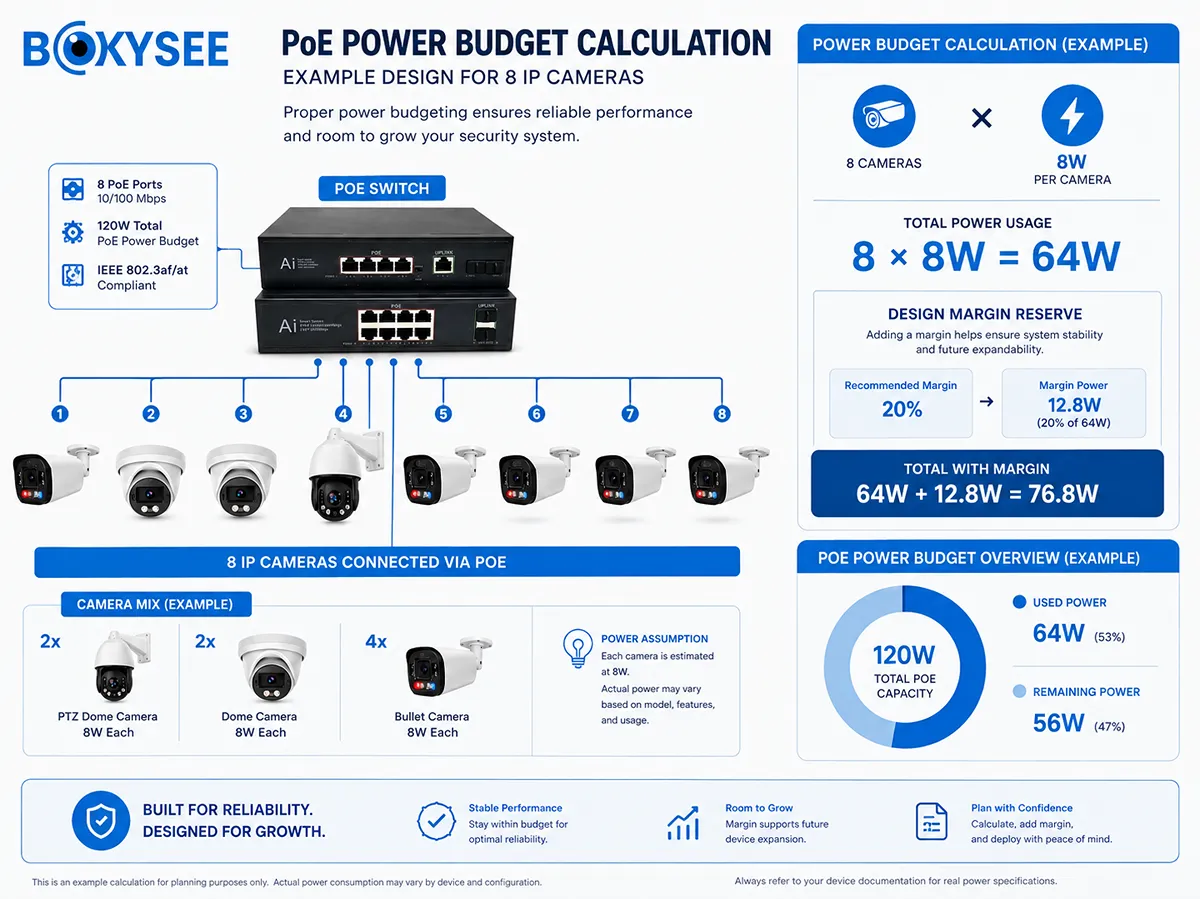
Use the maximum power from the camera specification, not only typical daytime consumption.
Required PoE budget = sum of maximum camera power × design margin
PoE power budget example for eight fixed IP cameras
· Eight fixed cameras
· Maximum power per camera: 8 W
· Total load: 8 × 8 W = 64 W
· Add 25% margin: 64 × 1.25 = 80 W
An 80 W or higher usable budget is a safer starting point than a 65 W switch.
Mixed-camera PoE power budget example
| Tipo de cámara | Cantidad | Maximum Power Each | Subtotal |
| 5MP fixed bullet IP camera | 8 | 8 W | 64 W |
| Motorized zoom dome camera | 2 | 15 W | 30 W |
| Optical zoom PTZ camera | 2 | 25 W | 50 W |
| Total maximum load | 12 | – | 144 W |
| Load with 25% margin | – | – | 180 W |
This system should not use a 120 W switch even if it has enough ports. Select a higher-power switch or divide fixed and PTZ cameras across separate switches.
Why IP Security Cameras Use More PoE Power at Night
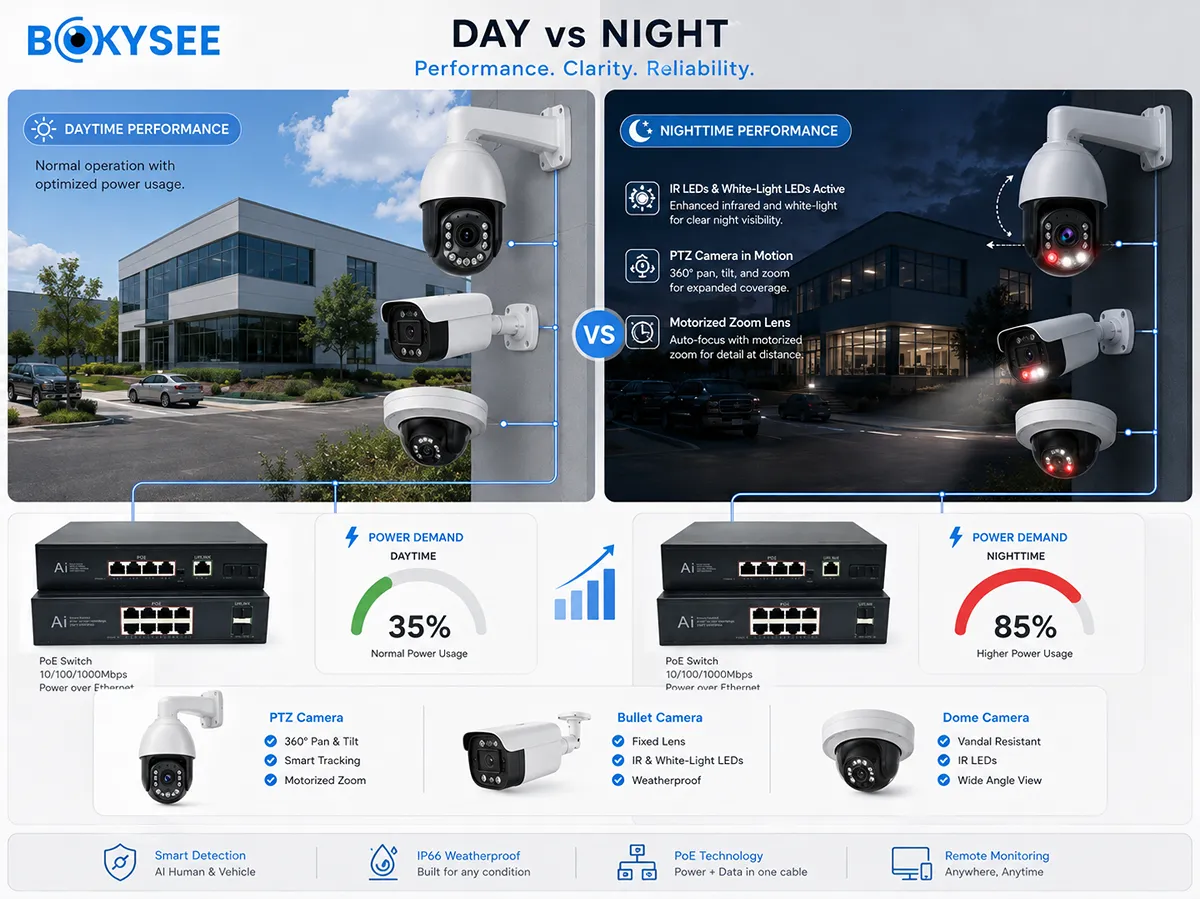
Night power can rise when IR LEDs, white LEDs, warning lights, motorized lenses, PTZ motors, speakers, heaters or fans activate. A camera that works during installation but restarts after sunset may be close to the power limit.
During sample approval, test the highest-power condition. Activate the white light and alarm on a dual-light camera. Move the PTZ motor while infrared is on. Daytime idle power is not a sufficient acceptance test.
IEEE 802.3af vs 802.3at vs 802.3bt for IP Security Cameras
Power over Ethernet is standardized in the IEEE 802.3 family. The IEEE 802.3 technology overview identifies 802.3af, 802.3at and 802.3bt as the main PoE generations. The IEEE 802.3bt-2018 page explains higher power using all four cable pairs.
| PoE Standard | Common Name | Maximum Power from PSE | Typical Camera Use |
| IEEE 802.3af | PoE | 15.4 W | Fixed bullet and dome cameras |
| IEEE 802.3at | PoE+ | 30 W | Motorized zoom and smaller PTZ cameras |
| IEEE 802.3bt Type 3 | PoE++ | Up to 60 W class range | Higher-power PTZ or multi-sensor cameras |
| IEEE 802.3bt Type 4 | Higher-power PoE | Up to 90 W at source | Specialized high-power devices |
Cable loss means less power reaches the camera than leaves the switch. Also check the per-port limit. A switch may provide 150 W total but only 15.4 W per port, which cannot power a 25 W PTZ camera.
Confirm whether the camera uses standard negotiated PoE or passive PoE. Passive systems may use fixed voltage and pin arrangements and must not be mixed without verification.
How PoE Switch Uplink Bandwidth Limits IP Security Camera Quantity
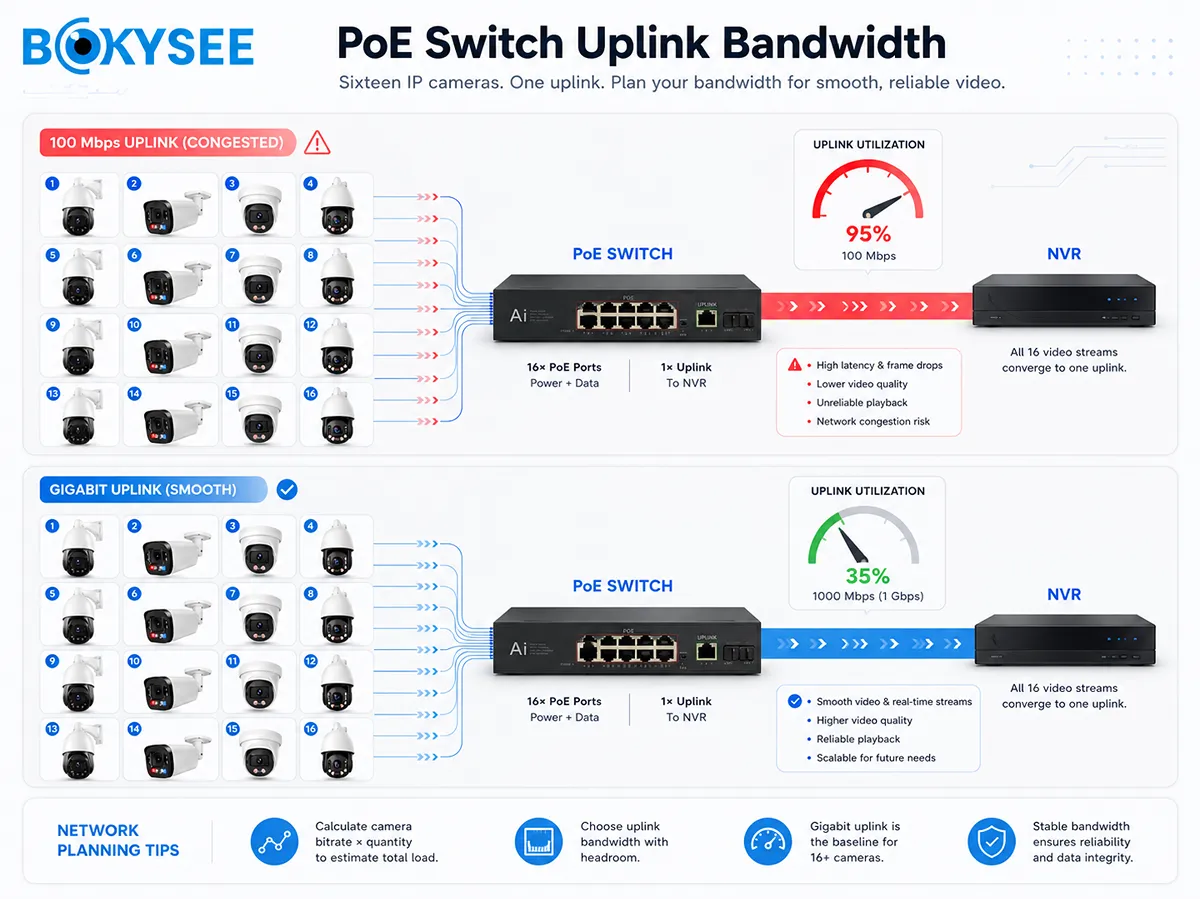
Power is only half of the calculation. The switch must also transmit every camera stream to the NVR or VMS.
Required uplink bandwidth = sum of active camera stream bitrates
Uplink example for sixteen 5MP cameras
· Sixteen cameras
· 5 Mbps main stream per camera
· Total traffic: 16 × 5 Mbps = 80 Mbps
A 100 Mbps uplink leaves little capacity after overhead and bitrate variation. A Gigabit uplink is a safer design.
Uplink example for twenty-four mixed cameras
| Camera Group | Cantidad | Bitrate Each | Total Traffic |
| 5MP fixed cameras | 20 | 4 Mbps | 80 Mbps |
| 8MP PTZ cameras | 4 | 8 Mbps | 32 Mbps |
| Combined main streams | 24 | – | 112 Mbps |
This exceeds a practical 100 Mbps uplink. Use Gigabit copper or fiber and confirm that the NVR incoming bandwidth also supports the total. Remote viewing, configuration, sub streams and AI metadata create additional traffic.
Use the Bokysee NVR bandwidth and storage planning guide to estimate camera bitrate before switch selection.
Does Ethernet Cable Distance Reduce PoE IP Camera Stability?
Copper Ethernet channels are commonly designed for up to about 100 meters including patch cords, but poor cable, small conductors, bad connectors or moisture can cause failure earlier. Long runs increase voltage drop and may produce camera reboots, infrared failure or intermittent video.
Use verified solid-copper Cat5e or Cat6 cable, waterproof termination and appropriate surge protection. For longer or multi-building links, consider a local PoE switch with a fiber uplink, a standards-compliant extender or local power. Avoid copper-clad aluminum cable in professional PoE projects because its higher resistance increases voltage drop.
Centralized vs Distributed PoE Switch Design for IP Security Camera Projects
A centralized switch is simple for shops, offices, villas and compact warehouses, but every camera cable must return to one location. Large factories, campuses and parking areas often benefit from distributed PoE switches connected by Gigabit copper or fiber.
Distributed design shortens camera runs, improves zone expansion and isolates faults. Outdoor cabinets still need suitable temperature control, surge protection, backup power and loop prevention. Managed switches can add VLAN, spanning tree, port monitoring and remote restart functions.
Why a PoE IP Security Camera Keeps Restarting at Night
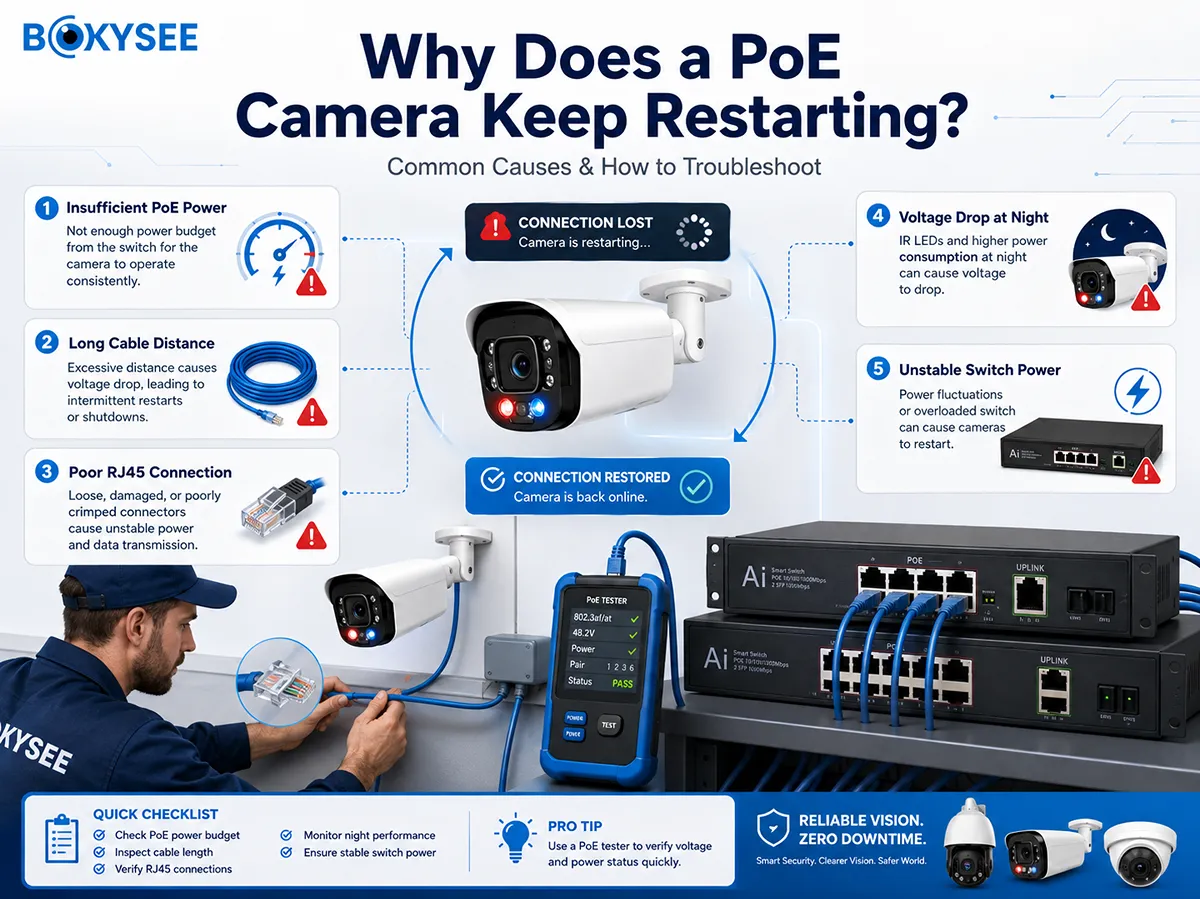
Night-time restarts often appear when infrared, white light, speakers or PTZ motors increase power demand. Confirm the camera’s maximum wattage, switch budget and per-port limit, then test on a short known-good cable.
Inspect outdoor connectors for water and replace suspect RJ45 plugs. If the camera is stable on a short cable or a suitable local DC supply, the PoE path is the likely cause.
PoE Switch Planning Example for a 16-Camera IP Security Camera Project
Assume twelve fixed 5MP cameras at 8 W, two motorized cameras at 15 W and two PTZ cameras at 25 W. The maximum load is 176 W. With four future fixed cameras and a 20% margin, the target budget is approximately 250 W.
If fourteen non-PTZ cameras use 4 Mbps and two PTZ cameras use 8 Mbps, current traffic is about 72 Mbps. Four future cameras raise it to 88 Mbps, so a Gigabit uplink is appropriate. An 85-meter camera run should use verified solid-copper cable and weatherproof connectors.
Review an 8MP PoE IP security camera for outdoor surveillance and confirm maximum power, codec and network requirements before switch selection.
PoE Switch Buyer Checklist for IP Security Camera Installations
· How many actual PoE camera ports are available?
· Are uplink and SFP ports separate?
· What is the total usable power budget?
· What is the maximum power per port?
· Which IEEE PoE standards are supported?
· Is the uplink 100 Mbps or Gigabit?
· Are all data ports Gigabit or only uplinks?
· Is long-range PoE available, and what trade-offs apply?
· Does the switch support VLAN and spanning tree?
· What is the operating temperature range?
· Is surge protection required?
· Can the switch power every PTZ camera at night?
· How much expansion capacity remains?
El Bokysee PoE security camera product guide provides another internal resource for comparing fixed and project-oriented cameras.
PoE Switch FAQ for IP Security Camera Buyers
Can an eight-port PoE switch power eight IP security cameras?
Yes, if it has eight usable PoE ports and sufficient total and per-port power under maximum load.
Can fixed cameras and PTZ cameras use the same PoE switch?
Yes, but calculate each model separately. PTZ cameras may require PoE+ or higher power.
Does a PoE switch affect IP camera image quality?
It does not alter sensor quality, but an overloaded network can cause packet loss, delay, disconnection or missing frames.
Is a Gigabit PoE switch necessary for CCTV?
It is strongly recommended when many high-resolution cameras share one uplink. Small systems may work on 100 Mbps, but expansion is limited.
Can one PoE switch connect cameras to several NVRs?
It can on a correctly designed network, but bandwidth, IP addressing, permissions and recording architecture must be planned.
Final Recommendation: Size the PoE Switch for Maximum IP Security Camera Load
Select the switch by usable ports, maximum camera power, per-port output, uplink bandwidth, cable distance and expansion—not port count alone.
Send Bokysee the camera models, quantity, cable distance, environment and NVR requirement to receive a matched PoE IP security camera system recommendation.






 Spanish
  English
  Russian