Ir al contenido


A 4G security camera relies on a cellular network to transmit video and support remote access. Before it can connect, it needs a compatible SIM card, an active mobile data plan, and the correct network settings. SIM compatibility and APN configuration are common challenges during first-time installations, especially at remote sites.
This guide covers the full 4G security camera SIM card setup, from picking a compatible card and choosing a data plan to configuring the APN and fixing a camera that refuses to connect. It is written for installers, integrators, and buyers deploying cameras where there is no wired network.
By the end you will know which SIM fits your camera, how much data a month of recording actually needs, what an APN is and how to set it, and how to read the signal and connection errors that keep a camera offline.
The setup itself is short, but getting it wrong in the field means a return trip to a remote site. That is why the article goes through the decision points in the order you will actually face them, from choosing the card to validating the stream.
Why Do 4G Security Cameras Need a SIM Card?

The SIM is the camera’s identity on the cellular network; without it the device has no way to reach the internet.
How Cellular Connectivity Works
A 4G camera connects to the internet through the same mobile network a smartphone uses. The SIM card identifies the device to the carrier and carries the account that is billed for data. Once the card is installed and the network settings are correct, the camera can stream video and respond to remote commands from anywhere with cellular coverage. The connection is two-way, which is what lets an owner view live footage and change settings from a phone on the other side of the world.
When a 4G Camera Is the Right Choice
4G cameras are the standard answer for locations with no wired internet and no practical WiFi range, such as farms, construction sites, remote gates, and temporary jobsites. They are also used as a backup path on sites where the primary link is unreliable. The tradeoff is a recurring data cost and a dependency on cellular coverage, so the SIM and plan deserve the same planning attention as the camera itself. Our article on whether 4G security cameras need a SIM card explains the connection model in more depth.
How to Choose a Compatible SIM Card for a 4G Camera

Match the card to three things: the physical slot size, the supported frequency bands, and the data plan you actually need.
SIM Card Size
Cameras use one of three physical formats: standard, micro, or nano. Most modern 4G cameras take a nano SIM, but older or industrial models may use micro. Check the camera manual before ordering, because a card that does not fit the slot is useless regardless of the plan. Many SIM cards ship as a punch-out sheet, so the card itself can often be reduced to the smaller size if the camera’s slot turns out to be different from what was assumed.
Consumer, IoT, and Multi-Carrier Cards
A regular phone SIM will work in many cameras, but IoT or M2M SIM cards are usually the better fit for surveillance. They are built for always-on devices, often include a static IP, support pooled data across many cameras, and can roam between carriers.
For a single camera, a standard data-only SIM is fine; for a fleet of remote sites, an IoT plan with central management is worth the setup effort. The choice comes down to scale: one camera needs a simple plan, while twenty cameras need one you can watch and bill as a group.
Frequency Band Support
4G runs on different frequency bands in different regions, so a camera bought for one market may not see all the bands a local carrier uses. Confirm the camera’s supported bands against the carrier’s network before buying in bulk. A mismatch shows up as weak signal or no network even when the SIM is valid. Reference material on the underlying standards is available from the GSMA for teams that need the technical detail.
4G Camera Data Usage: How Much Mobile Data Do You Need?

Continuous recording burns far more data than motion-triggered recording, so the recording mode decides the monthly bill.
What Drives Data Consumption
Three main factors determine how much mobile data a 4G camera uses: video resolution and bitrate, how often footage is transmitted over the cellular network, and how frequently users access live view or remote playback. Local recording to an SD card does not consume mobile data by itself. However, continuous cloud uploads or live video streaming can use substantial amounts of data.
For example, a camera streaming continuously at 1 Mbps uses approximately 10.8GB of data per day, while a 2 Mbps stream uses about 21.6GB. Motion-triggered uploads and occasional live viewing generally require less data, although actual consumption depends on clip length, event frequency, compression, and upload settings.
Estimating a Monthly Budget
To estimate a monthly data budget, consider the camera’s video bitrate and the total time footage is transmitted over the cellular network. For example, a 1 Mbps stream running continuously for 24 hours uses approximately 324GB over 30 days. At 2 Mbps, monthly consumption rises to about 648GB.
Cameras that upload only motion-triggered clips or are accessed occasionally through live view generally use less data. For more accurate planning, estimate the average clip duration, number of daily events, live-view time, and upload bitrate. Our guide to how much data a 4G camera uses breaks the calculation down step by step.
| Recording Mode | Daily Use | Monthly Estimate |
|---|---|---|
| Continuous 1080p | 1 to 2 GB | 30 to 60 GB |
| Motion-triggered | Under 100 MB typical | 1 to 3 GB |
| Live view only | Varies by viewing time | Usually small |
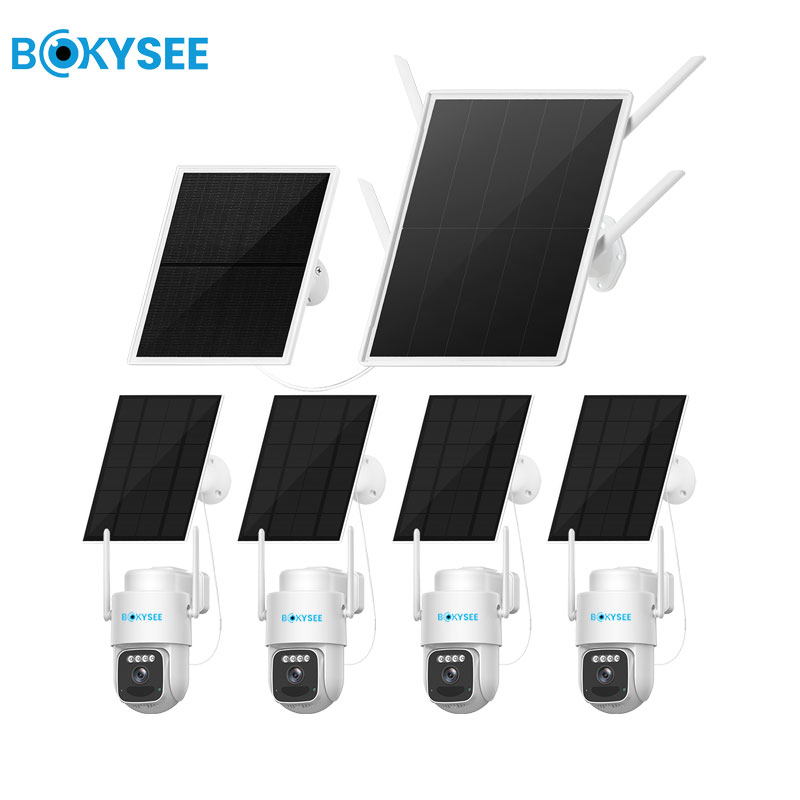
Deploying cameras where there is no wired network? Bokysee manufactures 4G solar cameras and kits that connect over cellular networks out of the box, with OEM and ODM options for your brand.
Ask about 4G camera models →How to Set Up a SIM Card and APN on a 4G Security Camera

Install the card with the camera powered off, then set the APN to the exact value your carrier provides.
Installing the SIM Card
Power the camera down before inserting or removing the SIM. Find the slot, usually under a waterproof cover or inside the housing, and seat the card in the correct orientation. After powering up, the camera takes a moment to register on the network before the status indicator shows a connection. If the slot is behind a gasket, make sure the cover is reseated tightly afterward, because a poorly closed cover invites moisture into a camera that is often mounted outdoors.
Configuring the APN
The APN, or Access Point Name, is the gateway the camera uses to reach the internet. It is specific to the carrier, so copy the exact value the provider supplies, including any username and password for networks that require them. A wrong or blank APN is one of the most common reasons a camera shows a SIM but no data connection. Some cameras offer a preset list of common carrier APNs, which saves typing, but always confirm the value matches what the carrier currently publishes.
Confirming the Connection
Once the APN is set, check the camera status page for a registered network and a valid data session. Then connect the camera to its app and confirm live video loads. A camera that registers but cannot stream usually has an APN or plan issue, not a hardware fault. For a full walkthrough of the pairing step, see our guide to connecting a 4G solar camera to your phone.
What Affects 4G Camera Network Speed and Signal Strength?
Signal quality depends on distance to the tower, obstacles, antenna placement, and whether the camera supports the carrier’s bands.
Signal Metrics and Placement
Cellular signal is measured with values such as RSSI and RSRP, and a stronger reading means a more stable stream. Placement matters more than most people expect: mounting a camera with its antenna pressed against metal or low behind a wall can halve the usable signal. Position the antenna clear of obstructions and, where possible, on the side of the site facing the nearest tower. A few degrees of antenna tilt can matter more than adding an amplifier.
Band Support and Network Congestion
Even with full bars, throughput depends on the bands in use and how busy the cell is. A camera that only supports a subset of the carrier’s bands may fall back to a slower frequency, and a crowded tower can reduce upload speed enough to make high-resolution streams stutter. Choosing a camera with broad band support leaves more headroom. When a site sits at the edge of coverage, an external antenna placed high and clear of metal is the single most effective upgrade.
Why Is Your 4G Security Camera Not Connecting to the Network?

Work through the connection chain in order: SIM state, APN, signal, band support, and finally the data plan itself.
Common Causes and Fixes
- A SIM that is not activated or has no active data plan.
- An APN that is blank or copied incorrectly from the carrier.
- A frequency band mismatch between the camera and the local network.
- Roaming disabled on a SIM used outside its home network.
- A data allowance that has already been used up.
A Simple Diagnostic Order
Start with the SIM: test it in a phone to confirm the plan is active and data works. Then re-check the APN against the carrier’s current value, since providers occasionally change it. If the SIM and APN are correct, look at signal strength and band support, and finally confirm the data plan has not hit its limit. This order isolates the problem quickly instead of guessing at random, and each step takes only a minute to rule out.
Frequently Asked Questions About 4G Camera SIM and APN Setup
Can I use a normal phone SIM in a 4G security camera?
In most cases, yes, as long as it is a data-enabled SIM that fits the camera slot. A standard phone SIM will work for a single camera, while IoT or M2M SIM cards are a better fit for fleets and always-on devices.
What is an APN and why does my camera need it?
An APN is the access point name that routes the camera’s data to the internet. It is specific to each carrier, and an incorrect or blank APN stops the camera from reaching the network even when the SIM is valid.
How much data does a 4G security camera use per month?
It depends on the recording mode. Continuous 1080p recording can use 30 to 60 GB a month, while motion-triggered recording often stays under a few gigabytes, so the plan should match how the camera is configured.
Why does my 4G camera show a SIM but no connection?
The usual causes are an incorrect APN, a frequency band mismatch, a SIM that is not activated, or a data plan that has run out. Check the APN first, then confirm the SIM works in a phone.
Does a 4G camera need a specific SIM card size?
Yes. Cameras take a standard, micro, or nano SIM depending on the model, so check the manual before ordering. Most modern 4G cameras use a nano SIM.
Can I manage data across many 4G cameras at once?
Yes. IoT or M2M SIM plans support pooled data and central management, which is the practical way to run a fleet of remote cameras under one account and one data allowance.
Final Thoughts on 4G Camera SIM and APN Setup
Getting a 4G camera online is mostly a matter of matching three things: a SIM that fits and is activated, an APN copied correctly from the carrier, and a data plan sized to the recording mode. When those three line up, the camera connects like any phone and streams from places no cable could reach. The work is front-loaded into the setup, but a camera that registers cleanly the first time stays online with almost no ongoing attention.
Most connection failures trace back to one of those three, so a short diagnostic pass through the SIM, the APN, and the signal clears up almost every site. If you are building a product line around cellular surveillance, talk to Bokysee about 4G camera models and OEM support.






 Spanish
 English
 Russian