
Full Color Night Vision is no longer a premium feature reserved for high-end surveillance systems. Today, it has become a core requirement for residential, commercial, and industrial security projects. Compared with traditional infrared (IR) night vision, which only provides black-and-white images, Full Color Night Vision delivers clearer visual details, accurate color information, and significantly improved identification capability at night.
Despite this, many users still struggle to activate Full Color Night Vision correctly. Even when using Dual Light or Smart Full Color IP cameras, the night image often remains black and white. This leads to confusion, unnecessary troubleshooting, and incorrect assumptions about hardware performance.
At Bokysee, we receive these questions almost every day:
- Why does my IP camera still show black-and-white video at night?
- How do I properly enable Smart Full Color mode?
- Should I configure Full Color Night Vision from the mobile APP or from the NVR?
- Why does the white light not turn on automatically when motion occurs?
The answer is simple but often overlooked: in most cases, this is a configuration issue, not a camera quality issue.
In this comprehensive technical guide, we will explain how to obtain Full Color Night Vision on Bokysee IP cameras from two key configuration paths:
- Through the mobile APP
- Through the NVR (Network Video Recorder) menu
By the end of this article, you will clearly understand how Smart Full Color Night Vision works and how to enable it correctly in real-world surveillance systems.
What Is Full Color Night Vision?
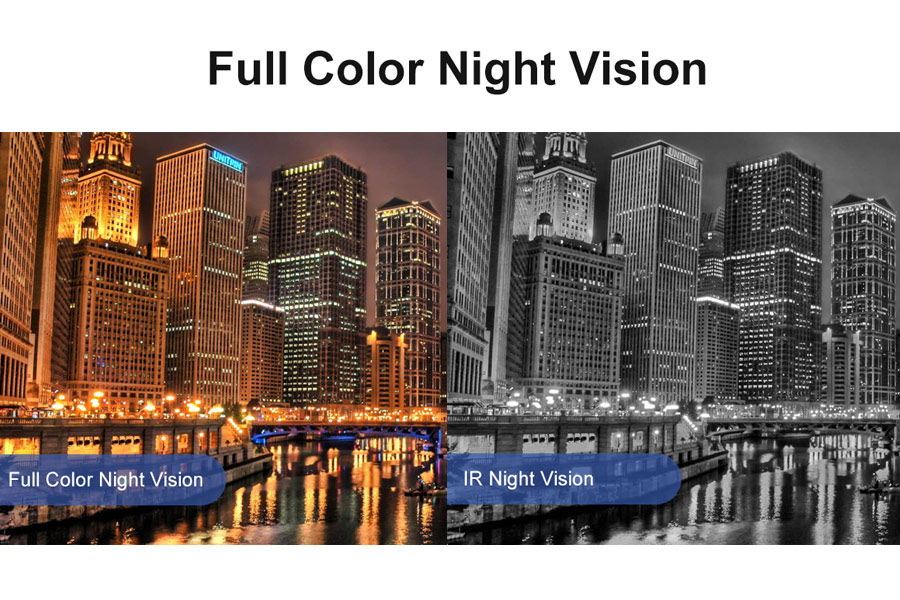
Full Color Night Vision refers to a camera’s ability to capture true color images at night or in extremely low-light environments, instead of switching permanently to black-and-white infrared mode.
Traditional IR night vision relies entirely on infrared LEDs. While IR cameras are effective in total darkness, they:
- Only display black-and-white images
- Cannot show accurate color details
- Provide limited information for identification
In contrast, Full Color Night Vision cameras use visible white light combined with advanced image sensors to illuminate scenes naturally, allowing the camera to record color video even at night.
Dual Light Technology: The Foundation of Smart Full Color Camera
Most Bokysee Full Color IP cameras are built on Dual Light technology, which integrates:
- Infrared LEDs (IR light)
- White light LEDs
- Smart light control algorithms
This combination allows the camera to operate in multiple night vision modes:
- IR Mode (black & white)
- White Light Mode (full color)
- Smart Dual Light Mode (automatic switching)
Among these, Smart Dual Light Mode is the recommended and most commonly used setting.
How Bokysee Smart Full Color IP Camera Night Vision Works
In Smart Dual Light Mode, the camera does not simply keep the white light on all night. Instead, it operates intelligently:
- When there is no motion, the camera remains in IR mode to reduce light disturbance and power consumption
- Once a person or vehicle is detected, the white light turns on automatically
- The image instantly switches from black & white to full color night vision
- After the event ends, the camera returns to IR mode
This smart behavior ensures:
- Clear color images when they matter most
- Reduced light pollution
- Longer LED lifespan
- More professional surveillance results
Method 1: Enabling Full Color Night Vision via Mobile APP
For many users, especially home users and small businesses, the mobile APP is the most convenient way to configure night vision settings.
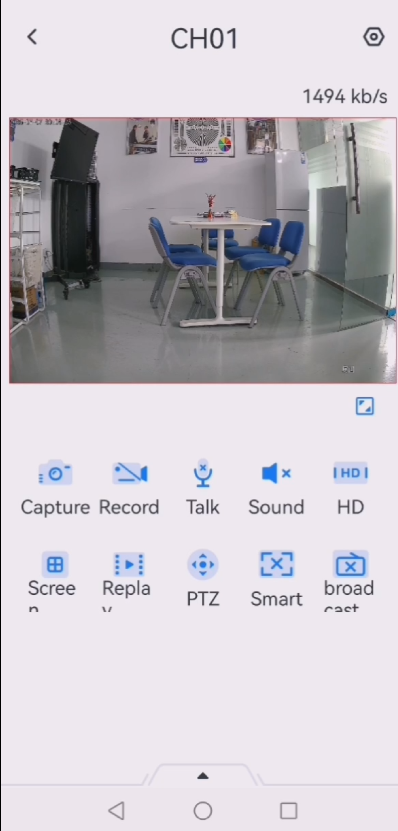
This method is ideal for:
- Single-camera installations
- Home security systems
- Users without direct access to the NVR
How to Enable Full Color Night Vision in the APP
Although APP interfaces may vary slightly depending on firmware versions and regions, the general configuration process is similar across Bokysee-compatible apps:
- Open the mobile APP connected to your Bokysee IP camera
- Select the target camera from the device list
- Enter Device Settings
- Locate Ночное Видение, Image Settings, или Световой режим
- Choose Smart Full Color или Двойной режим освещения
- Save and apply the settings
After configuration, the camera will automatically activate Full Color Night Vision when motion is detected at night.
The APP also allows users to:
- Test white light activation in real time
- Отрегулируйте чувствительность обнаружения движения
- Configure night schedules
- Enable or disable smart detection features
For a detailed, step-by-step APP tutorial, please refer to this internal guide on the Bokysee website:
Как включить функцию цветного ночного видения на IP-камерах Bokysee Dual Light
https://bokysee.com/how-enable-color-night-vision-featured-on-bokysee-dual-light-ip-cameras/
This article provides clear explanations and practical guidance for APP-based configuration.
Method 2: Enabling Full Color Night Vision via NVR Settings
In professional surveillance systems, IP cameras are often connected to an NVR (сетевой видеорегистратор). In such cases, enabling Full Color Night Vision directly from the NVR interface is critical.
This method is commonly used in:
- Commercial CCTV projects
- Warehouses and factories
- Retail stores and shopping malls
- Multi-camera security systems
Step-by-Step NVR Configuration Guide
On the NVR interface, follow these steps carefully:
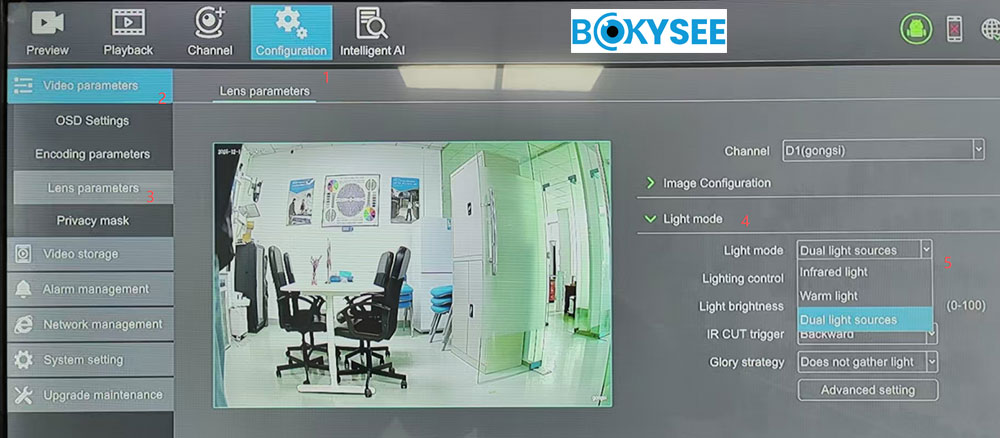
- Enter the NVR Main Menu
- Go to Конфигурация
- Щелкните Video Parameters
- Выбирать Параметры объектива
- Locate Световой режим
- Choose Двойные источники света
- Save and apply the settings
Once this configuration is completed, the camera will operate in Smart Full Color Night Vision mode, allowing intelligent switching between IR and white light.
Why “Dual Light Sources” Is the Most Important NVR Setting
Many users miss this key option. If the Light Mode remains set to:
- IR Only
- Manual White Light
the camera will not perform smart switching.
By selecting Двойные источники света, the NVR instructs the camera to:
- Combine infrared and white light operation
- Respond automatically to motion detection
- Deliver optimal full color images only when necessary
This single setting is often the difference between black-and-white footage and true Full Color Night Vision.
APP and NVR Settings Synchronization
In some systems, cameras can be configured from both the mobile APP and the NVR. If Full Color Night Vision does not work as expected, users should:
- Ensure APP and NVR settings are not conflicting
- Confirm that Light Mode is consistent across platforms
- Reboot the camera after configuration changes
If you are unable to access the NVR due to a forgotten password, refer to this guide:
How to Reset Your NVR Password When Forgotten
https://bokysee.com/how-to-reset-your-nvr-password-when-forgotten/
Common Problems and Troubleshooting
Camera Still Shows Black-and-White at Night
Common causes include:
- Dual Light Mode not enabled
- Smart Full Color disabled
- Incorrect Light Mode selected on the NVR
Решение:
- Подтверждать Light Mode = Dual Light Sources
- Check APP night vision settings
- Restart the camera
White Light Does Not Turn On Automatically
This usually happens when:
- Motion detection is disabled
- Detection sensitivity is too low
- Human or vehicle detection is not enabled
Smart Full Color relies on detection events, so proper detection configuration is essential.
White Light Turns On Too Frequently
If the white light activates too often:
- Reduce detection sensitivity
- Adjust detection zones
- Enable human/vehicle detection instead of general motion
This helps reduce unnecessary lighting and improves user experience.
Compatibility Notes for Bokysee Cameras and NVRs
Bokysee Dual Light Full Color IP Cameras:
- Support ONVIF protocol
- Work seamlessly with Bokysee NVRs
- Are compatible with many third-party NVR brands
Please note that menu names and UI layouts may vary depending on firmware versions. Keeping camera and NVR firmware updated ensures the best Full Color Night Vision performance.
Why Full Color Night Vision Is Critical for Modern Security
Compared with traditional IR-only cameras, Full Color Night Vision provides:
- Accurate color identification of people and vehicles
- Clear visual evidence for investigations
- Improved situational awareness
- Stronger visual deterrence against intruders
For applications such as perimeter protection, parking areas, warehouses, and residential entrances, Smart Full Color Night Vision significantly improves overall security effectiveness.
Bokysee Smart Full Color IP Camera – Key Product Features
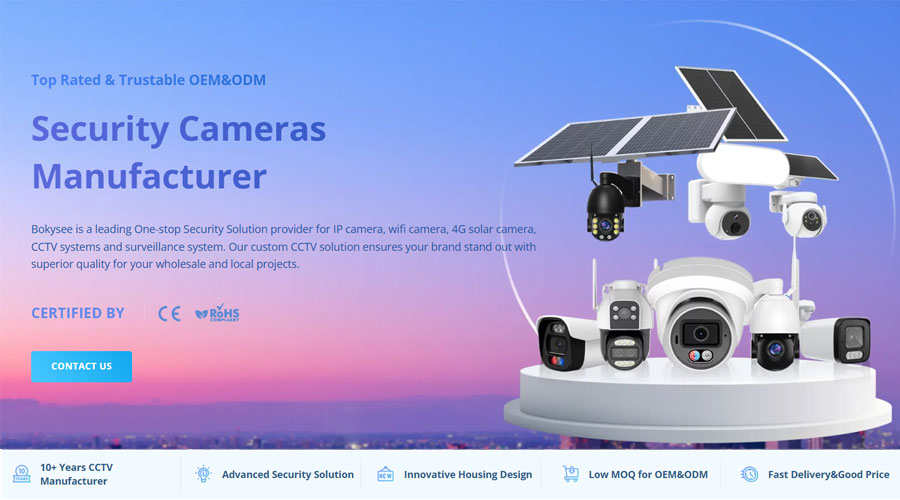
Бокизее Smart Full Color IP Cameras are designed to deliver reliable, high-quality night surveillance by combining advanced imaging technology with intelligent light control. Unlike traditional infrared-only cameras, Bokysee Full Color cameras focus on real-world usability, clear evidence capture, and flexible installation scenarios.
Intelligent Smart Full Color Night Vision
Bokysee Smart Full Color Cameras use Dual Light technology, integrating infrared LEDs and white light LEDs into one system. When operating in Smart Dual Light mode, the camera automatically switches between IR and white light based on motion events, ensuring full color images only when needed.
Advanced Motion Detection and AI Functions
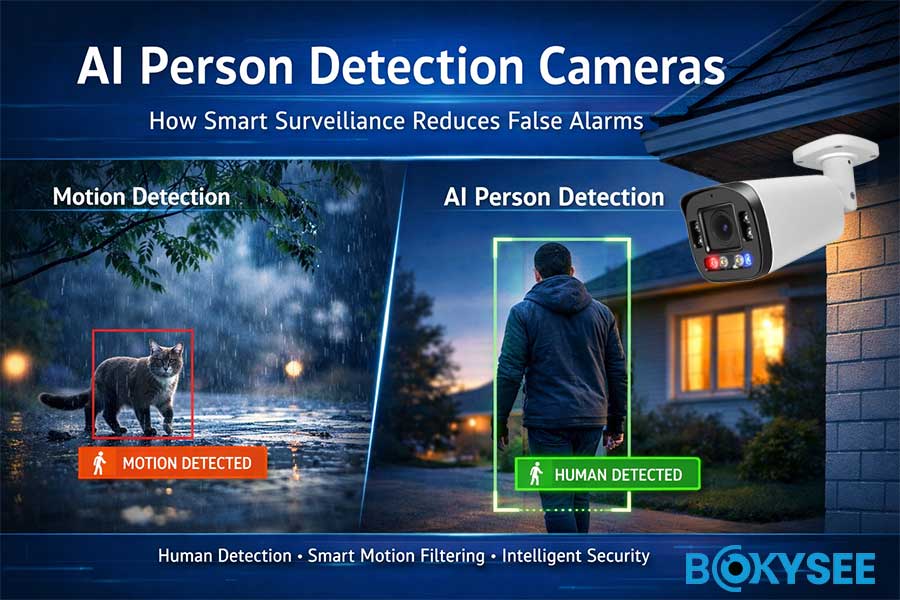
Bokysee IP cameras support intelligent detection features such as:
- Обнаружение человека
- Vehicle detection
- Motion-triggered light and alarm linkage
These features help reduce false alarms while ensuring that Smart Full Color Night Vision activates accurately during real security events.
Flexible Configuration via APP and NVR
Bokysee cameras allow users to configure Smart Full Color settings through:
- Mobile APP for easy and fast operation
- NVR menu for professional and centralized control
This dual configuration approach makes Bokysee cameras suitable for both home users and professional CCTV projects.
High-Quality Imaging and Night Performance
Bokysee Smart Full Color IP Cameras are equipped with:
- High-sensitivity image sensors
- Optimized night image processing
- Clear color reproduction in low-light environments
This ensures stable performance in residential, commercial, and industrial security applications.
Wide Compatibility and Reliable Design
- ONVIF protocol supported
- Compatible with Bokysee NVRs and many third-party NVR brands
- Designed for long-term outdoor and indoor use
About Bokysee – Professional IP Camera Manufacturer
Bokysee is a professional manufacturer and solution provider specializing in IP surveillance cameras and intelligent video security products. With years of experience in the CCTV industry, Bokysee focuses on delivering reliable, cost-effective, and innovative surveillance solutions for global markets.
Specialized in IP Camera Manufacturing
Bokysee’s product portfolio includes:
- Smart Full Color IP Cameras
- Dual Light Night Vision Cameras
- PTZ-камеры
- Solar-powered and low-power cameras
- NVR systems and complete CCTV solutions
All products are designed with a strong focus on performance stability, ease of installation, and long-term reliability.
Strong R&D and Quality Control
Bokysee invests continuously in:
- Image processing optimization
- Night vision technology
- AI-based detection algorithms
Each product undergoes strict quality control procedures to ensure consistent performance before shipment.
Global Market Experience
Bokysee IP cameras are widely used in:
- Residential security systems
- Commercial and retail projects
- Warehouses and industrial facilities
- Outdoor perimeter protection
By understanding different market requirements, Bokysee provides flexible product solutions tailored to various regions and applications.
Long-Term Partnership Approach
Bokysee is committed to building long-term partnerships with distributors, system integrators, and project clients by offering:
- Stable product supply
- Technical support
- OEM / ODM services
- Competitive and sustainable pricing
To learn more about Bokysee Smart Full Color Cameras and IP surveillance solutions, please visit
👉 www.bokysee.com
Смотрите также
Comparing Dual-Lens And Single-Lens Security Camera Options
Understanding Full Color IP Cameras And Their Advantages
Activating Color Night Vision On Bokysee Dual Light Cameras
Essential Information About Dual Lens Security Camera Systems






 Russian
  English
  Spanish