Перейти к содержимому
Determining how much sunlight does outdoor solar security camera need establishes the baseline between continuous surveillance and total hardware failure. Miscalculating peak irradiance leaves remote facilities vulnerable to dead batteries and offline systems during extended winter cloud cover.
This analysis benchmarks charging metrics against environmental deficits to secure uninterrupted performance. We evaluate the required 2 to 4 hours of baseline direct exposure and the 75 percent efficiency drop caused by partial shading to help you deploy a resilient off-grid system.
Understanding “Peak Sun Hours” vs. Daylight
Total daylight means the sun is visible, but peak sun hours deliver the 1,000 watts per square meter of intensity required to charge a security camera battery.
The Difference Between Peak Hours and Total Daylight
Total daylight covers all hours the sun stays above the horizon, including the weak light present at dawn and dusk. Peak sun hours happen only when solar irradiance reaches 1,000 watts per square meter. This is the specific intensity needed to deliver effective charging power to your equipment.
A specific location might experience 12 hours of visible daylight but only receive 4 to 6 hours of peak sunlight. Winter seasons and northern latitudes see a sharp drop in these high-intensity charging hours, forcing cameras to rely entirely on battery reserves to stay online.
How Direct and Indirect Sunlight Impact Charging
Direct sunlight hits the camera’s solar panel without obstruction to provide maximum charging energy. Indirect daylight from overcast skies or shaded spots drastically cuts the power generation of the solar unit. You cannot rely on ambient light for consistent 24/7 operation.
- Partial Shading: Even a 10% partial shadow covering the panel reduces charging efficiency by 30 to 75%.
- Summer Performance: Clear summer days yield 6 or more optimal charging hours.
- Weather Deficits: Rainy days drop effective charging time to nearly zero.
Minimum Sunlight Requirements for Daily Operation
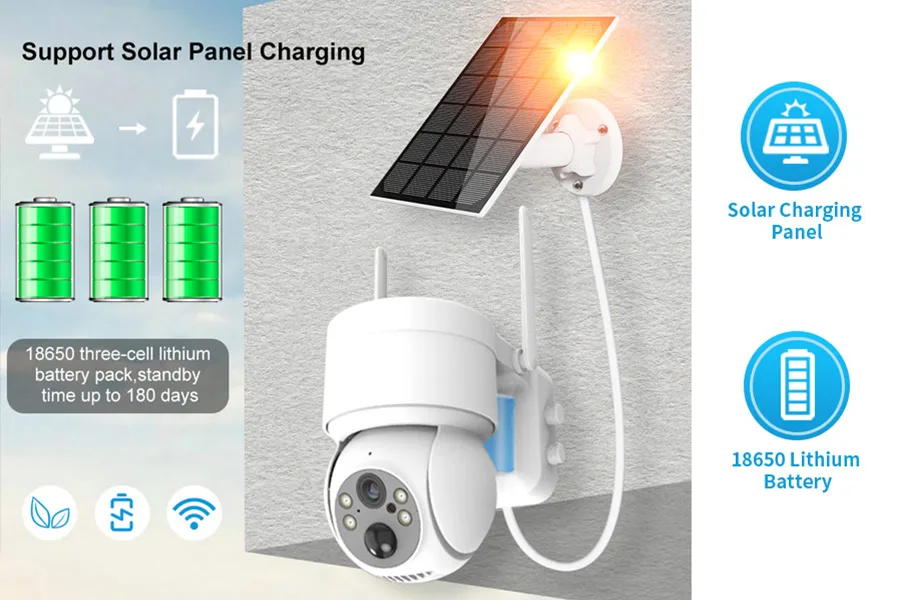
Солнечные камеры видеонаблюдения generally require 2 to 4 hours of direct sunlight daily to maintain consistent operation, though high-efficiency panels can function on just one hour.
| Weather Condition | Direct Sunlight Exposure | Operational Impact |
|---|---|---|
| Clear Summer Days | 6+ hours | Fully charges internal batteries and creates a reliable power reserve |
| Partly Cloudy Days | 3 to 5 hours | Maintains existing charge levels and supports standard recording functions |
| Heavy Rain / Thick Clouds | Under 2 hours | Forces the camera to rely almost entirely on stored battery power |
Daily Direct Sunlight Benchmarks
Солнечные камеры видеонаблюдения generally need 2 to 4 hours of direct sunlight each day to maintain consistent operation. Direct sunlight hitting the panel without obstruction provides the potent charging energy systems need to function continuously. This baseline shifts depending on the hardware you deploy. High-efficiency panels might only need about 1 hour of direct sun to keep the internal battery fully charged.
Indirect light from overcast skies generates some energy but drops the charging rate too low to support ongoing security recording. You cannot rely on ambient light alone to run a surveillance unit continuously. Direct line-of-sight to the sun remains the critical variable for operational stability.
Performance Across Varied Weather Conditions
Weather directly dictates how well your solar panel replenishes the camera’s battery. Daily performance shifts based on the actual hours of unobstructed exposure the panel receives.
- Clear summer days: Offering over 6 hours of sun, these conditions fully charge the internal batteries and create a reliable power reserve.
- Partly cloudy days: Yielding 3 to 5 hours of exposure, this usually maintains existing charge levels and supports standard recording functions.
- Heavy rain or thick cloud cover: Limiting sun to under 2 hours forces the camera to rely almost entirely on its stored battery power.
Larger internal batteries and higher panel efficiency change these base requirements and extend device uptime during dark weather patterns. Upgrading these components allows the system to store a larger surplus during sunny periods, bridging the gap when environmental conditions fail to deliver adequate light.
Complete Security Camera Solutions for B2B Growth
How Panel Wattage Affects Charging Speed
Higher wattage scales charging speed directly, reducing a 10,000mAh battery’s recharge time from 8 hours with a 2W panel down to under 2 hours with a 10W setup.
The Relationship Between Wattage and Charge Time
Solar panel wattage dictates peak power output under standard conditions. A higher rating means the panel generates more electrical power per hour of direct sunlight, which scales your charging rate. We see a predictable timeline when mapping panel size against standard security camera battery capacities.
- Low-Wattage Panels (2 to 5W): Require 4 to 8 hours of peak sun to fully charge a 10,000mAh battery.
- Medium-Wattage Panels (5 to 10W): Drop the total recharge time to under 4 hours.
- High-Wattage Panels (Over 10W): Accelerate the process, pushing full charge times to 2 hours or less.
Real-World Factors Influencing Power Output
Laboratory specifications only establish a theoretical baseline. Environmental variables determine the actual charging speeds your hardware will experience in the field. Cloudy or overcast weather forces charging speeds to drop drastically. In these low-light conditions, deploying higher wattage panels becomes a necessary strategy to rapidly build a battery buffer during brief periods of sun.
- Panel Efficiency: Monocrystalline panels typically deliver a 15 to 22 percent efficiency rate, which governs the actual power draw.
- Weather Deficits: Heavy cloud cover drastically cuts generation, making oversized wattage useful for bridging the gap.
- Physical Positioning: Mounting panels facing south at a 30 to 45-degree tilt ensures the hardware captures maximum daily sun exposure.
Energy Storage: How Many Days of Backup Do You Need?
Your ideal battery backup duration depends on local climate and power draw, with industry standards ranging from 1 to 7 days to guarantee uninterrupted performance.
Recommended Backup Days Based on Climate
Matching your system’s battery capacity to local weather patterns prevents unexpected downtime. You need enough stored energy to keep cameras running when clouds roll in or winter daylight drops.
- 1 to 2 days (Basic models): Works well for sunny regions that consistently receive 2 to 3 hours of daily sunlight.
- 3 to 5 days (Standard setups): Offers reliable reserve power by capturing 4 to 6 hours of direct sunlight, ensuring operations run smoothly through nights and overcast weather.
- 5 to 7+ days (High-capacity systems): Delivers steady performance in heavily shaded areas or during long winter periods.
Core Factors That Influence Battery Life
Hardware specifications dictate exactly how efficiently your camera uses and replenishes its stored energy in the field. Three main variables control this process.
- Battery capacity: Larger batteries directly extend runtime, keeping the camera active during prolonged stretches without direct sunlight.
- Power consumption: Keeping the hardware draw low—typically between 2 and 5 watts—preserves stored energy. Utilizing motion detection features minimizes the constant battery drain associated with continuous recording.
- Solar panel efficiency: High-efficiency solar panels generate more power per hour. This builds larger power reserves even when the cameras only catch a few hours of peak sun.
Factors Reducing Sunlight Intake: Dirt, Angles, and Shade
Environmental factors like dust, incorrect tilt, and minor shading can slash solar panel efficiency by up to 75%, failing to meet basic daily charge requirements for security cameras.
Physical Obstructions from Dirt and Shade
Even a high-capacity solar setup degrades rapidly when physical barriers block direct sunlight. Small obstructions force the battery to drain faster than it charges, leaving security systems vulnerable during low-light hours.
- Debris accumulation: Dust, pollen, and bird droppings cut photovoltaic conversion efficiency by 20–30% without regular cleaning.
- Partial shading: Just 10% shade coverage from trees or buildings drops overall panel output by 30–75%, as shaded cells drag down the capacity of the entire unit.
- Deep shade limits: Heavily shaded areas provide only 10–50% of direct sun power. This fails the minimum 2–4 hour daily recharge requirement for 2026 camera models.
- Maintenance strategy: Wiping panels monthly and conducting site surveys ensures unobstructed light during the peak 10 AM to 2 PM charging window.
Suboptimal Panel Angles and Orientation
Positioning dictates power output. A panel pointing in the wrong direction misses the sun’s peak intensity, extending recharge cycles and putting the camera’s 24/7 reliability at risk.
- Directional loss: Panels capture 20–50% less energy when facing away from true south in the Northern Hemisphere or true north in the Southern Hemisphere.
- Tilt mismatch: Incorrect angles prevent perpendicular sun exposure, pushing required charge times well beyond the standard 6–8 hours.
- Latitude alignment: Installers maximize exposure by matching the panel tilt exactly to the geographic latitude, typically 30–40° for mid-latitude regions.
- Decoupled positioning: Using an extension cable separates the panel from the camera. This keeps the surveillance lens hidden in the shade while placing the power source directly in the midday sun path.
Solving the Winter/Cloudy Day Power Gap
Solar cameras struggle during winter and overcast days, but strategic panel placement and high-capacity battery reserves bridge this power gap to maintain continuous security.
Optimizing Panel Placement and Angle
Maximizing charging efficiency during short winter days or heavy cloud cover requires precise hardware positioning. A poorly angled panel misses critical peak sun hours and starves the battery.
- Orientation positioning: Orient the solar panel toward true south in the Northern Hemisphere or true north in the Southern Hemisphere to capture the most sunlight.
- Tilt alignment: Adjust the tilt angle to match the local latitude for optimal year-round energy capture.
- Independent mounting: Install the solar panel separately from the camera body to place it in the sunniest available location.
- Shade elimination: Keep the panel clear of shade. Shading just 10 percent of the surface area drops charging efficiency by 30 to 75 percent.
Building Power Reserves with High-Capacity Batteries
Relying solely on daily solar generation fails during prolonged winter storms or heavy overcast periods. Hardware specifications must prioritize energy storage and rapid recovery to keep the unit online.
- High-capacity storage: Choose cameras equipped with high-capacity batteries capable of running systems for multiple days without sunlight.
- Rapid surplus capture: Use efficient panels to harvest and store surplus energy quickly during brief, intense periods of direct sun.
- Direct versus indirect light: Account for the difference between direct and indirect sunlight. Indirect daylight provides significantly lower charging rates.
- Reserve building: Accumulate power reserves during sunny days to offset the expected shortfalls during winter months or extended cloudy streaks.
Advanced Low-Power Features in Industrial Cameras
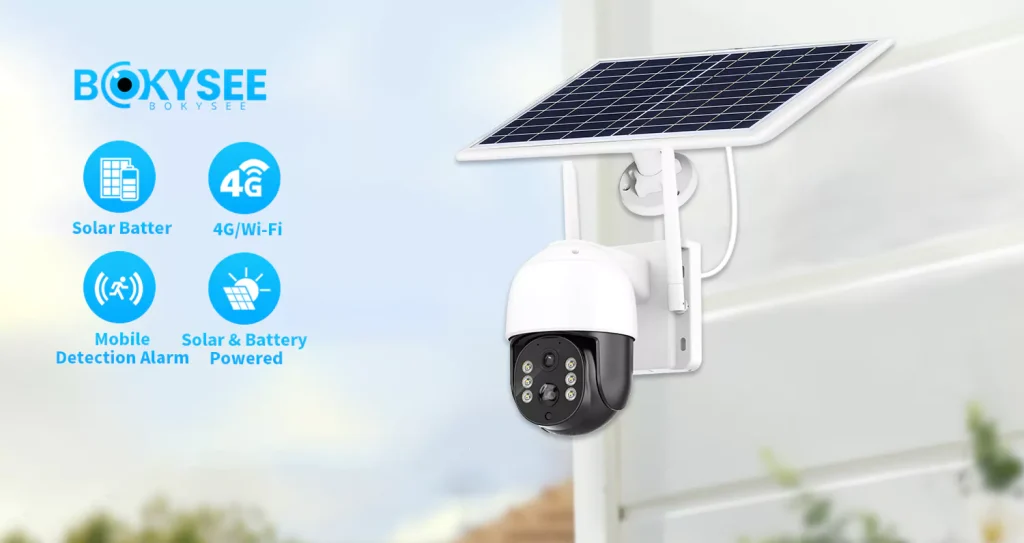
High-efficiency panels and large-capacity batteries combined with smart power optimization allow industrial cameras to maintain 24/7 operation on minimal daily sunlight.
Energy Capture and Storage Systems
Industrial security setups cannot afford downtime when sunlight drops. Manufacturers mitigate weather risks by upgrading the core hardware responsible for gathering and holding power.
- High-efficiency ETFE panels: Capture more energy from limited sunlight to enable continuous operation.
- Large-capacity batteries: Spanning 13,000 to 20,800mAh, these units store surplus energy to support routine use during extended shade periods.
Internal Power Optimization
High-capacity hardware fails if the camera wastes power. Modern firmware and sensor designs drastically cut active consumption to keep the system running during winter or heavy overcast.
- Power-saving modes: Activate during low light conditions to reduce energy consumption, switching the system to motion-only recording.
- Efficient components: Low-power imaging chips and PIR motion sensors limit active power draw to maximize runtime on a minimal charge.
By throttling background activity and relying on targeted motion triggers, these systems stretch a single charge across multiple sunless days without compromising security.
Tips for Optimizing Solar Panel Placement
Proper placement ensures the 4-6 hours of direct peak sunlight required for 24/7 security camera operation, turning passive hardware into a reliable off-grid system.
Choosing the Right Location and Angle
Maximizing solar energy requires precision in how and where you mount the unit. Small adjustments in alignment directly impact how fast the internal battery charges.
- Sunlight target: Place the panel where it receives four to six hours of direct, unobstructed sunlight daily.
- Orientation: Face the solar panel south if you live in the Northern Hemisphere to capture maximum daylight year-round.
- Optimal tilt: Set the tilt between 30 and 45 degrees so the panel catches direct rays and allows rain to wash off dirt naturally.
Handling Local Conditions and Maintenance
Even perfect angles fail if environmental factors block the light. You must adapt the installation to handle your specific site conditions and maintain the hardware over time.
- Obstruction avoidance: Mount the equipment high on walls or roofs to avoid moving shadows from trees and chimneys.
- Routine cleaning: Wipe down the panel surface regularly since dust and debris block light and reduce charging power.
- Buffer planning: Select cameras with high-capacity batteries to build a reliable power buffer in areas with frequent overcast weather.
Keeping the surface clean and the line of sight clear ensures the system operates at peak efficiency long after the initial setup.
Часто задаваемые вопросы
How many sunlight hours does a solar security camera need?
Большинство наружные солнечные камеры видеонаблюдения require two to six hours of direct sunlight daily for reliable 24/7 operation. Standard models need four to six hours, while highly efficient systems operate on two to three hours. Requirements change based on the panel efficiency, battery size, and camera power consumption.
What are peak sun hours?
Peak sun hours represent the equivalent hours per day of sunlight at maximum intensity (1,000 watts per square meter). This measurement helps evaluate solar energy availability at your location. Cameras typically need three to five peak sun hours daily to capture enough energy for continuous recording and night vision features.
How does panel wattage affect charging speed?
Higher panel wattage generates more electrical power from sunlight, leading to faster battery recharges. A 5W panel delivers more energy than a 2W panel, roughly cutting the charge time in half. We recommend 5W to 10W panels for high-use cameras running continuous video streams.
How many backup battery days do I need?
We recommend three to seven days of backup battery capacity. This buffer keeps your камера видеонаблюдения running during long stretches of cloudy weather or winter storms. Larger batteries store more excess energy generated on sunny days, preventing sudden shutdowns.
What reduces solar charging efficiency?
Shade from nearby trees, eaves, or buildings drastically lowers charging efficiency. Even 10% shading drops power output by up to 75%. Heavy cloud cover, low winter sun angles, and dust accumulation also limit energy capture, forcing the camera to draw from its battery reserves.
How do solar cameras work in winter or cloudy weather?
Cameras rely on stored battery reserves when thick clouds or short winter days reduce solar input. You can optimize winter performance by angling panels 30 to 45 degrees toward the equator to capture the lower sun and turning on power-saving modes like motion-only recording.
Заключительные мысли
Relying on low-wattage solar panels leaves your security network vulnerable to unexpected downtime during storms and winter months. While generic equipment offers lower upfront costs, deploying high-efficiency panels paired with large-capacity batteries is the only way to safeguard your projects against critical surveillance failures. Equipping your installations with a proven power reserve ensures continuous protection and secures your professional reputation.
Stop guessing on your hardware’s weather resilience and verify the performance yourself. We recommend starting with a sample order to test our high-capacity solar cameras under your specific regional conditions. Contact our team to discuss bulk pricing, OEM specifications, and the exact wattage requirements for your next deployment.







 Russian
  English
  Spanish