Ir al contenido

Choosing an outdoor CCTV camera involves more than comparing prices and megapixels. Buyers need to consider coverage, environmental exposure, lighting, connectivity, recording requirements, and the detail needed at the target distance.
Rain, dust, direct sunlight, temperature changes, and low light can affect outdoor camera performance. Match the camera, its connections, and its installation method to the conditions at the site.
This guide covers ten steps for choosing an outdoor CCTV camera:
Step 1: Assess Your Outdoor Security Requirements
Step 2: Choose the Right Outdoor CCTV Camera Type
Step 3: Select The Appropriate Resolution and Lens
Step 4: Check Weatherproof Ratings: IP66 vs IP67
Step 5: Evaluate Night Vision and Low-Light Performance
Step 6: Choose the Right Connectivity and Power Option
Step 7: Consider Smart Detection and Monitoring Features
Step 8: Evaluate Storage, Recording, and System Compatibility
Step 9: Calculate Installation and Long-Term Costs
Step 10: Outdoor CCTV Camera Buying Checklist
Step 1: Assess Your Outdoor Security Requirements
Identify your monitoring requirements before comparing camera specifications.
Identify the Area You Need to Monitor
Start by identifying the areas that need continuous coverage.
For residential buildings, you may need cameras at the front doors, driveway, gates, gardens, and fence area.
For commercial buildings, you may need cameras at the entrance points, loading dock, parking, storage yard, and around the perimeter of the building.
Industrial sites may also need cameras at the equipment storage area, vehicle entrances, and restricted areas.
Determine the Required Coverage and Viewing Distance
Find out the width and depth of the area that needs to be monitored. Determine the points of entry and exit for vehicles and people.
A wide-angle lens covers more of the scene, but distant targets appear smaller. A narrower field of view concentrates image detail on a smaller area.
For larger properties, it may be better to use multiple fixed cameras rather than just one. It is possible to use a combination of entrance cameras, perimeter cameras, and open space cameras.
Define Your Security Objectives
Define whether you need general observation, enough detail to identify a person, vehicle monitoring, or automatic analytics. These are different requirements.
These goals determine the required resolution, lens, night performance, and recording setup. Defining them early helps avoid unnecessary purchases.
For further guidance, see CCTV Camera Selection: A Step-by-Step Guide.
Step 2: Choose the Right Outdoor CCTV Camera Type
Different camera designs suit different installation and monitoring requirements.
(a) Bullet Cameras for Perimeter and Long-Range Monitoring
The bullet camera has a long-shaped casing, which normally faces a particular area to be monitored. It is often used for monitoring entrances to buildings, fences, driveways, parking lots, and perimeter areas.
Bullet cameras are straightforward to aim at a defined area. Their visible presence may also provide a deterrent, although this should not replace adequate coverage and recording.
Choose a bullet camera when the monitoring direction is largely fixed. Its housing shape alone does not determine viewing distance or image quality.
(b) Dome and Turret Cameras for General Outdoor Coverage
Dome cameras have a rounded cover that can make the viewing direction less obvious. They are often used at entrances and building exteriors where a compact appearance is preferred.
Turret cameras allow the camera module to be positioned within a compact housing. Check the exact model’s outdoor rating, illumination, and mounting requirements.
For either design, consider glare, moisture, dust, and direct sunlight. An overhang can reduce exposure, but it does not make an indoor camera suitable for outdoor use.
For further guidance, see The Different Types of CCTV Cameras.
(c) Outdoor PTZ Camera for Large Areas
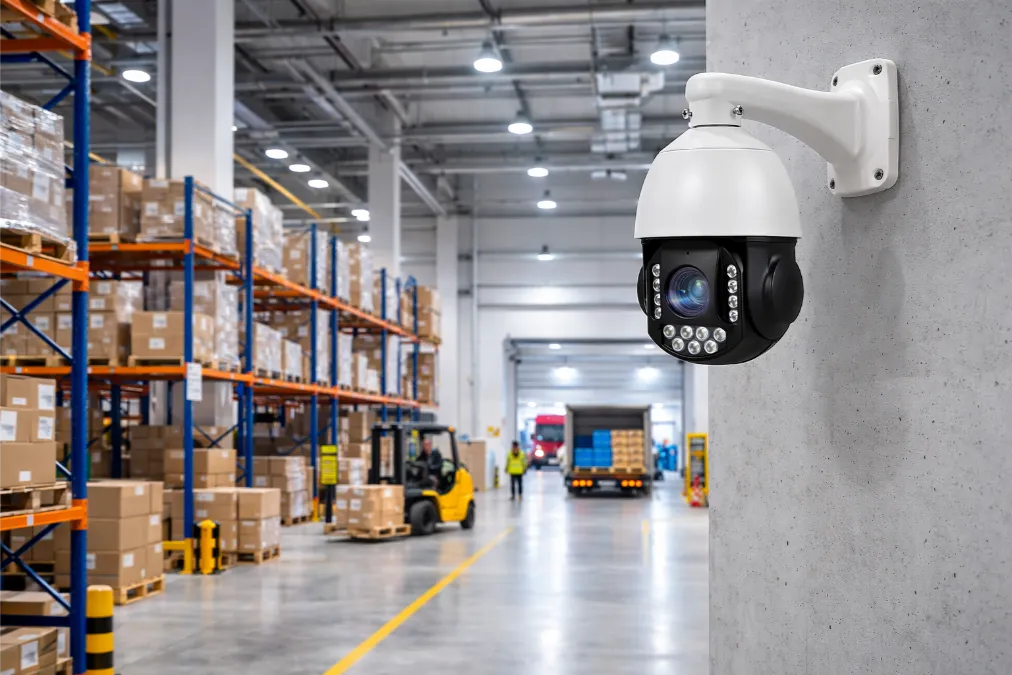
Outdoor pan-tilt-zoom (PTZ) cameras allow operators to change the viewing direction and zoom remotely. They can support monitoring of parking lots, industrial sites, and logistics areas.
Optical zoom can provide more detail on distant targets than simply enlarging the same image digitally. Presets, patrol schedules, and automatic tracking depend on the model and configuration.
A single-view PTZ camera does not continuously record areas outside its current field of view. Use fixed cameras where continuous coverage is required.
(d) Fixed Cameras vs PTZ Cameras
Fixed cameras provide consistent coverage of important areas, while PTZ cameras allow operators to inspect different parts of a larger site.
| Factor | Fixed Camera | Outdoor PTZ Camera |
| Viewing direction | Set during installation | Adjustable remotely |
| Coverage | Consistent field of view | Flexible viewing direction |
| Best applications | Entrances and perimeters | Large open areas |
| Operation | Usually automatic | May require operator control |
| Costo | Often more economical | Often higher |
| Main limitation | Limited viewing flexibility | May leave areas unobserved while moving |
Step 3: Select the Appropriate Resolution and Lens
Resolution and lens selection work together to determine the detail available in the image.
Evaluate them together rather than choosing a camera by megapixel count alone.
Choose the Right Camera Resolution
Higher resolution can provide more detail, but it does not guarantee identification at the required distance. Lens quality, lighting, compression, camera position, and target movement also affect usable detail.
A 2MP camera may be sufficient for general observation or nearby entrances, depending on the required detail.
A 4MP camera may provide additional detail for entrances, walkways, and parking areas when the lens and lighting suit the scene.
A 5MP or 8MP camera may help where more image detail or cropping flexibility is needed. Check the actual output dimensions and recording requirements of the selected model.
Understand Fixed and Varifocal Lenses
A fixed lens has a fixed focal length. Its field of view also depends on the sensor size and the image area used by the camera.
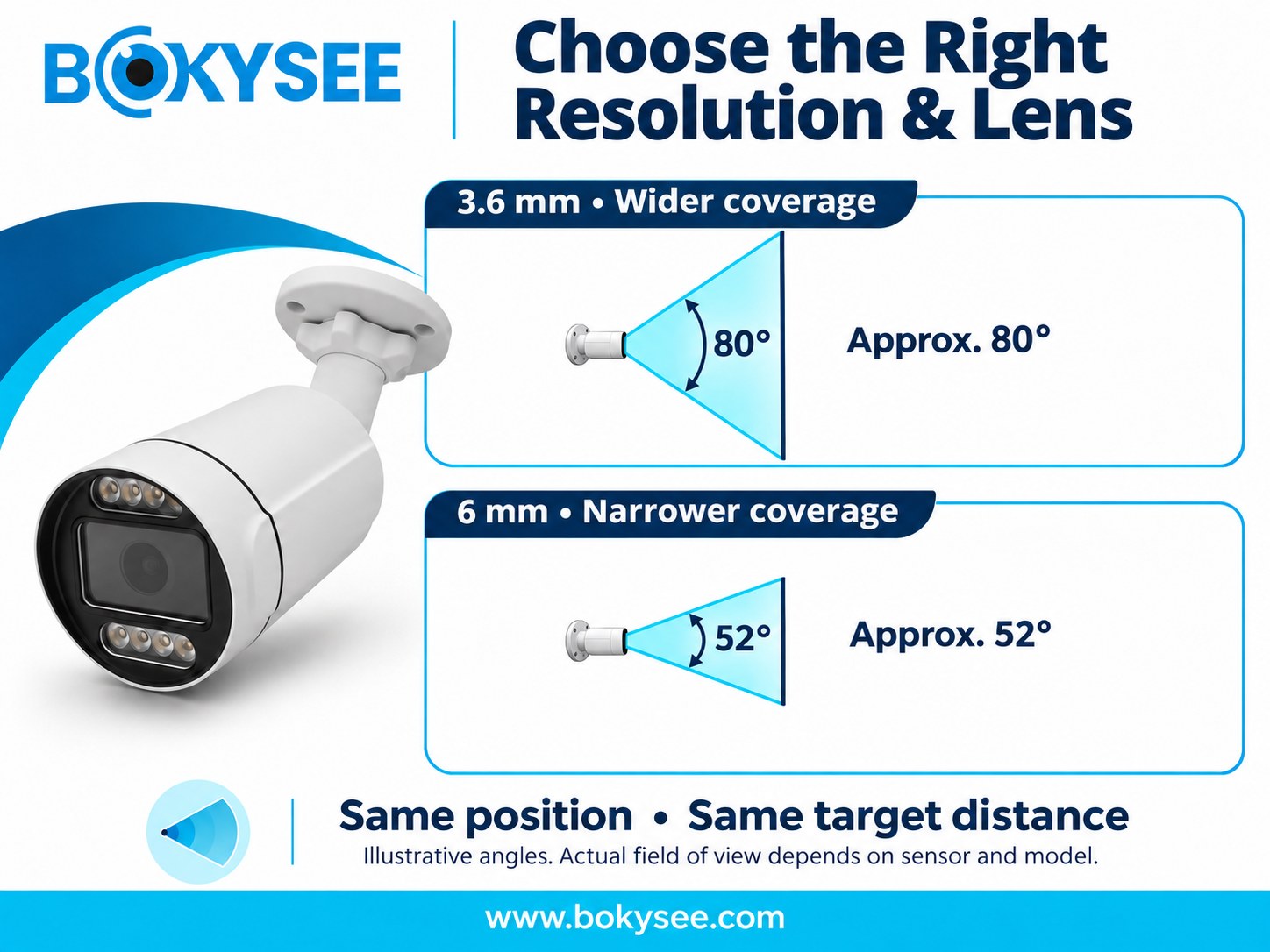
A varifocal lens allows adjustment of focal length within a specified range, providing a wider or narrower field of view. This can help installers frame gates, loading docks, and perimeters.
Wide-angle lenses can be used when large areas need to be covered, whereas narrow viewing angles may be used when detailed views are needed.
On the same sensor format, a 3.6 mm lens generally provides a wider horizontal field of view than a 6 mm lens. The 6 mm lens covers a narrower area and places more pixels on the same target at the same distance, assuming the same output resolution. Check the exact camera’s horizontal field-of-view specification rather than assigning a universal angle to a focal length.
Match Resolution and Lens to the Application
Before purchasing, evaluate the actual field of view and the pixel density available at the intended target distance.
| Application | Selection Priority |
| Residential entrance | Facial detail at the approach |
| Parking lot | Broad coverage and vehicle visibility |
| Warehouse perimeter | Viewing distance and low-light performance |
| Loading bay | Activity and package visibility |
| Vehicle gate | Recognition distance and appropriate lens |
Step 4: Check Weatherproof Ratings: IP66 vs IP67
Outdoor cameras need protection suited to their exposure. Check ingress protection alongside the site’s temperature, humidity, and installation requirements.
What Makes a Weatherproof Security Camera?
An IP rating describes ingress protection under specified test conditions; it is not a complete measure of outdoor suitability.
Check the camera’s stated resistance to dust and water.
Use suitable housings, connectors, cable glands, and mounting accessories.
Also assess sunlight, humidity, operating temperature, corrosion, and condensation.
IP66 vs IP67 Security Camera
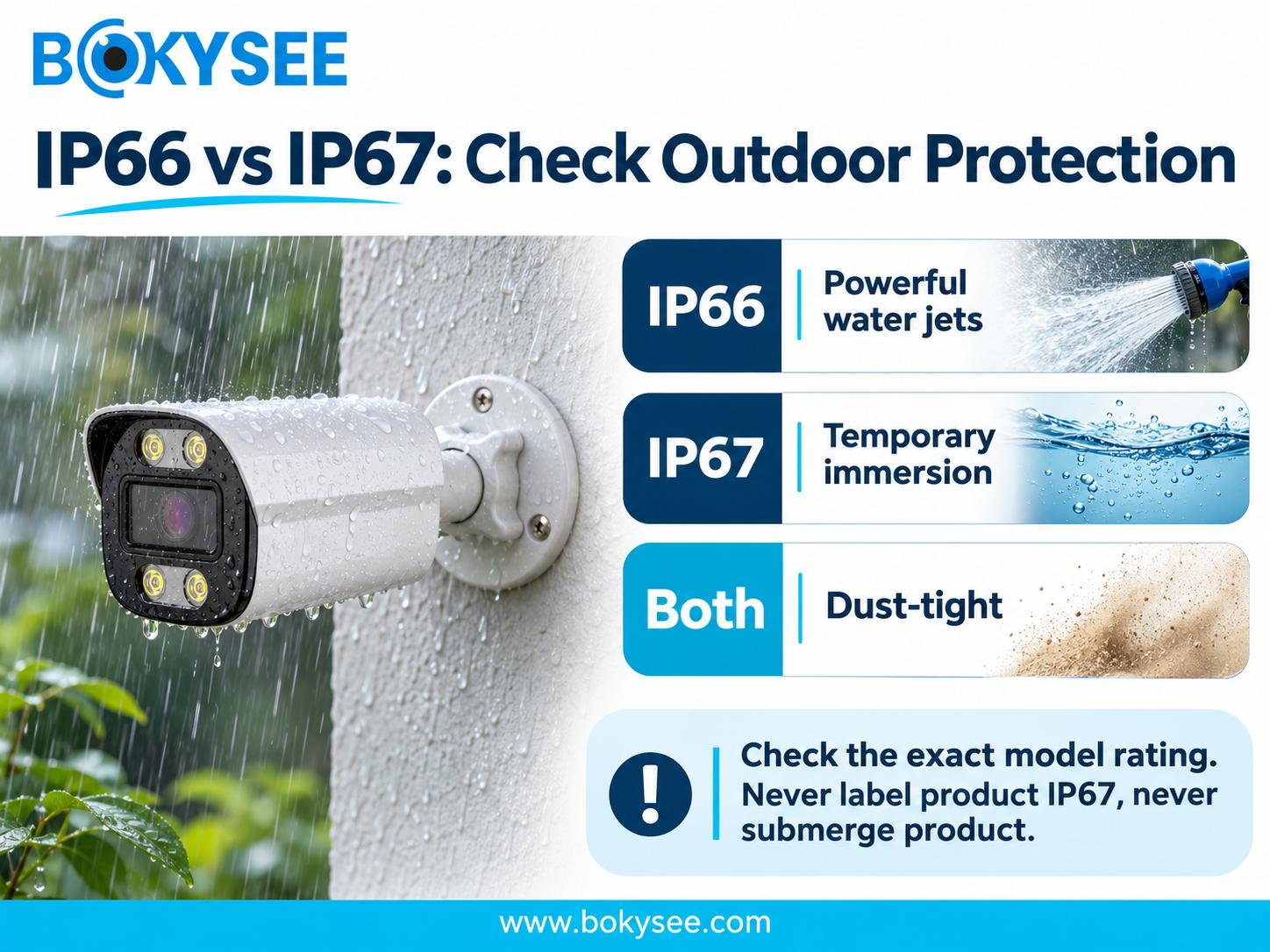
The IP code identifies protection against the entry of solid objects and water under specified test conditions. The first digit refers to solid-particle protection, while the second indicates water protection.
| Característica | IP66 Security Camera | IP67 Security Camera |
| Dust protection | Dust-tight | Dust-tight |
| Water protection | Tested against powerful water jets | Tested against temporary immersion |
| Typical consideration | Rain and exposed installations | Locations where temporary immersion risk matters |
| Selection priority | Water-jet exposure | Potential immersion exposure |
An IP66-rated camera may suit exposed outdoor locations when its other specifications and installation requirements match the site.
If temporary immersion is a foreseeable risk, check the exact model’s rated test conditions and installation requirements. An IP67 rating should not be treated as approval for routine underwater operation.
Additional Outdoor Durability Factors
Check UV resistance, corrosion resistance, operating temperature, impact protection, and mounting requirements. Coastal and industrial locations may require protection against salt or chemical exposure.
Protect cable entries and exposed connections. Water can enter through an incorrectly installed connection even when the camera housing has an appropriate rating.
Do not assume that a higher IP number makes a camera better for every site. Verify the relevant water-exposure rating and the installation requirements for the complete assembly.
Step 5: Evaluate Night Vision and Low-Light Performance
Evaluate nighttime performance under the lighting and viewing distances expected at the site.
Infrared Night Vision for Dark Outdoor Areas
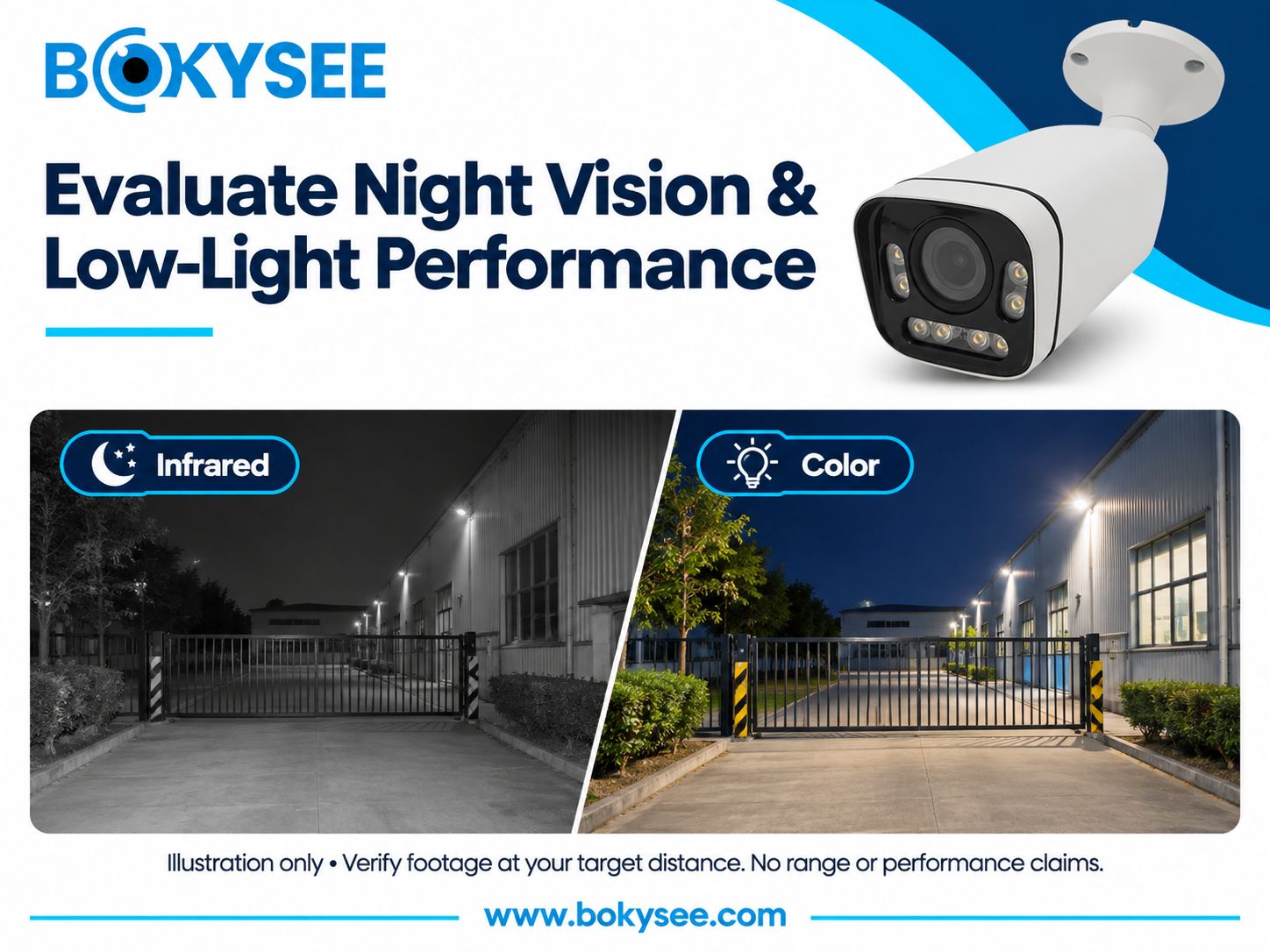
Infrared illumination helps compatible cameras capture images in darkness, usually in grayscale. Many day-and-night cameras switch to infrared operation as visible light decreases.
The advertised infrared illumination range does not guarantee that a person or vehicle can be identified at that distance.
Nearby walls, reflective surfaces, rain, and fog can reduce image quality. A camera mounted too close to a wall may experience infrared reflections.
Consider illumination coverage together with lens selection and sensor performance.
Color Night Vision and Low-Light Sensors
Some cameras use sensitive sensors and large-aperture lenses to retain color under low ambient light. Others use visible white-light illumination.
Color can help distinguish clothing and vehicle colors. Color imaging that relies on ambient visible light cannot provide a usable color image in complete darkness without suitable visible illumination.
Check the available street and building lighting. Where visible light is absent, select suitable infrared illumination or a camera with appropriate visible-light support.
Compare Night Vision Camera Specifications
Before choosing a night vision camera, evaluate:
Minimum illumination specifications and sensor performance.
Infrared range under realistic installation conditions.
Image clarity at the required identification distance.
Wide dynamic range (WDR) for entrances with bright backgrounds.
Performance in rain, fog, and other challenging conditions.
Sample footage captured in similar lighting environments.
Assess moving subjects as well as static scenes. A bright nighttime image may still blur a walking person or moving vehicle if the exposure time is too long. Review sample footage at the intended distance and check whether motion detail remains usable under the expected lighting conditions.
A clear close-up image does not establish that a camera will capture useful detail at a distant gate.
Evaluate footage at the distance and lighting conditions relevant to the intended task.
For further guidance, see Why Is My Security Camera Blurry and How to Fix.
Step 6: Choose the Right Connectivity and Power Option
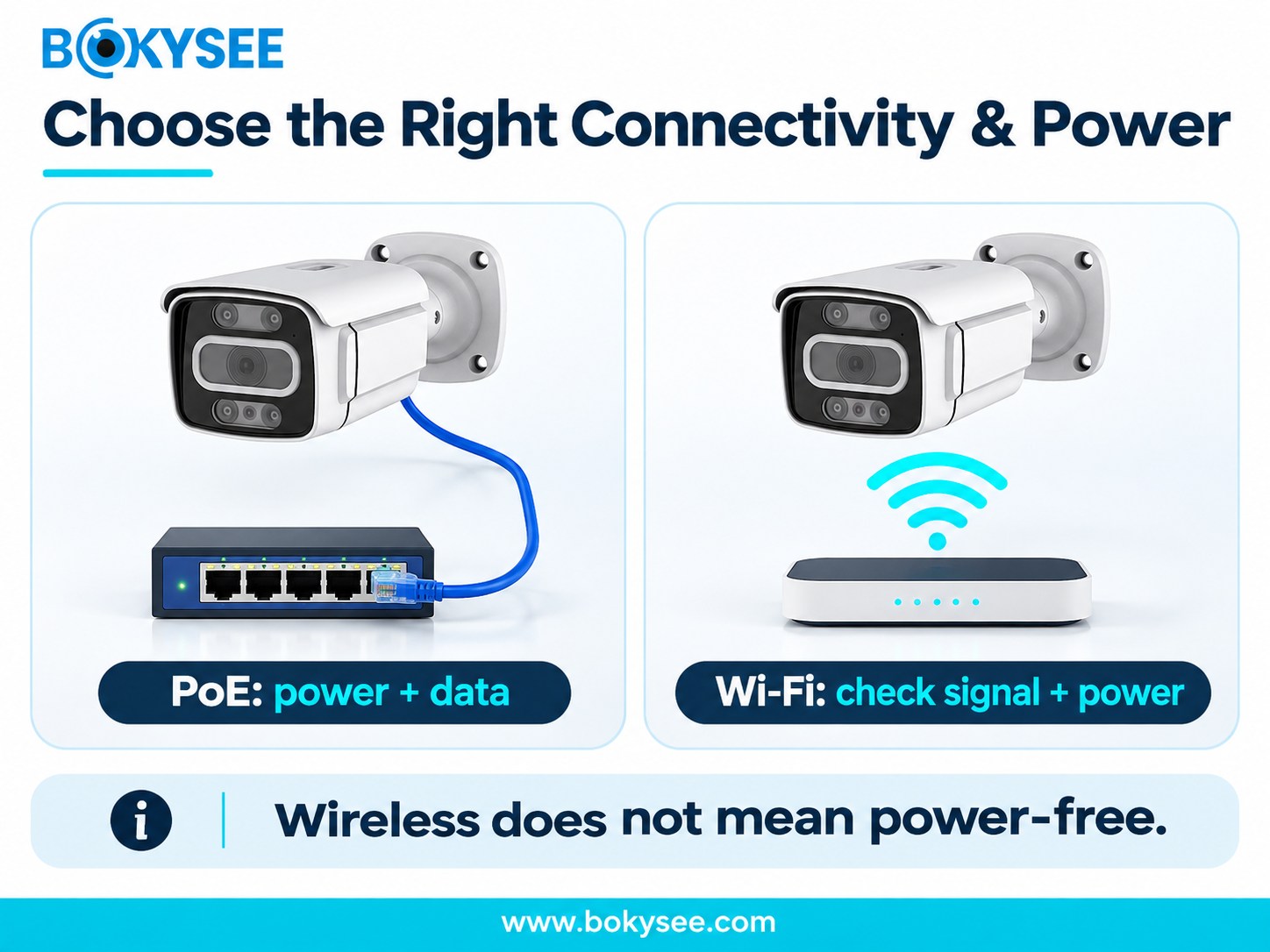
Connectivity affects installation, recording reliability, and expansion. Compare wired Ethernet with PoE or separate power against Wi-Fi with an appropriate power source.
Outdoor PoE Camera for Reliable Wired Installation
A compatible outdoor PoE camera receives power and transmits network data through the same Ethernet cable.
This can remove the need for a separate power supply at each camera position.
PoE is often useful for warehouses, manufacturing facilities, offices, and retail sites with suitable cabling infrastructure.
A compatible PoE switch, injector, or PoE-enabled NVR can supply power and network connectivity.
Standard copper Ethernet channels are generally designed for a maximum length of 100 meters, including patch leads. Check the cable specification, PoE requirements, and installation conditions; longer routes may require a different network design.
Use suitable outdoor cabling and protect exposed connections.
Confirm PoE compatibility, available power, network bandwidth, and security settings before purchasing.
Wi-Fi and Wireless Outdoor Security Cameras
Wi-Fi can reduce Ethernet cabling where cable routes are difficult. Test the wireless connection at the intended mounting position.
Wi-Fi cameras still need power. Depending on the model, this may come from a wired supply, a rechargeable battery, or a compatible solar charging system.
Distance, obstructions, interference, and video bitrate affect wireless performance. Check the connection under the expected operating load.
Wired vs Wireless: Which Should You Choose?
PoE is often a practical choice for installations with structured cabling and centralized power. Wi-Fi may suit locations where Ethernet installation is difficult, provided signal quality and power availability are adequate.
Balance installation cost against recording reliability, maintenance, and future expansion.
Step 7: Consider Smart Detection and Monitoring Features
Analytics can help users locate relevant events without reviewing all recorded footage manually. Confirm which functions the selected camera and recording system support.
Motion Detection and Human or Vehicle Classification
Basic motion detection responds to image changes, which may include moving vegetation, shadows, or animals.
Human or vehicle classification can help filter some irrelevant motion alerts.
False alarms and missed detections remain possible, depending on the scene, settings, and model.
WDR, Privacy, and Remote Monitoring
Wide dynamic range (WDR) can help retain detail in scenes containing bright and dark areas, such as a shaded entrance with a sunlit background. Evaluate its performance in the intended scene.
Authorized users may be able to view live and recorded video remotely. Use appropriate passwords, firmware updates, access permissions, and secure network connections.
Verify that privacy masks are applied to the recorded and exported video streams, not only to the live-view display.
Audio and Active Deterrence Features
Two-way audio, audio recording, sirens, and warning lights are model-dependent features. Confirm support in both the camera and the connected system.
Check applicable requirements before enabling audio recording or active warning features.
Step 8: Evaluate Storage, Recording, and System Compatibility
A camera is only one part of the system. Plan how footage will be recorded, retained, and retrieved.
NVR, Local Storage, and Cloud Recording
A network video recorder (NVR) records video from compatible IP cameras and provides centralized playback and management.
Some cameras support local microSD recording. Cloud recording and remote access depend on the camera, service, and network connection.
Consider the limitations of each approach. Local footage may be lost if equipment is stolen or damaged; cloud recording depends on the service and available connectivity.
Calculate Recording Capacity and Retention
Estimate storage using the configured or measured bitrate, recording duration, camera count, and retention period, with allowance for operating overhead. Resolution, frame rate, compression, and scene activity affect the bitrate.
Determine the number of days of footage you will have to store before erasing older video.
Businesses with investigative or compliance issues may have to retain footage for a longer period than residential customers.
Size storage for the complete recording plan. Two systems with the same camera count can have very different capacity requirements.
Check Compatibility Before Buying
Check resolution, codecs, bandwidth, recording, playback, audio, and required analytics. ONVIF compatibility can help devices work together, but it does not guarantee every function across different vendors.
Check firmware, remote-access software, and expansion requirements. Test the intended camera and recorder combination before ordering in bulk.
For further guidance, see ONVIF IP Camera Compatibility.
Step 9: Calculate Installation and Long-Term Costs
The purchase price is only part of the total cost. Include installation, commissioning, maintenance, and ongoing services.
Compare the Total Cost of Ownership
Factor in the cost of cameras, Ethernet cables, network switches, NVRs, storage, mounting, and protective accessories.
Installation, setup, and commissioning can add to the total cost.
Some systems will incur monthly costs in the form of subscriptions to cloud storage or advanced analytical tools.
Other systems might incur periodic costs through replacement batteries and maintenance.
A higher-priced camera may be worthwhile if it meets the project requirements and reduces maintenance needs; assess this for the actual installation.
But buying unnecessary technology could raise the cost of the project without enhancing security.
Plan Installation and Camera Placement
Position cameras to capture the required view with minimal obstruction. Consider mounting height, angle, lighting direction, cable routes, and access for maintenance.
Protect exposed connectors and follow the manufacturer’s instructions for mounting and grounding.
After installation, test live video, nighttime footage, detection events, recording, playback, and remote access. Confirm that the recorded footage meets the intended monitoring task.
For further guidance, see CCTV Camera Installation Guide.
Avoid Common Outdoor CCTV Buying Mistakes
Common mistakes include picking resolutions without paying attention to viewing distance, neglecting protection against the weather, forgetting about low light issues, and thinking that wireless cameras do not need any power.
Other issues include recorders being incompatible, too little storage available, unprotected cables, and improper positioning resulting in dead zones.
A structured assessment makes comparisons easier and helps avoid these problems.
Step 10: Outdoor CCTV Camera Buying Checklist
Before ordering an outdoor CCTV camera, review the following requirements against the actual installation conditions.
| Selection Factor | What to Verify |
| Coverage | Monitoring area, field of view, and blind spots |
| Resolución | Required identification detail |
| Lente | Fixed or varifocal suitability |
| Weather protection | IP rating and environmental exposure |
| Visión nocturna | Infrared range and low-light image quality |
| Conectividad | PoE, Ethernet, or Wi-Fi requirements |
| Detección | Human or vehicle classification and alerts |
| Almacenamiento | NVR, local recording, and retention period |
| Compatibilidad | Recorder, network, and software support |
| Durabilidad | Temperature, corrosion, and mounting requirements |
| Presupuesto | Equipment, installation, and ongoing costs |
For commercial or bulk purchases, also review technical documentation, warranty terms, product consistency, firmware compatibility, and supplier support.
Confirm long-term availability and after-sales support for the selected models.
Related CCTV Security Guides
Explore these related guides for more detail on camera selection, image quality, compatibility, and installation.
CCTV Camera Selection: A Step-by-Step Guide
The Different Types of CCTV Cameras
Why Is My Security Camera Blurry and How to Fix
CCTV Camera Installation Guide
Reflexiones finales
Choose an outdoor CCTV camera by matching coverage and target distance to the site’s lighting, environmental exposure, power, connectivity, and recording needs. Validate the intended configuration before purchasing or commissioning a larger system.
For commercial projects, also check durability, compatibility, maintenance access, and long-term support.
Planning an outdoor CCTV project? Share your monitoring areas, target distances, lighting conditions, power and network availability, and recorder requirements with BOKYSEE so our team can discuss suitable options for your application.
Preguntas frecuentes
Which outdoor CCTV camera is best for home security?
An outdoor-rated bullet, turret, or dome camera may suit entrances and driveways. Choose according to coverage, target distance, night performance, and installation conditions.
Is IP66 enough for an outdoor security camera?
IP66 describes dust-tight protection and resistance to powerful water jets under specified test conditions. It may suit outdoor use when temperature, corrosion exposure, connections, and installation requirements are also addressed.
What is the difference between IP66 and IP67 security cameras?
Both ratings indicate dust-tight protection. IP66 covers powerful water jets, while IP67 covers temporary immersion under specified test conditions. Match the rating to the expected exposure.
How many megapixels do I need for an outdoor CCTV camera?
A 2MP camera may suit general observation. Higher resolutions can provide more detail, but the useful result depends on the lens, target distance, lighting, and recording settings.
Which outdoor CCTV camera is best for nighttime monitoring?
Choose a camera with suitable illumination and low-light performance for the task. Review footage of moving subjects at the required distance.
Is an outdoor PoE camera better than a Wi-Fi camera?
PoE may be preferable where structured cabling and centralized power are available. Wi-Fi can suit difficult cable routes if signal quality and power availability are sufficient.
How far can an outdoor CCTV camera see at night?
Night viewing distance depends on illumination, sensor performance, lens, target size, and environmental conditions. The advertised illumination range is not a guaranteed identification distance.
Is an outdoor PTZ camera suitable for commercial properties?
An outdoor-rated PTZ camera can help operators inspect large parking lots, industrial sites, and logistics areas. Fixed cameras may still be needed for continuous coverage of critical locations.






 Spanish
 English
 Russian