 Skip to content
Power outages are exactly the moments when a property is most exposed: storms, grid failures, and blackouts create opportunities that intruders know how to read. So a fair question for any camera system is what it does when the lights go out.
The honest answer: it depends on where the camera’s power comes from. A wired camera on a dead circuit records nothing. A camera with its own battery keeps watching. A solar camera with a charged battery may not even notice the outage happened.
The sections below cover how each camera type behaves during an outage, how long backup power realistically lasts, and why keeping the camera alive is not enough if the recorder or router goes down with it.
What Happens to Security Cameras During a Power Outage?
A camera keeps working through an outage only if every link in its power chain, camera, recorder, router, stays alive.
Wired Cameras Without Backup Power
The most common setup — wired PoE or 12V cameras fed from a building’s circuits — depends entirely on the grid. When the circuit dies, the cameras die with it. Nothing records, nothing streams, and the system only comes back when utility power does. If the outage stretches for hours during a storm, the property runs blind the entire time.
That vulnerability is not a design flaw of the cameras themselves; it is simply where they draw power. The fix is not replacing the cameras but backing up the circuit that feeds them, which we cover in the UPS section below.
Battery-Powered Cameras
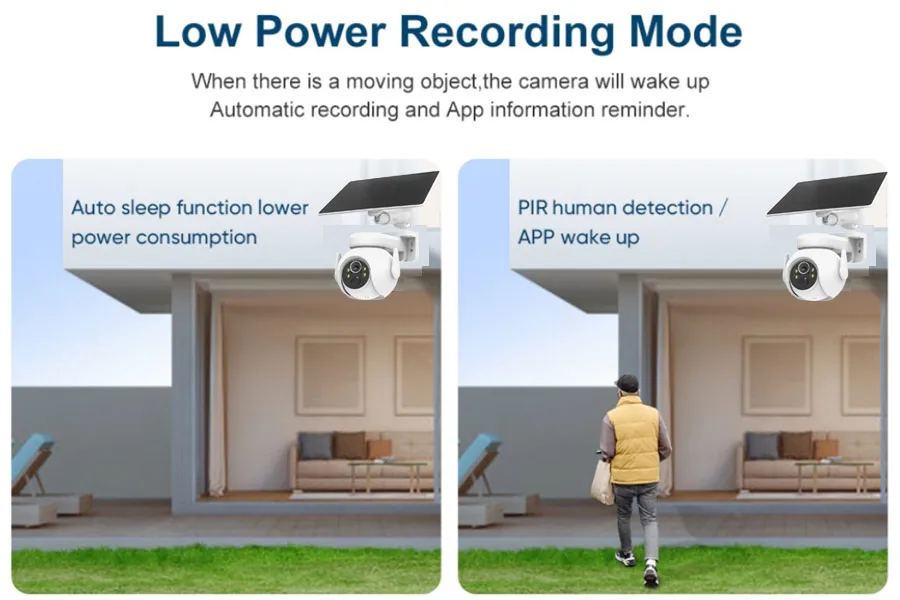
Cameras with built-in rechargeable batteries carry their own outage insurance. When the grid drops, they switch to internal power without interruption and keep recording to local storage. A camera doing event-based recording — waking on motion, capturing a clip, going back to standby — can run for weeks to months on one charge because it draws serious current only during events.
The catch is recharge timing. A battery camera that normally tops up from a wall adapter or USB panel will slowly drain during a long outage, and if the outage outlasts the battery, the camera goes dark just like its wired cousins.
Solar Cameras With Battery Backup
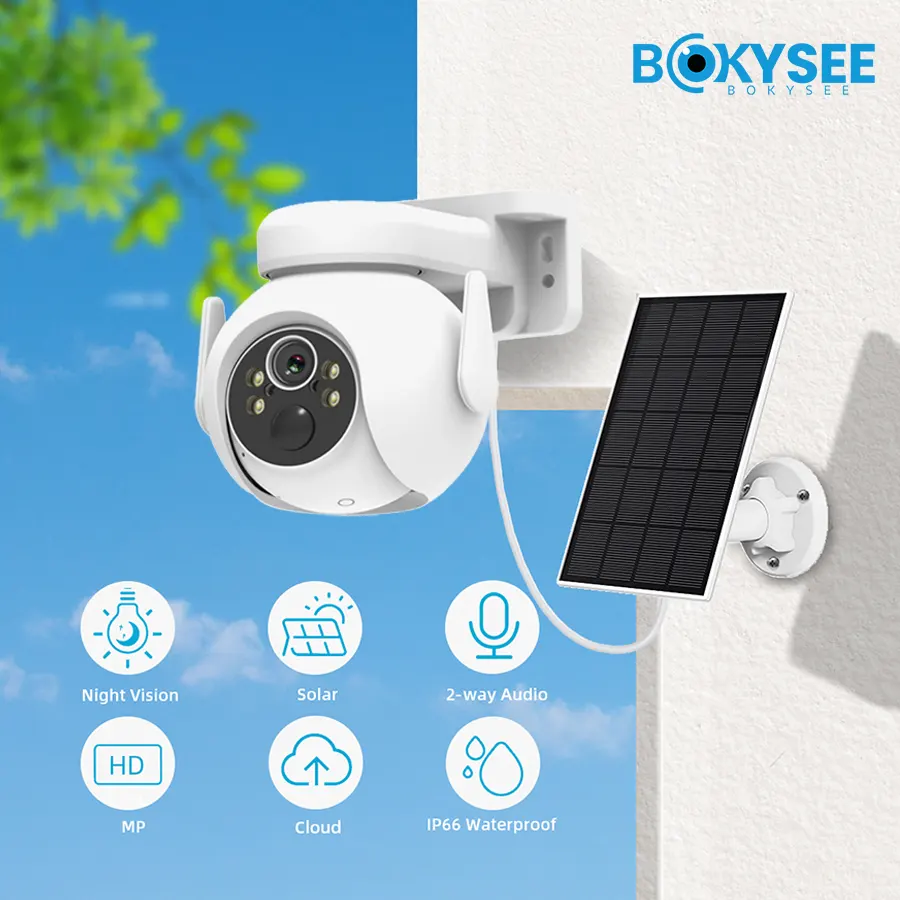
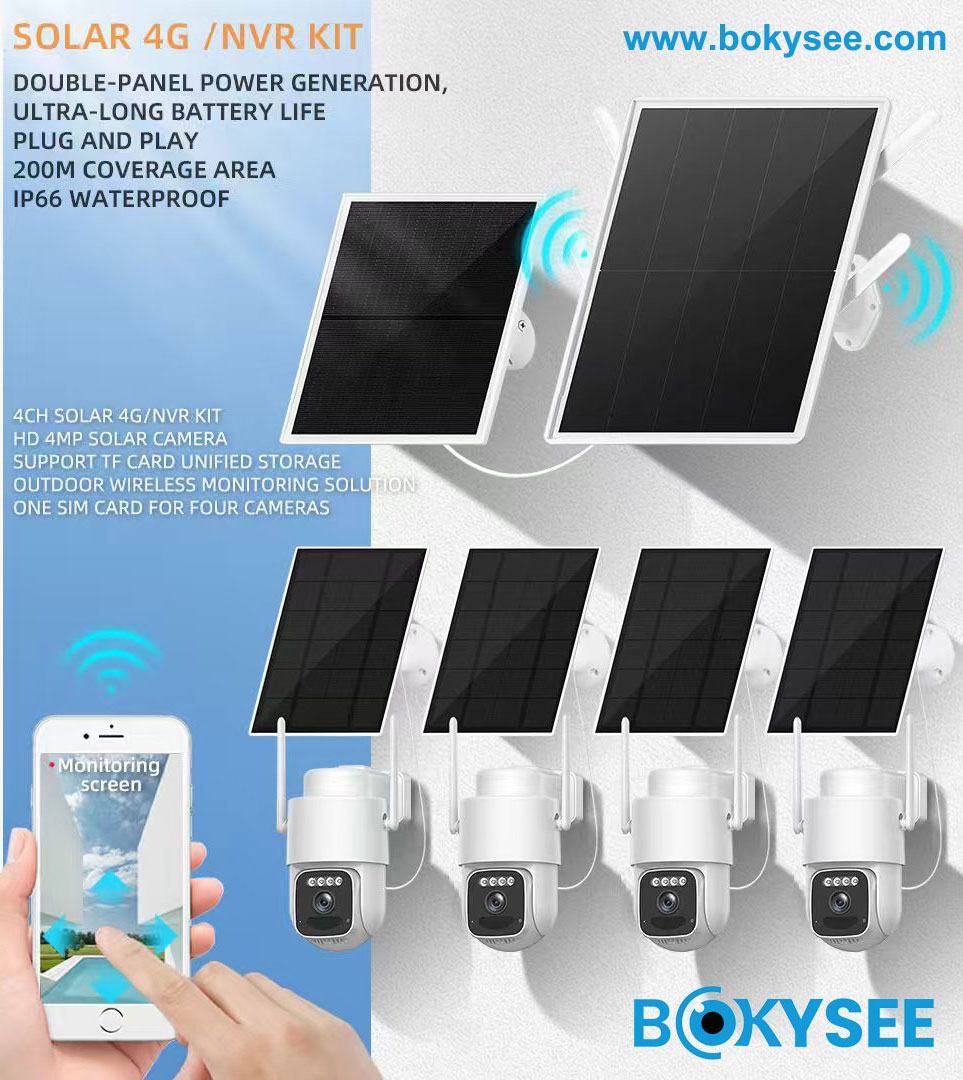
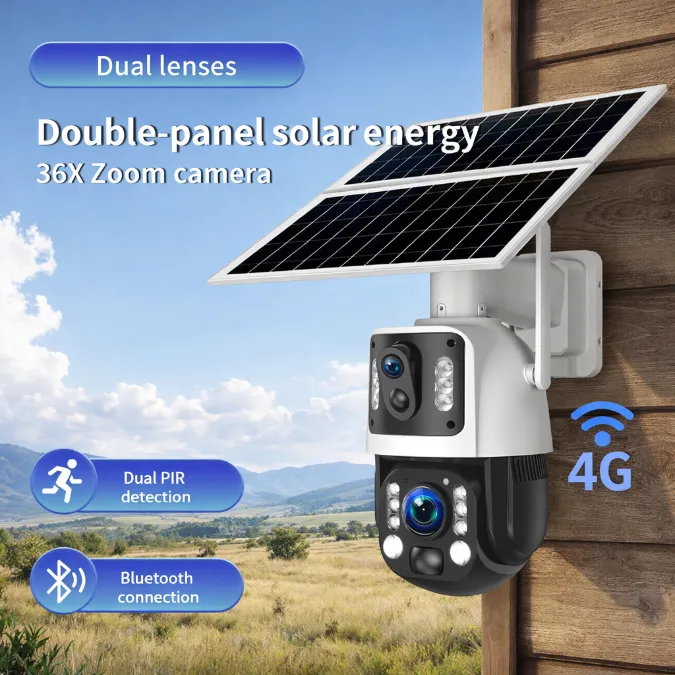
A solar battery camera is the one configuration that genuinely shrugs at a blackout. The panel charges the battery by day, the battery carries the camera through the night, and neither step touches the utility grid. Unless the outage also blocks the sun for days on end, recording continues on its normal cycle.
Pair that power independence with a cellular connection and you get a camera that survives both the power cut and the internet cut that usually follows it. If you want to go deeper on that architecture, our guide to designing an off-grid solar security system walks through panel sizing and battery capacity.
Cameras on a UPS-Backed Circuit
An uninterruptible power supply (UPS) is a battery pack that sits between the wall outlet and your equipment. When grid power fails, the UPS takes over in milliseconds — fast enough that cameras, recorders, and network gear never reboot. This keeps a traditional wired system alive for a limited window, typically a few hours, which is enough to ride out most short outages without a gap in coverage.
How Long Can a Security Camera Work Without Power?
Runtime is simple arithmetic: battery watt-hours divided by system draw, with real-world losses taking a bite.
Backup runtime depends on two numbers — how much energy is stored and how fast the system spends it. A battery camera in standby uses a fraction of a watt; the same camera streaming continuously can pull ten times more. The table below gives realistic ranges for the common setups:
| Camera Setup | Backup Source | Typical Outage Runtime |
|---|---|---|
| Wired PoE camera, no backup | none | stops when the circuit goes down |
| Wired PoE system on a UPS | 1500VA UPS | approx. 3–6 hours for a small system |
| Battery camera, event recording | internal battery | approx. 1–6 months on standby |
| Battery camera, continuous recording | internal battery | approx. 10–20 hours |
| Solar camera with battery | panel + battery | runs independently of grid power |
Two habits stretch these numbers. Lowering resolution and frame rate during backup operation can cut power draw dramatically, and disabling non-essential features — bright IR at full strength, aggressive motion scanning — buys hours. Many cameras and NVRs let you schedule a low-power profile that activates on battery, which is worth configuring before you need it.
Cold weather shifts every number in the table. Lithium batteries deliver less usable capacity as temperatures drop — a pack that runs a camera for two mild nights may struggle to finish one freezing night — and snow-covered panels stretch the recharge cycle for solar units. If your site sees real winters, size battery capacity for February conditions, not for the lab numbers on a spec sheet.
Aging belongs in the calculation too: a solar camera’s battery holds less with every year of service, and how long solar security cameras last breaks down the realistic service life of each part.
Can a UPS Keep Security Cameras Running?
Size a UPS by the watts your system actually draws, not by the big VA number on the box.
Yes, and for wired systems, a UPS is the most practical upgrade there is. The math starts with knowing what your gear actually draws. Typical figures for common components:
| Component | Typical Power Draw |
|---|---|
| IP bullet or dome camera (PoE) | 4–8 W each |
| PTZ camera with heater | 20–40 W |
| 8-channel NVR, no monitor | 20–40 W |
| Router and modem | 6–12 W |
| 8-port PoE switch | 10–30 W depending on camera load |
Add up the components you intend to keep alive, then match the UPS to that total. A compact four-camera system — four PoE cameras, a small NVR, and a router — draws roughly 60 to 80 watts, and a typical 1500VA UPS with its internal battery carries that for roughly two to four hours on a typical model, longer with external battery packs. Double the load and the runtime roughly halves; a PTZ with a heater will eat a small UPS on its own.
One detail that decides whether the plan works: plug the entire power chain into the UPS, not just the recorder. A UPS that feeds the NVR while the PoE switch sits on a dead wall outlet protects nothing — the recorder runs happily with no cameras attached. Label the outlets when you set this up; it saves confusion two years later.

Outage-proofing your product line? Bokysee manufactures solar battery cameras, low-power models with event-based recording, and cellular units that stay online when both grid and broadband fail — all available with OEM and ODM customization.
Explore OEM/ODM Solutions →What Happens to the Recorder and Router?
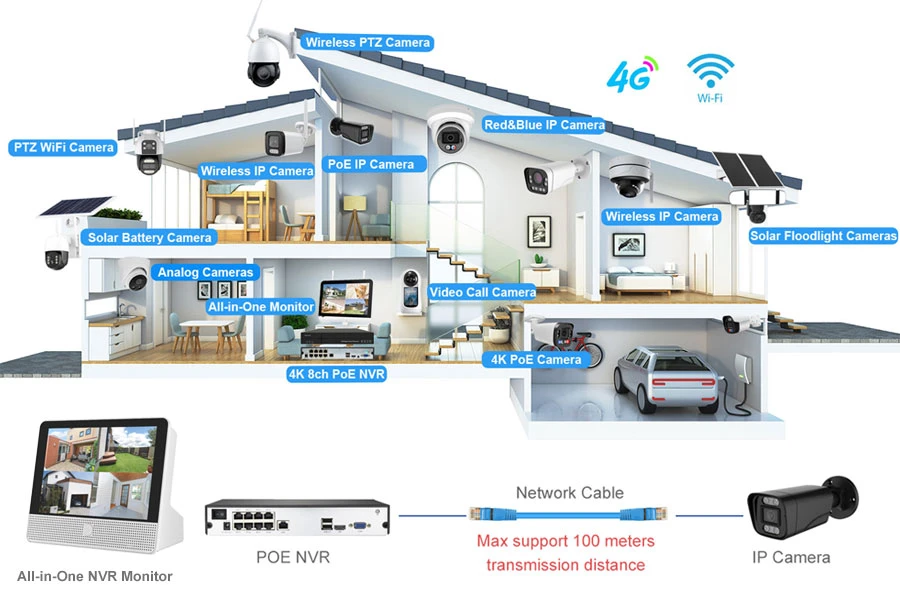
The camera is often the last thing to fail — a dead router or NVR takes the whole system dark first.
Here is the failure mode that surprises buyers: the cameras have battery backup, the app shows them online, and yet nothing is being recorded. The cause is almost always downstream of the camera. If the NVR lost power, there is nowhere for the video to land. If the router dropped, remote viewing dies even though local recording continues. A system is only as resilient as its weakest powered component.
Cameras with SD cards soften this problem — recording continues locally and clips sync to the cloud or NVR when links return. That makes an SD card one of the cheapest forms of outage insurance in any design. For wired systems, the same logic applies: the recorder, the PoE switch, and the router all belong on the backed-up circuit, not just the cameras.
Recovery after the outage has its own short timeline. Routers typically need one to three minutes to re-establish the internet link, PoE switches re-energize their ports within seconds, and cameras re-register with the recorder as soon as both are back. The gap in coverage during this restart window is measured in minutes — provided everything sits on the backed-up circuit in the first place.
How to Keep Security Cameras Working During a Power Outage
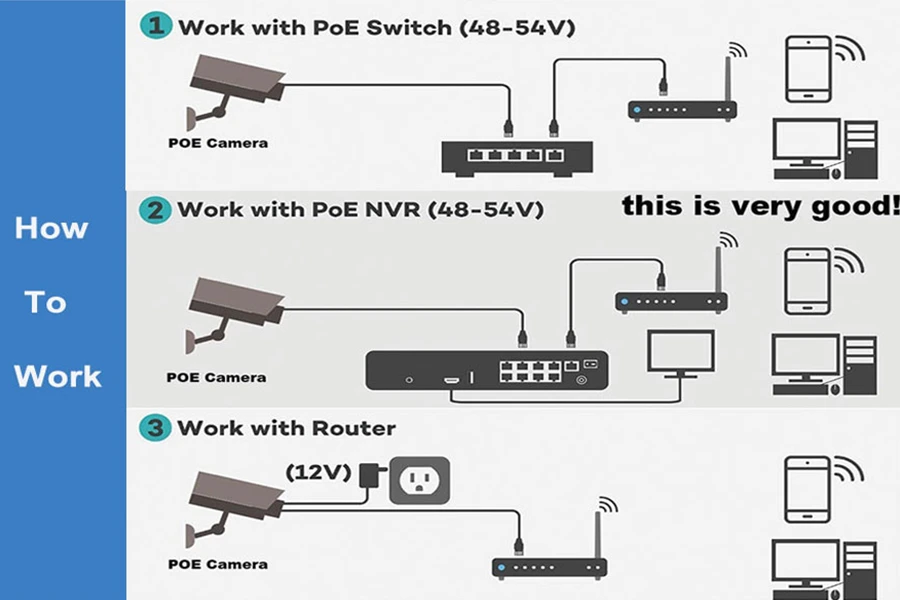
Backup power does not need to be elegant — it needs to cover the camera, the recorder, and the pipeline between them.
Outage readiness comes down to a checklist you can finish in an afternoon, consistent with the general preparedness steps outlined by Ready.gov for power outages:
- Map the power chain first. List every device between camera and screen — cameras, PoE switch, NVR, router, modem. Each one needs a backup plan or the chain breaks.
- Put the whole chain on UPS power. One UPS feeding the recorder while the switch dies protects nothing. Total the watts, size the UPS, label the outlets.
- Use solar or battery cameras at critical blind spots. Gates, driveways, and remote structures get the cameras that do not depend on building power at all.
- Fit SD cards as failover storage. Local recording survives NVR and network failures, and gaps sync back once everything reboots.
- Add cellular backup for connectivity. Outages often take broadband down with them; a 4G camera with its own SIM keeps alerts and live view alive. Our article on 4G cameras and SIM cards covers the setup.
- Protect against the surge when power returns. Surge protection and grounding save more equipment than backup batteries do; the return spike kills gear that survived the outage itself.
- Test twice a year. Kill the breaker feeding the system and watch what actually happens. Five minutes of testing beats an hour of assumptions.
Treat the list as a tiered plan rather than an all-or-nothing upgrade. A UPS on the core rack closes the short-outage gap; battery cameras close the overnight gap; solar closes the multi-day gap. Most properties need only the first two tiers.
Frequently Asked Questions About Power Outages
Will security cameras turn back on automatically after a power outage?
Yes. Fixed security equipment is designed to boot as soon as power returns — cameras, NVRs, routers, and PoE switches all power up unattended and reconnect on their own. Expect a few minutes while the network re-forms and cameras re-register with the recorder.
Will a power outage delete recorded security footage?
No. Footage already written to an NVR hard drive or a camera’s SD card stays in place when power cuts. At most, the few seconds sitting in the write buffer may be lost, which is why better NVRs use file systems that recover cleanly after a sudden shutdown.
Can security cameras record without an internet connection?
Yes. Recording happens locally — to the NVR’s hard drive or the camera’s own SD card — and does not need internet at all. What stops without internet is remote viewing, push alerts, and cloud upload; local recording continues.
Can a power surge damage security cameras?
Yes. Lightning strikes and grid-switching surges can kill cameras, switches, and recorders. A UPS with surge protection, properly grounded mounts, and ethernet surge arresters on long outdoor cable runs sharply reduce that risk.
Will remote viewing work if the internet goes down during an outage?
No. If the router or modem loses service, remote viewing stops even when the cameras keep recording locally. A 4G camera with its own SIM, or a router with LTE failover, keeps the remote link alive through the outage.
Can solar power be used as backup for security cameras?
Yes. A solar camera with its own panel and battery sits outside the grid power chain, so a utility outage does not touch it. Solar panels can also charge standalone battery packs that back up wired systems through extended outages.
Final Thoughts
Do security cameras work during a power outage? Wired cameras without backup do not; battery and solar cameras do; and a wired system with a properly sized UPS buys itself hours of coverage. The deciding factor is rarely the camera model — it is whether the whole power chain, from camera to recorder to router, has a plan for the moment the grid drops.
If you take one action from this guide, make it the breaker test: cut power to your system this week and watch what survives. You will learn more in five minutes than any spec sheet can tell you, and you will know exactly where the next dollar of backup spending should go.
For buyers specifying systems that cannot afford blind spots, Bokysee builds solar battery cameras and low-power cellular models engineered to ride through outages — with OEM and ODM support for projects of any scale.






 English
  Spanish
  Russian