
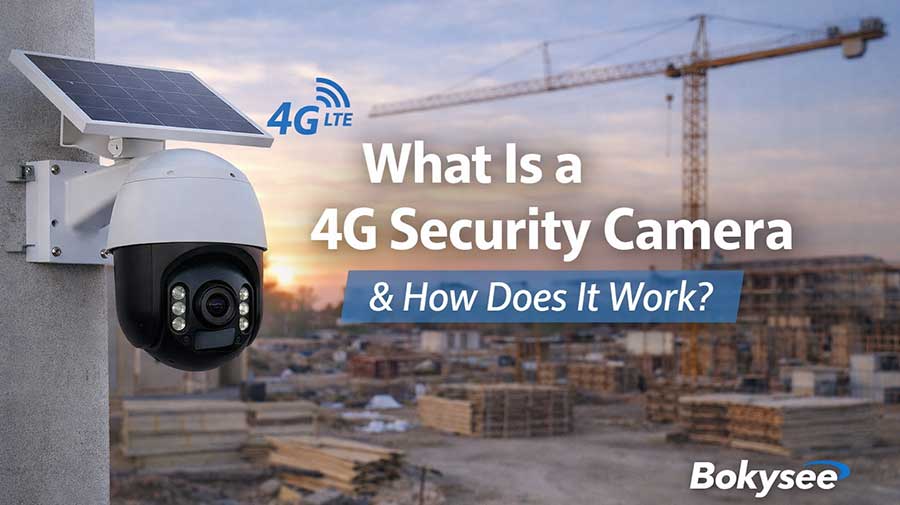
People want security that works everywhere. Many people want a camera that does not use Wi-Fi. More people pick a 4G security camera for freedom and trust. The market for these cameras grows quickly. You see more homes, stores, and farms using cellular cameras. Rural places and building sites like the simple setup. A 4G security camera uses a cell signal, so you can check your property from almost anywhere.
What Is a 4G Security Camera?
Defining a 4G Security Camera
What Makes a Camera '4G'?
A 4G security camera gets internet from a cell network. It connects using 4G LTE, like a phone does. You do not need Wi-Fi or cables to use it. This camera works where regular internet cannot reach. You can put the camera almost anywhere you want. People like 4G security cameras because they are flexible and reliable.
How Cellular Connectivity Works
A SIM card lets the camera connect to the cell network. The camera sends video and alerts through the mobile signal. You can watch the footage from anywhere with cell service. The camera does not need a router or home internet. The cell network moves all the data for the camera. The camera keeps working even if Wi-Fi stops.
Core Components of a 4G Security Camera
Camera Hardware Essentials
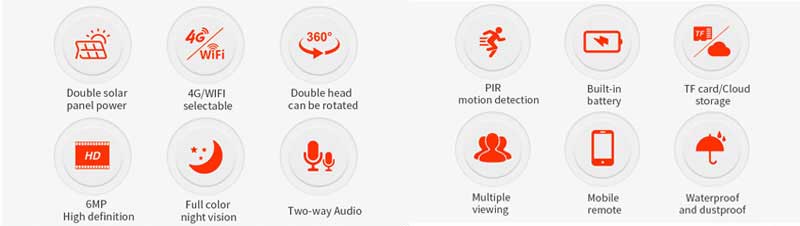
A 4G security camera has strong parts for outdoor use. It can handle rain, dust, and bumps easily. The lens shows clear video during the day and at night. Many cameras have motion sensors for smart alerts. Some cameras let you talk and listen with two-way audio. The camera saves video on a memory card or in the cloud.
SIM Card and Data Plan Requirements
Each 4G security camera needs a SIM card to work. The SIM card turns on the camera on the cell network. You must choose a data plan for video and alerts. Most people pick prepaid or monthly plans for their camera. Data use depends on video quality and how much the camera records. A normal camera uses between 2 and 10 GB every month.
How Does a 4G Security Camera Work?
Data Transmission and Connectivity
Video Streaming Over 4G Networks
A 4G security camera sends video through a cell network. The camera uses 4G LTE to send video quickly. You get clear video even if Wi-Fi is missing. A strong signal helps the camera show sharp streams. Many people like that the camera works in hard places. It can handle farms, job sites, or parking lots easily. You do not need a router for this camera. The camera connects right to the cell tower.
Remote Access and Real-Time Monitoring
You can check your camera from anywhere with a phone signal. The camera lets you see live video on your phone or computer. You get alerts fast if something moves near the camera. Many cameras send push notifications for quick action. You can watch your home, store, or land in real time. A 4G security camera gives you peace of mind when you travel. The camera works well for people who want to monitor from far away.
Power and Installation Flexibility
Battery-Powered vs. Wired Options
A 4G security camera comes in battery-powered and wired models. You can pick a camera with a long battery for easy setup. Some cameras use solar panels for extra power in sunny places. Wired cameras plug into outlets for nonstop use. Battery cameras work great where power is hard to find. You can move a battery camera around without much trouble. Wired cameras fit best in spots with steady electricity.
Placement in Remote or Off-Grid Locations
You can put a 4G security camera almost anywhere with cell coverage. The camera fits on barns, gates, trailers, or cabins. Many people use a 4G security camera for off-grid cabins or vacation homes. The camera helps protect places where Wi-Fi does not reach. You do not need to run wires across fields or forests. The camera works well for temporary events, outdoor markets, or construction zones. You get freedom to secure any spot with a cell signal.
Key Features of 4G Security Cameras
Mobility and Versatility
A 4G security camera lets you move it anywhere. You only need cell service for the camera to work. Farms, cabins, and job sites all use this flexibility. No wires or Wi-Fi are needed for setup. You can protect a barn far away or a busy event easily. Many people use these cameras for pop-up shops and outdoor markets. You get coverage in places where Wi-Fi does not reach.
Use Cases in Challenging Environments
A 4G security camera works well in hard places. You can keep a construction site or cabin safe. Outdoor festivals and parking lots stay secure with mobile cameras. Many people use cameras for boats, RVs, or storage units. You can watch a field or forest edge without trouble. The camera handles dust, rain, and rough weather with strong parts.
Security and Reliability
A 4G security camera keeps working during power cuts. You do not lose video when storms or network problems happen. Cellular networks give steady service in emergencies. The camera sends alerts even if home internet stops. Many people trust these cameras for backup protection. You get peace of mind with a system that stays online.
Operation During Power or Wi-Fi Outages
A 4G security camera uses batteries or solar panels for power. You do not worry about blackouts or unplugged cables. The camera runs on cell data, so Wi-Fi problems do not stop it. Many users like the extra safety during outages. You can count on the camera to record and send alerts all the time.
User-Friendly Operation
A 4G security camera is easy for everyone to use. You can set up the camera fast with an app. Most apps show live video and send instant alerts. You get a notification when motion happens near your property. The camera lets you check footage from anywhere with your phone. You do not need tech skills to use it every day.
App Integration and Instant Alerts
A 4G security camera connects to your favorite devices. You can watch real-time video on a tablet or laptop. Many cameras send push notifications for quick action. You get updates right away if something moves or someone enters a zone. The camera gives you control and information in your hand.
Popular 4G Security Camera Products and Brands
Leading 4G Security Camera Models
Bokysee 4G Security Cameras
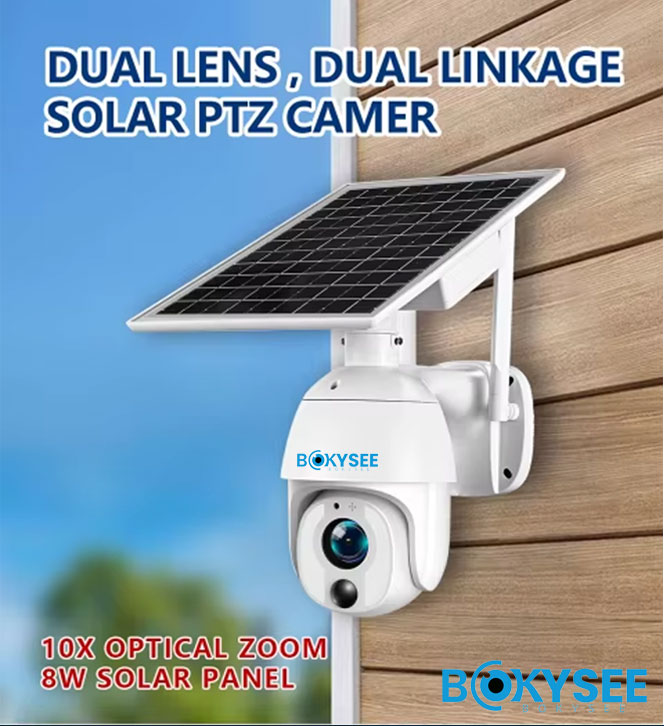
Bokysee has many 4G security camera models. Bokysee cameras show clear video for easy watching. Bokysee models have night vision to protect all day and night. Bokysee cameras use motion detection to warn you about movement. Bokysee products are made to handle bad weather outside. Bokysee cameras let you check video from anywhere with remote access. Bokysee models have batteries that last a long time so you can put them where you want.
Other Notable Options
Trueview CCTV Cameras work with both 4G and Wi-Fi. Trueview cameras are strong and can handle rough places. Trueview models have night vision and motion detection. Trueview cameras show clear video for good watching. Trueview products help you stay connected in hard spots. Brands like Reolink and Arlo have 4G security cameras with cloud storage and app support. Many 4G cameras use AI to send smart alerts. Some cameras have two-way audio and push notifications for fast updates.
Choosing the Right 4G Security Camera
Essential Features and Buying Tips
You should look for important features when picking a 4G security camera:
-
High-definition video helps you see faces and details.
-
Night vision lets you watch your property after dark.
-
Motion detection sends alerts when something moves nearby.
-
Weather resistance keeps your camera safe in rain or dust.
-
Long battery life means you do not charge it often.
-
App integration lets you check video on your phone or tablet.
-
Cloud storage saves your video so you can watch it later.
You can see if the camera lets you monitor from far away. You can compare battery and wired cameras to find what you need. You can check the data plan before you buy. You can read reviews to learn what other people think. You can ask about warranty and support to feel safe.
"A good 4G security camera helps you feel safe anywhere. The right features let you stay in control and protect what matters most.
Common Questions and Considerations for 4G Security Cameras
Data Usage and Cost Management
A 4G security camera uses a cellular data plan for video streaming and alerts. You might wonder how much data a camera needs every month. The answer depends on how often you check live video, the video quality, and how many motion events happen. Most people see cameras use between 2 GB and 10 GB each month. High-definition video and lots of motion will use more data. Lower settings and fewer alerts help save data.
Key tip: Always check your data usage in the camera app. A quick look each week helps avoid surprise charges.
Many camera brands offer ways to lower data use. You can set the camera to record only when motion happens. You can pick a lower video resolution for less important spots. A prepaid data plan gives you control over costs. You can start small and add more data if you need it.
Installation Tips and Best Practices
SIM Card Setup and Activation
A 4G security camera needs a SIM card before you can use it. You should pick a SIM card that matches your local cell network. Many stores sell prepaid cards for cameras. Insert the SIM card into the camera slot. Follow the camera app steps to activate the card. Some cameras ask for a PIN code or a quick restart. The camera connects to the cell network after setup.
You can call the SIM provider for help if the camera does not connect right away.
Optimizing Camera Placement
A strong signal keeps your 4G security camera working well. Place the camera where cell service is strong. You can use your phone to check the signal before you mount the camera. High spots like poles or rooftops often give better coverage. Avoid thick walls or metal objects near the camera. Sun and rain can affect outdoor cameras, so pick a spot with some cover if possible.
-
Test the camera view before final mounting.
-
Make sure nothing blocks the lens.
-
Check the area at night for good lighting.
A good spot helps your camera send clear video and fast alerts.
Troubleshooting and Support
Common Issues and Solutions
Sometimes a 4G security camera stops sending video or alerts. You can fix most problems with a few easy steps. First, check the battery or power source. Low power can cause the camera to turn off. Next, check the SIM card. Remove the card and put it back in. Restart the camera to refresh the connection.
If the camera still does not work, open the app and check for updates. Many brands release fixes for common bugs. Move the camera to a new spot if the signal stays weak. Call customer support if you need more help. Most brands offer guides and phone support for setup and issues.
Lesson learned: Quick checks and simple resets solve most camera problems. A reliable 4G security camera gives you peace of mind with steady performance.
A 4G security camera helps you keep an eye on any place. You can see clear video and save it in the cloud. It is easy to check the camera on your phone. People living far from cities use 4G security cameras for live watching. You should think about what you need and see if a cellular camera works for you. If you want more help, look at product guides or talk to a local security expert.
See Also:





 English
  Spanish
  Russian