
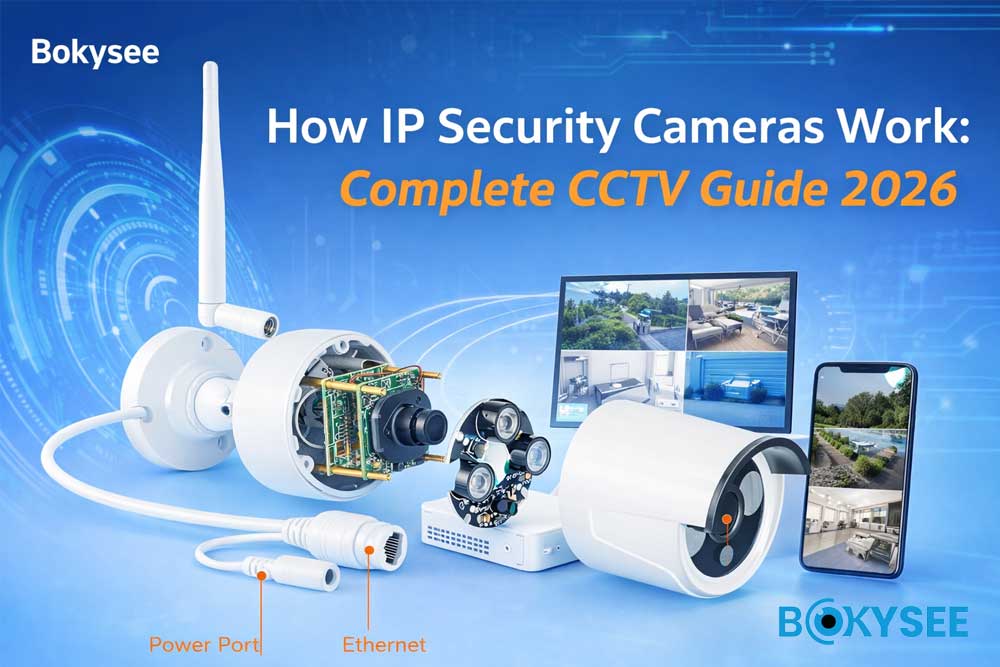
Краткое резюме
|
Topic |
Key Insight |
|---|---|
|
IP Camera Workflow |
Light → Sensor → ISP → Encoding → Network → Storage |
|
Core Components |
Lens, Sensor, ISP, SoC, IR Cut, LED |
|
Качество изображения |
Sensor size + lens quality matter more than megapixels |
|
Сжатие |
H.265 saves bandwidth and storage |
|
Ночное Видение |
IR vs Full Color depends on lighting design |
|
System Design |
Proper planning ensures full coverage and stability |
What Is an IP Security Camera?
Ан IP security camera (Internet Protocol camera) is a digital surveillance device that captures video, processes it internally, and transmits it over a network.
Compared with traditional analog CCTV systems, IP cameras offer:
-
High-definition video (4MP / 5MP / 8MP / 4K)
-
Удаленный мониторинг через мобильные приложения
-
Integration with NVR and cloud platforms
-
AI-powered video analytics
As described in your reference content, IP cameras have fundamentally changed modern security systems, replacing analog solutions with digital, scalable, and intelligent architectures
IP Camera Components Explained: What’s Inside a Security Camera (2026 Guide)
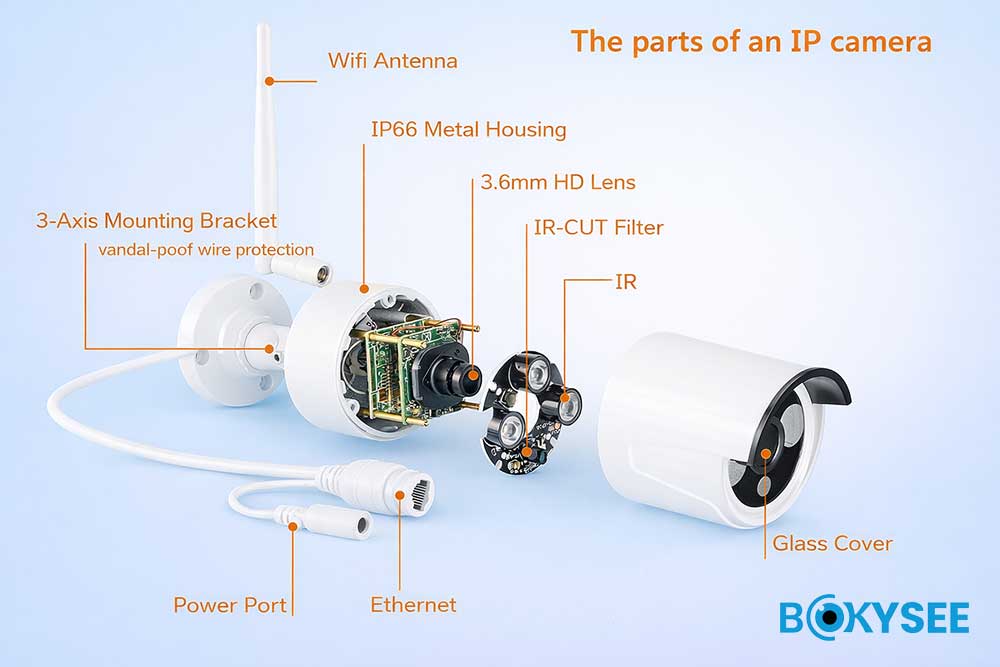
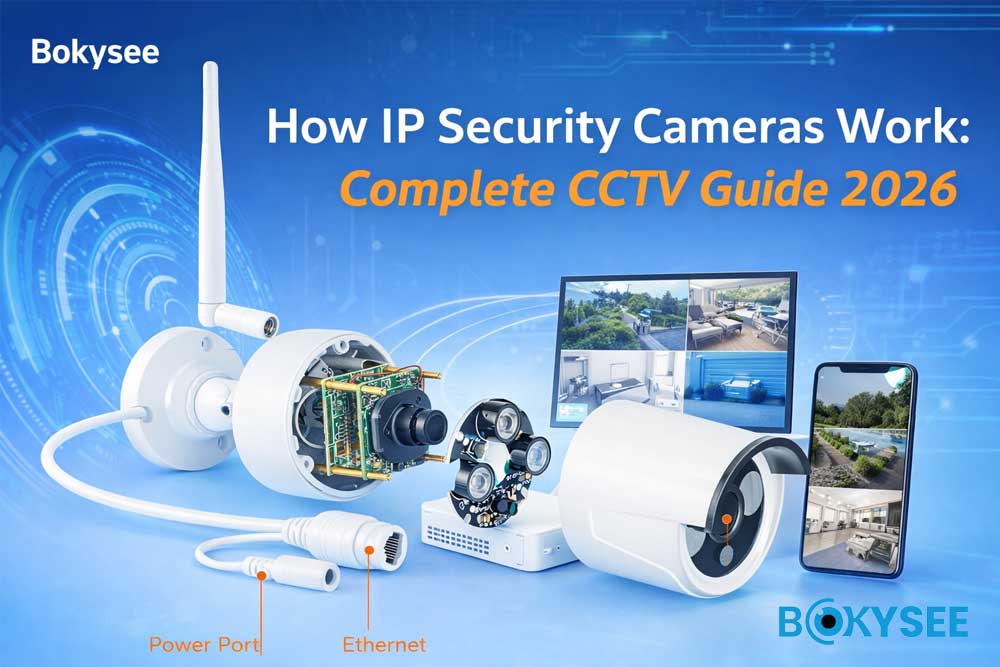
To truly understand how an IP camera works, you need to look beyond megapixels and explore the internal architecture that determines real-world performance.
A modern IP security camera system is a combination of optics, electronics, image processing, and network transmission — each component directly impacts image clarity, night performance, and system reliability.
Below is a complete breakdown of IP camera components, aligned with industry standards and widely discussed topics in professional surveillance systems.
1. Lens (Optical System – Field of View & Image Clarity)
The линза is the first step in the imaging pipeline and directly determines:
-
Field of View (FOV)
-
Light intake (aperture / F-number)
-
Image sharpness and distortion control
Security camera lens focal length, 2.8mm vs 3.6mm(4mm) vs 6mm lens, CCTV field of view chart
-
2.8mm lens → wide-angle coverage (ideal for small rooms, entrances)
-
3.6mm(4mm lens) → balanced view (most common for general surveillance)
-
6mm+ lens → narrow angle, longer distance (parking lots, perimeters)
⚠️ Common mistake:
“Does higher resolution mean better image?”
Not always.
👉 High resolution + low-quality lens = blurry image
According to optical imaging principles used in CCTV design, lens resolving power must match sensor resolution, otherwise image detail is wasted.
2. Image Sensor (The Foundation of Image Quality)
The датчик изображения converts light into electrical signals — it defines the true upper limit of image quality.
Best image sensor for CCTV, Sony IMX335 vs SmartSens, sensor size low light comparison
Key factors:
-
Sensor size (e.g., 1/2.8", 1/3" CMOS)
-
Pixel size (larger pixels = better light sensitivity)
-
Low-light performance (lux capability)
📊 Industry consensus (based on Sony & ON Semiconductor imaging standards):
-
Larger sensors capture more light → better low light CCTV performance
-
Smaller sensors → more noise, especially at night
👉 Example:
-
1/2.8" sensor → better night clarity
-
1/3" sensor → more affordable but weaker in low light
💡 This is why many professional IP cameras for commercial use prioritize larger sensors over just increasing megapixels.
3. ISP (Image Signal Processor – Image Optimization Engine)
The ISP (Image Signal Processor) transforms RAW sensor data into a visually usable image.
ISP in security cameras, image processing CCTV, noise reduction CCTV camera
Core ISP functions:
-
Noise reduction (2D/3D DNR)
-
White balance (AWB)
-
Exposure control (AE)
-
Color correction
-
Sharpness enhancement
According to video imaging pipelines used in modern SoCs, ISP is critical for:
👉 Delivering true color accuracy
👉 Eliminating noise in low-light surveillance scenarios
⚠️ Poor ISP tuning often leads to:
-
Color distortion (green/purple tint)
-
Flickering image
-
Overexposed highlights
4. SoC (System on Chip – The Brain of the Camera)
The SoC (System on Chip) integrates multiple core functions:
-
ISP (image processing)
-
Video encoding (H.264 / H.265 / H.265+)
-
AI analytics (human detection, vehicle detection)
-
Network communication
CCTV chipset comparison, HiSilicon vs Ingenic vs SigmaStar, H.265 IP camera benefits
In modern IP cameras:
👉 The SoC determines:
-
Compression efficiency (bandwidth & storage cost)
-
AI capability (smart detection accuracy)
-
System stability
📊 Industry trend (2025–2026):
-
Increasing demand for AI-powered IP cameras
-
Integration of edge AI processing inside SoC
5. IR Cut Filter (Day/Night Switching Technology)
The IR Cut Filter (ICR) enables cameras to switch between day and night modes.
IR cut filter camera, day night CCTV difference, black and white night vision
Working principle:
-
Daytime → blocks infrared → accurate color reproduction
-
Night → allows infrared → black & white night vision
⚠️ Poor ICR design can cause:
-
Frequent switching (image “flickering” at dusk)
-
Color shift issues
6. LED Board (Night Vision System Explained)
Night vision depends on the supplemental lighting system.
Infrared vs full color night vision camera, dual light CCTV, smart night vision camera
Types of lighting:
-
Infrared LEDs (850nm / 940nm) → invisible, black & white image
-
White LEDs → full-color night vision
-
Smart Dual Light → switches automatically based on motion
📊 Industry insight:
-
Infrared = lower power consumption
-
White light = better identification (faces, license plates)
👉 LED angle must match lens angle
Otherwise:
-
Overexposure
-
Dark corners (vignetting)
7. Storage System (Local vs Cloud Recording)
IP cameras support multiple storage options:
IP camera storage options, NVR vs SD card vs cloud storage
-
SD Card (Edge storage) → small systems, backup recording
-
NVR (сетевой видеорегистратор) → professional projects
-
Cloud storage (AWS-based systems) → remote access & backup
📊 According to modern surveillance architecture:
👉 NVR systems remain the most stable solution for large-scale deployments
👉 Cloud is growing fast in smart home & remote monitoring scenarios
8. Network & Connectivity (How Video Reaches You)
Connectivity defines how video is transmitted.
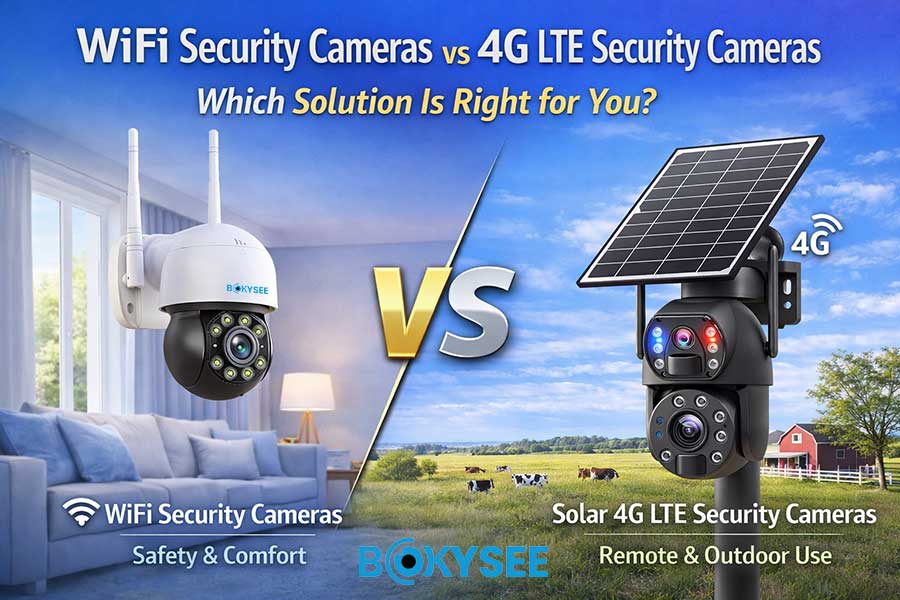
PoE IP camera system, WiFi vs PoE security camera, 4G LTE CCTV camera
Options include:
-
PoE (питание через Ethernet) → single cable for power + data
-
WiFi-камеры → easy installation
-
4G LTE cameras → remote/off-grid locations
📊 Industry recommendation:
👉 For commercial & project installations:
PoE IP camera systems are the most stable and scalable solution
👉 For residential or temporary setups:
WiFi / 4G cameras are more flexible
How IP Cameras Work: From Light to Video (Step-by-Step Guide)
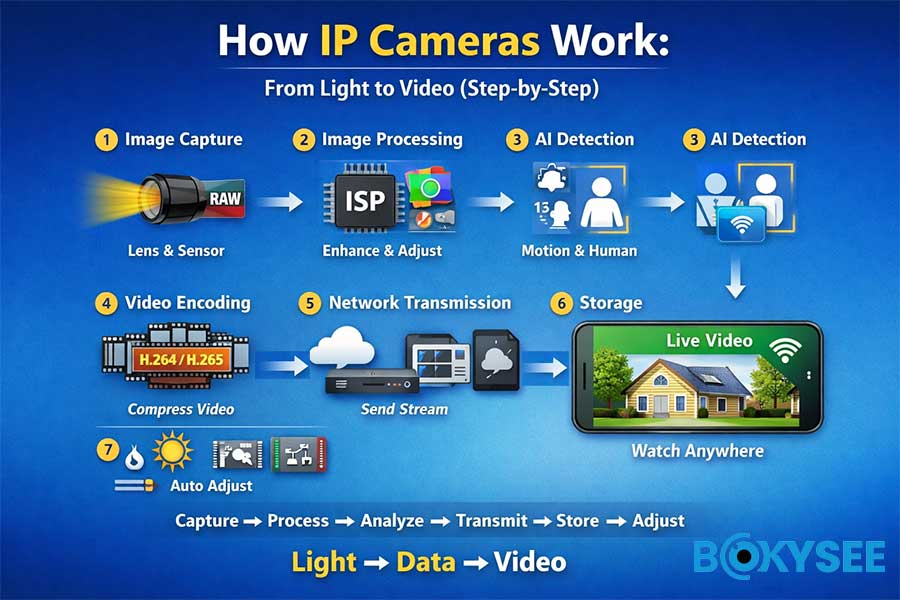
If you’ve ever wondered how a security camera turns what it “sees” into a live video on your phone, the process is actually quite straightforward.
An IP camera works like a small intelligent system. It captures light, processes it into an image, compresses the video, and transmits it over a network — all within seconds.
Here is a step-by-step explanation of how it works:
Step 1: Image Capture
Everything starts with light.
Light enters the lens and is focused onto the image sensor. The sensor then converts this light into electrical signals, which are output as RAW image data.
In simple terms:
The lens gathers light, and the sensor captures the image — similar to how human eyes work.
The quality of this step depends heavily on the lens and sensor. Even with high resolution, poor sensor performance can result in weak image quality, especially in low-light conditions.
Step 2: Image Processing
The RAW data captured by the sensor cannot be viewed directly. It must first be processed.
This is handled by the Image Signal Processor (ISP), which performs several important adjustments:
-
Balancing brightness (auto exposure)
-
Correcting colors (white balance)
-
Reducing image noise
-
Enhancing overall clarity
Without proper ISP processing, the image would appear dark, noisy, or unnatural.
Step 3: AI Processing
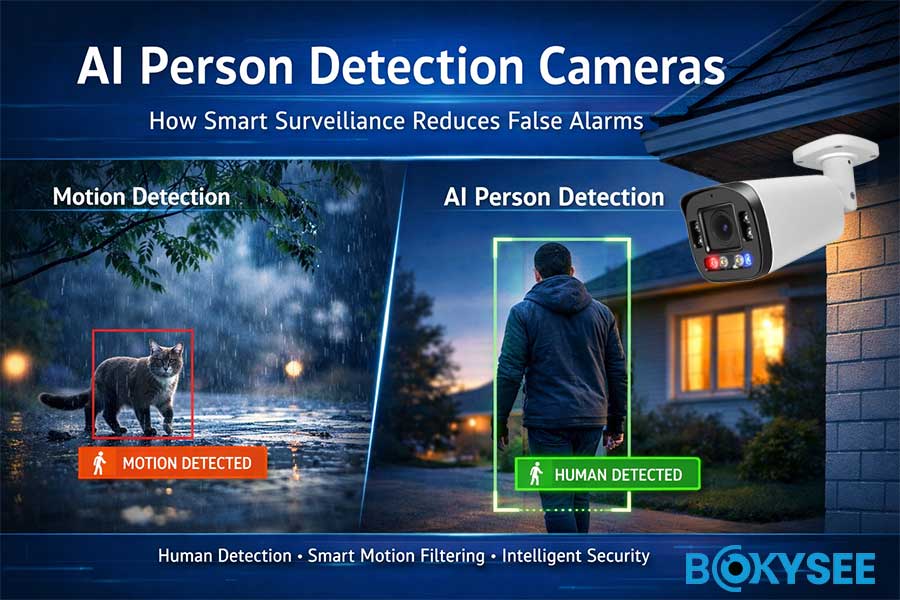
Modern IP cameras include built-in intelligence that allows them to analyze what they see.
Common AI functions include:
-
Обнаружение движения
-
Обнаружение человека
-
Intrusion alerts (line crossing or area detection)
Instead of recording everything, AI-enabled cameras can focus on meaningful events and reduce false alarms. This is especially important for security and monitoring efficiency.
Step 4: Video Encoding
Raw video data is very large and must be compressed before transmission.
This is done using video encoding technologies such as:
-
H.264 (standard compression)
-
H.265 (more advanced and efficient)
H.265 can significantly reduce storage requirements and bandwidth usage while maintaining image quality, making it a preferred choice for modern surveillance systems.
Step 5: Network Transmission
Once the video is encoded, it is transmitted over a network.
The video stream can be sent to:
-
A Network Video Recorder (NVR)
-
A cloud server
-
A mobile app for real-time viewing
Common protocols used in IP camera systems include:
-
RTSP (Real-Time Streaming Protocol)
-
ONVIF (for device compatibility across brands)
This step ensures that users can access live or recorded video from anywhere.
Step 6: Storage
Video footage needs to be stored for playback and security purposes.
There are several storage options:
-
Hard drives via NVR systems (most stable for large installations)
-
SD cards inside the camera (for smaller setups or backup)
-
Cloud storage for remote access and redundancy
The choice depends on the scale and requirements of the surveillance system.
Step 7: Continuous Adjustment
Even after setup, the camera continuously adjusts its performance in real time.
These automatic adjustments include:
-
Exposure control (brightness levels)
-
White balance (accurate color reproduction)
-
Day/night switching (IR cut filter control)
-
Lighting adjustments (infrared or white light activation)
This ensures stable image quality under changing lighting conditions.
What Causes Video Delay (Latency)
A common question is why there is a delay in live video.
Total latency is influenced by several factors:
-
Image capture time
-
Video encoding process
-
Network transmission speed
-
Playback buffering on the device
In most cases:
-
Local network viewing: around 0.3–1 second delay
-
Remote viewing: around 1–3 seconds delay
Summary
An IP camera operates through a continuous workflow:
Capture → Process → Analyze → Encode → Transmit → Store → Adjust
In simple terms:
Light is converted into data, and data becomes video that you can view anywhere.
Video Streaming & Compression Technologies Explained
Modern IP cameras rely on advanced streaming technologies.
H.264 vs H.265
|
Codec |
Advantage |
|---|---|
|
H.264 |
Widely compatible |
|
H.265 |
Saves 30–50% bandwidth |
Streaming Protocols
-
RTSP → real-time streaming
-
ONVIF → cross-brand compatibility
-
Cloud streaming → remote access
Advanced platforms like media servers allow:
-
real-time monitoring
-
multi-device access
-
adaptive streaming
Edge Computing & AI
Modern cameras process data locally:
-
reduces bandwidth
-
improves response speed
-
enables real-time alerts
According to industry trends:
-
Over 60% of cameras now include onboard AI analytics
Common Mistakes When Choosing IP Cameras
❌ Higher megapixel = better image
✔ Sensor + lens combination matters more
❌ More IR LEDs = better night vision
✔ Can cause overexposure
❌ Lowest Lux = best
✔ Depends on environment
❌ WDR solves all problems
✔ May cause motion ghosting
👉 In real projects, incorrect system design is one of the biggest causes of failure.
Why Choose Bokysee as Your IP Camera Manufacturer
Выбор правильного производитель IP-камер is not just about specifications — it’s about long-term reliability, stable supply, and real project performance.
At Bokysee, we focus on delivering professional surveillance solutions that perform consistently in real-world environments, not just on paper.
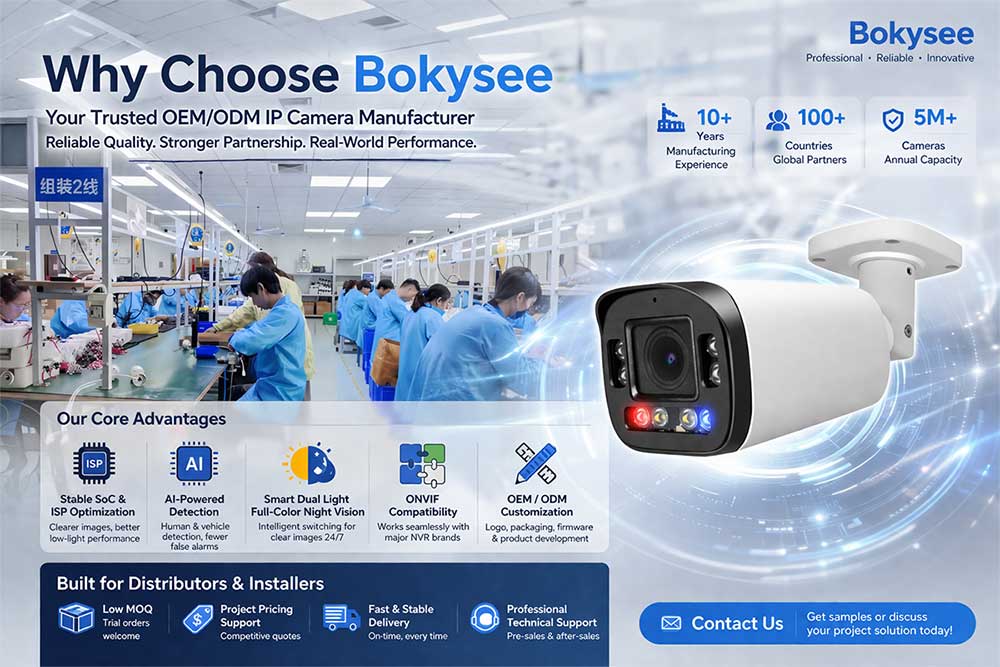
Core Advantages
We design our products based on what truly matters for installers, distributors, and projects:
-
Stable SoC & ISP Optimization
Ensures consistent image quality, better low-light performance, and fewer system issues -
AI-Powered Detection Technology
Accurate human and vehicle detection to reduce false alarms and improve security efficiency -
Smart Dual Light Full-Color Night Vision
Intelligent switching between infrared and white light for clear images day and night -
Совместимость с ONVIF
Seamless integration with third-party NVR systems (Hikvision, Dahua, etc.) -
Flexible OEM / ODM Customization
Support for logo branding, packaging design, firmware customization, and product development
Built for Distributors & Installers
We understand the real needs of B2B customers and project-based businesses:
-
Low MOQ for Trial Orders
Reduce risk when testing new products or entering new markets -
Project-Based Pricing Support
Competitive quotations for large-scale installations and tenders -
Fast & Stable Delivery
Reliable production capacity with consistent lead times -
Professional Technical Support
Pre-sales guidance, system design support, and after-sales assistance
Trusted for Real-World Projects
Our solutions are widely used in:
-
Commercial buildings
-
Warehouses and logistics centers
-
Residential security systems
-
Industrial facilities
We focus on stability, compatibility, and long-term performance, helping our partners build reliable security systems in their markets.
Get Started with Bokysee
Looking for a reliable OEM IP camera supplier or project partner?
We’re here to support your business with:
-
Product recommendations
-
Sample testing
-
Project solutions
-
Customized branding services
Contact us today to discuss your requirements and get a tailored solution.
FAQ: IP Security Cameras
Q1: What affects image quality the most?
The most critical factors are:
-
Image sensor size (larger sensor = better light capture)
-
Lens quality (affects sharpness and clarity)
-
Resolution (e.g., 4MP, 5MP, 8MP) also plays a role, but sensor and lens are more important.
Q2: Is H.265 better than H.264?
Yes.
H.265 (HEVC) offers:
-
Up to 50% less bandwidth usage
-
Reduced storage requirements
-
Better performance for high-resolution cameras (4MP/8MP)
👉 Recommended for modern IP surveillance systems.
Q3: Why is my camera blurry at night?
Common reasons include:
-
Poor lens quality → low sharpness in low light
-
Weak infrared (IR) LEDs → insufficient illumination
-
Incorrect exposure settings → over/underexposed image
-
Dirty lens or protective film not removed
👉 Solution: Choose cameras with Smart Dual Light / Full Color Night Vision.
Q4: What is WDR?
WDR (Wide Dynamic Range) improves image quality in high-contrast environments.
Example scenarios:
-
Strong sunlight + shadows
-
Indoor entrance with bright outdoor light
👉 It ensures both bright and dark areas are clearly visible.
Q5: Why does video have delay?
Video delay (latency) is caused by:
-
Video encoding processing (H.264/H.265)
-
Network transmission speed
-
Buffering in NVR or mobile app
👉 For real-time monitoring, use:
-
Stable network (PoE preferred)
-
Lower stream settings if needed
✅ Pro Tip for Buyers (B2B Insight)
When choosing IP cameras, don’t just compare resolution — focus on:
-
Sensor & chipset stability
-
Night vision performance
-
Compression efficiency (H.265)
-
Compatibility (ONVIF / NVR systems)
This is exactly what professional buyers search for — not just “cheap cameras,” but reliable long-term solutions.
Looking for a reliable IP security camera supplier? Contact Бокизее today to get tailored solutions, stable quality, and competitive factory pricing for your projects.
Know More:
Understanding Full Color IP Cameras And Their Key Advantages
Emerging IP Camera Innovations In 2025 For Better Security
Основное руководство по покупке камер видеонаблюдения 4G
Guide To Encoding Settings For Bokysee IP Cameras
Основные различия между системами IP-камер и традиционными моделями





 Russian
  English
  Spanish