
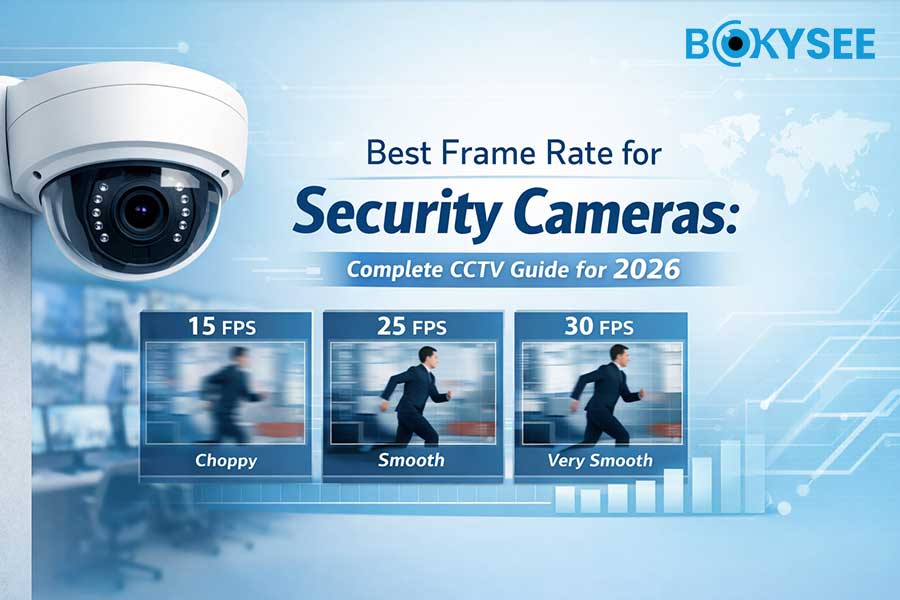
Quick Summary
|
Frame Rate |
Mejor caso de uso |
Ventajas |
Contras |
|---|---|---|---|
|
15 fps |
Homes, warehouses, low-traffic areas |
Lower storage usage, stable recording |
Motion may look less smooth |
|
25 fps |
Offices, retail stores, parking areas |
Balanced video smoothness and storage |
Slightly higher bandwidth |
|
30fps |
High-security areas, facial capture, traffic monitoring |
Smooth motion capture, clearer details |
Higher storage and network load |
For most security camera systems, 15fps–25fps is the optimal frame rate because it balances video quality, storage usage, and bandwidth efficiency.
However, 30fps is recommended for high-motion environments, como traffic monitoring, facial recognition, or license plate capture systems.
In our testing with multiple IP camera installations, we found that choosing the correct frame rate often improves storage efficiency by over 40% without affecting surveillance performance.
What Is Frame Rate in Security Cameras (FPS Explained)
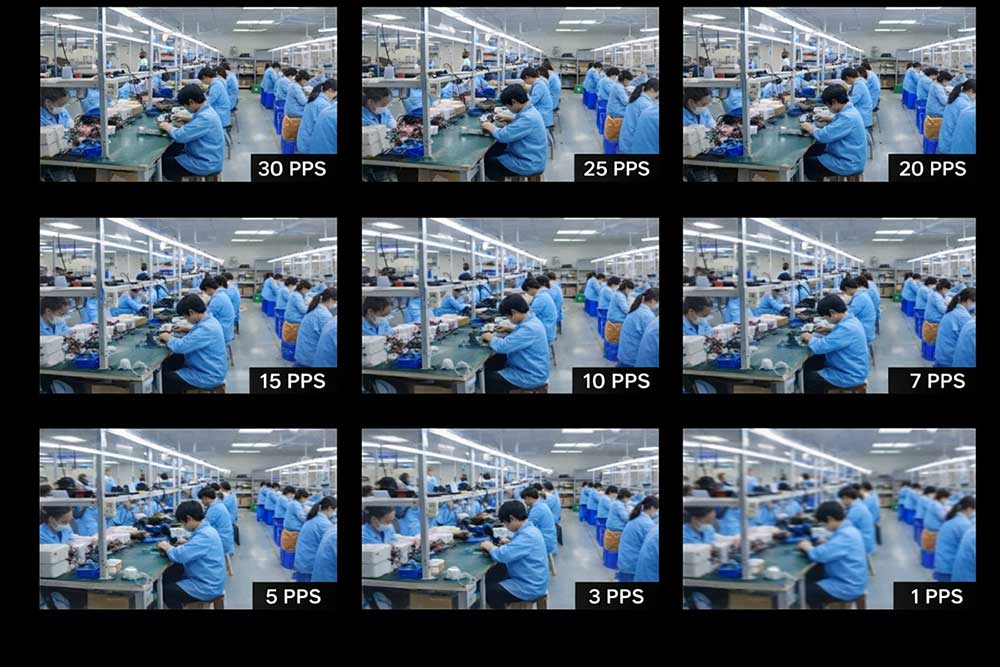
Frame rate (FPS) in security cameras refers to the number of video frames recorded per second. Higher FPS creates smoother motion video but increases storage and bandwidth usage. Most CCTV systems use 15–25fps for efficient surveillance recording.
For example:
|
FPS |
Frames Per Second |
|---|---|
|
15 fps |
15 images captured per second |
|
25 fps |
25 images captured per second |
|
30fps |
30 images captured per second |
A higher frame rate produces smoother video, which is useful when monitoring fast-moving objects such as vehicles or people.
However, increasing FPS also requires:
-
More video storage space
-
Higher network bandwidth
-
Greater processing capacity from the NVR or VMS system
In most modern IP surveillance systems, the typical security camera frame rate ranges between 15fps and 30fps, depending on the monitoring environment.
For example:
-
15 fps is often used for homes, warehouses, and low-traffic areas.
-
20–25fps is ideal for retail stores, offices, and parking lots.
-
30fps is recommended for high-motion environments such as traffic monitoring, casinos, or license plate recognition systems.
From a professional installation perspective, many CCTV engineers recommend 20–25fps as the best frame rate for security cameras, because it provides smooth video while maintaining efficient storage usage.
Frame rate also works together with other important video parameters, including:
-
Camera resolution (4MP / 5MP / 8MP)
-
Video bitrate
-
Compression technology (H.265 / H.265+)
-
Network bandwidth
Choosing the right FPS helps optimize video quality, storage efficiency, and overall surveillance system performance.
If you're designing a complete surveillance system, you can also read our guide:
What Is IP Surveillance? Benefits of IP Camera Systems for Modern Security
15fps Security Camera Frame Rate: Best for Storage Efficiency
15fps security camera frame rate means the camera records 15 video frames per second (FPS). This frame rate provides a good balance between video smoothness, storage efficiency, and network bandwidth, making it one of the most commonly used settings in CCTV systems. In most surveillance environments—such as homes, warehouses, offices, and farms—15fps is sufficient to clearly capture normal movement while reducing storage usage and bandwidth consumption. Compared with higher frame rates like 25fps or 30fps, a 15fps security camera can extend recording time and lower system costs, which is why many professional installers choose this setting for large surveillance deployments.
In real CCTV deployments, most commercial security camera installations run at 12fps–15fps.
Advantages of 15fps
✔ Lower storage consumption
✔ Lower network bandwidth
✔ Suitable for long-term recording
✔ Ideal for large camera systems
Recommended applications
-
Warehouses
-
Residential security
-
Office buildings
-
Farms and remote sites
For example, if a system records 30 days of video, reducing frame rate from 30fps to 15fps can cut storage requirements by nearly 50%.
This is especially useful for large CCTV projects using dozens or hundreds of cameras.
25fps Security Cameras: The Best Balance for Most Surveillance Systems
25fps security cameras record 25 video frames per second, delivering smoother motion and clearer activity compared with lower frame rates such as 15fps. This frame rate is widely considered an ideal balance between video smoothness, storage efficiency, and network bandwidth, making it one of the most common settings in modern CCTV and IP surveillance systems. A 25fps frame rate is especially suitable for retail stores, offices, parking lots, hotels, and commercial buildings, where capturing moving people or vehicles with better clarity is important. Compared with 30fps, it still provides high-quality motion video while keeping storage requirements and bandwidth usage more manageable, which is why many professional security camera installers recommend 20–25fps as the optimal frame rate for most surveillance applications.
For many installers and security integrators, 25fps is considered the optimal frame rate.
It delivers smooth motion video while keeping bandwidth and storage manageable.
Why 25fps works well
✔ Smooth motion recording
✔ Suitable for facial identification
✔ Balanced storage usage
✔ Compatible with most NVR systems
This frame rate is widely used in commercial security systems such as:
-
Retail stores
-
Shopping malls
-
Hotels
-
Office buildings
-
Parking lots
In our testing with 4MP and 8MP IP cameras, 25fps delivers noticeably smoother video than 15fps while increasing storage requirements by only about 30%.
30fps Security Cameras: Best for High-Motion Surveillance
30fps security cameras record 30 frames per second, producing very smooth video and capturing fast-moving objects with greater clarity. This higher frame rate is ideal for high-motion surveillance environments, como traffic monitoring, highways, airports, casinos, and license plate recognition (LPR) systems, where vehicles or people move quickly through the camera’s field of view. Compared with lower frame rates like 15fps or 25fps, 30fps reduces motion blur and helps capture more detailed movement between frames, which can be critical for evidence collection or identifying faces and license plates. However, running cameras at 30fps also requires more storage capacity, higher network bandwidth, and stronger NVR processing performance, so it is typically recommended only for areas where capturing fast motion is essential.
When monitoring fast-moving objects, higher frame rates become critical.
A 30fps security camera captures motion smoothly and reduces motion blur.
Advantages of 30fps
✔ Better motion capture
✔ Clearer facial details
✔ Improved license plate recognition
✔ Better evidence recording
Recommended applications
-
Traffic monitoring
-
Reconocimiento de matrículas (LPR)
-
Casinos
-
Airports
-
High-security entrances
However, running a system at 30fps requires higher bandwidth and larger storage capacity.
This is why many professional CCTV systems dynamically adjust frame rate depending on motion detection.
Factors That Affect Security Camera Frame Rate Performance
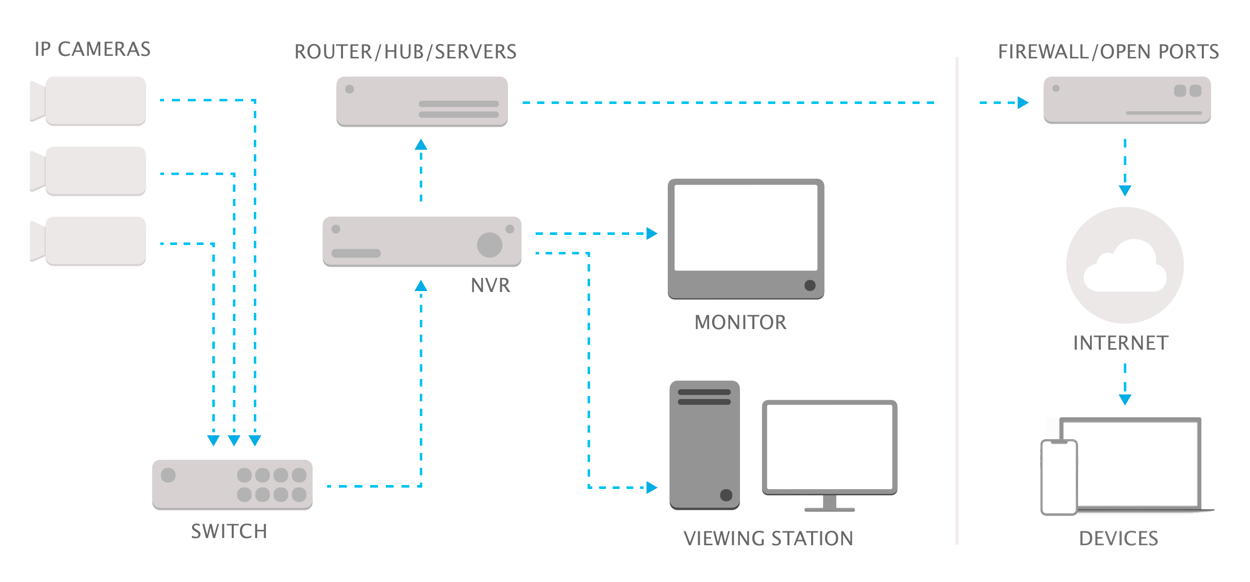
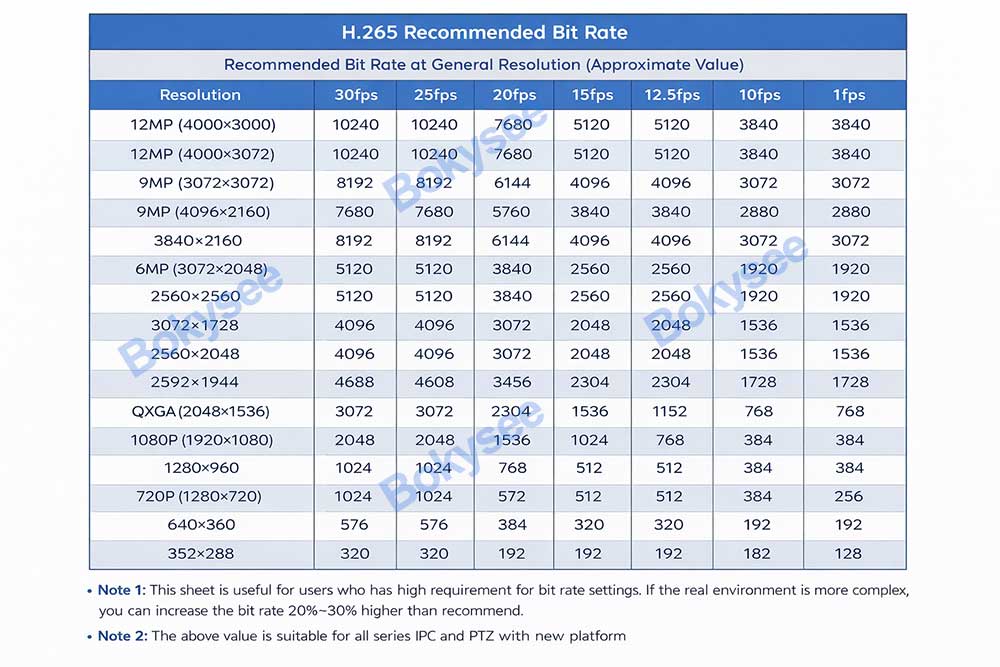
Need project bit rate recommendation? Contact Bokysee engineers.
Frame rate does not work alone. Several other factors affect overall surveillance performance.
1. Camera Resolution
Higher resolution cameras require more bandwidth.
Ejemplo:
|
Resolución |
Typical FPS |
|---|---|
|
4MP |
15–25fps |
|
5MP |
15–25fps |
|
8MP (4K) |
20–30fps |
2. Video Compression
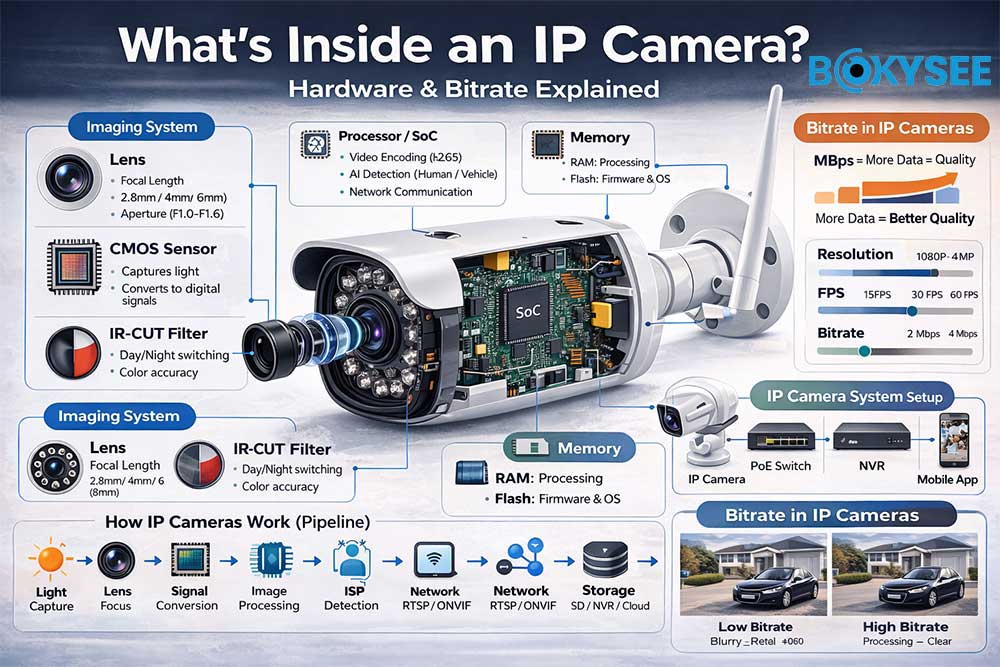
Modern compression technologies like H.265 or H.265+ significantly reduce storage requirements.
3. Bitrate Settings
Bitrate controls how much data each second of video uses.
Lower bitrate = smaller files but lower image quality.
4. Network Bandwidth
Large systems with many cameras require proper network infrastructure.
This is why many professional installations prefer Sistemas de cámaras IP PoE, which offer stable wired connectivity.
Recommended Frame Rate for Different Security Applications
El best frame rate for security cameras depends largely on the surveillance environment and the level of motion in the monitored area. Different security applications require different FPS settings to balance video smoothness, storage capacity, and network bandwidth usage.
In most professional CCTV installations, security engineers adjust the surveillance camera frame rate according to the activity level of the scene rather than always selecting the highest FPS.
Below are the recommended CCTV frame rate settings for common security scenarios.
|
Security Application |
Recommended Frame Rate |
Reason |
|---|---|---|
|
Home security |
12–15fps |
Saves storage while capturing normal activity |
|
Warehouses & storage areas |
12–15fps |
Low movement environments |
|
Offices & small businesses |
15–20fps |
Balanced video clarity and storage usage |
|
Retail stores & shopping malls |
20–25fps |
Smooth motion capture for customers and staff |
|
Parking lots & entrances |
20–25fps |
Clear vehicle and pedestrian movement |
|
Facial recognition areas |
25–30fps |
Higher detail for identifying faces |
|
Traffic monitoring |
30fps |
Captures fast-moving vehicles |
|
License plate recognition (LPR) |
30fps |
Reduces motion blur for accurate plate capture |
Home Security Systems
For residential surveillance systems, a 15fps security camera frame rate is typically sufficient. Homes usually have moderate or low levels of activity, and lower FPS helps reduce storage consumption while still capturing important events such as people entering the property or movement around the house.
Lower frame rates are also ideal for long-term recording, allowing homeowners to store more days of video footage without increasing storage costs.
Retail Stores and Commercial Buildings
Retail environments often experience constant movement from customers and employees. In these situations, 20–25fps surveillance camera frame rates provide smoother video playback and clearer tracking of people moving through the scene.
This frame rate helps improve incident investigation, allowing security teams to clearly observe customer movement, suspicious behavior, or theft events.
Parking Lots and Building Entrances
Parking areas require a slightly higher frame rate because vehicles and pedestrians move through the camera’s field of view more quickly.
A frame rate of 20–25fps allows security systems to capture smoother vehicle movement while maintaining reasonable storage efficiency.
Many modern IP camera systems also combine this FPS setting with AI vehicle detection, helping security teams identify suspicious activity more accurately.
Facial Recognition and Access Control Areas
Locations that require identity verification—such as office entrances, security checkpoints, and access control points—benefit from higher frame rates.
Usando 25–30fps security cameras helps capture smoother facial motion and increases the chances of identifying individuals accurately, especially when people are walking quickly through the monitored area.
Higher FPS reduces motion blur and improves the quality of recorded evidence.
Traffic Monitoring and License Plate Recognition
High-speed environments such as roads, highways, and toll gates require the highest frame rate settings.
In these scenarios, 30fps CCTV cameras are recommended to capture fast-moving vehicles clearly. Higher FPS helps reduce motion blur and improves the accuracy of license plate recognition (LPR) systems.
For traffic surveillance systems, higher frame rates are often combined with:
-
High shutter speeds
-
4K or 8MP resolution
-
AI vehicle detection
-
License plate recognition technology
This combination ensures the system captures critical details even when vehicles move quickly.
Key Recommendation for Most CCTV Installations
For most professional surveillance systems, 20–25fps is considered the optimal frame rate. This setting provides a good balance between:
-
Smooth video recording
-
Efficient storage usage
-
Stable network bandwidth
-
Reliable surveillance performance
Security installers typically adjust frame rate together with resolution, bitrate, and video compression to create the most efficient CCTV system design.
Recommended Security Cameras from Bokysee (With Optimal Frame Rate Settings)
When building a reliable surveillance system, selecting the right security camera type is just as important as choosing the correct frame rate (FPS), resolution, and storage configuration. As a one-stop security solution provider, Bokysee offers a complete range of professional CCTV products designed for installers, distributors, and security project integrators worldwide.
Con más de 20 years of experience in the video surveillance industry, Bokysee provides integrated security solutions including AI IP cameras, Cámaras PTZ, cámaras de seguridad solares, y completa Sistemas NVR. Our products are widely used in commercial buildings, retail stores, industrial facilities, logistics centers, smart cities, and remote infrastructure projects.
From our experience working with global installers and CCTV distributors in more than 80 países, choosing the right frame rate for each camera type can significantly improve system performance, reduce storage costs, and ensure smooth video monitoring.
Below are some of the most recommended security camera solutions from Bokysee and the optimal frame rate settings for different surveillance scenarios.
AI PoE IP Cameras – Recommended Frame Rate: 20–25fps
For professional wired surveillance systems, Cámaras IP PoE are often the most stable and reliable choice. These cameras transmit both power and data through a single Ethernet cable, ensuring stable video transmission and simplified installation.
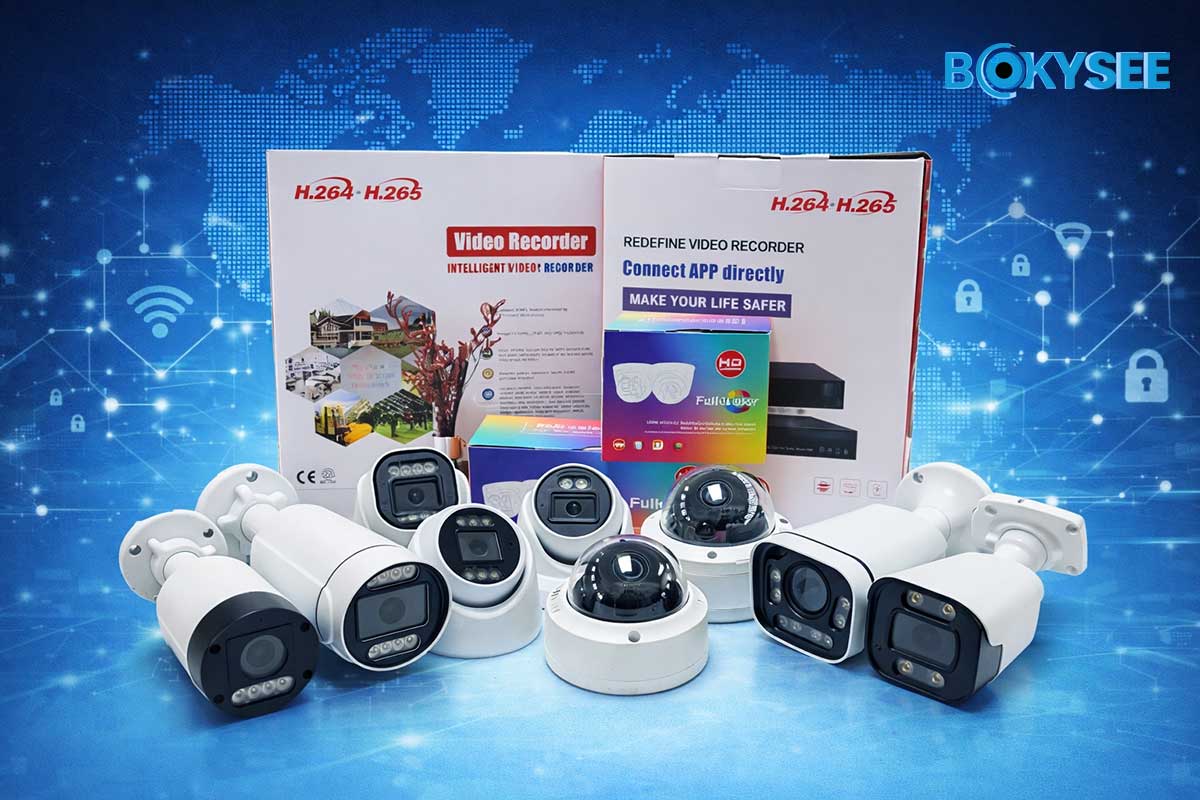
Las características principales incluyen:
-
4MP / 5MP / 8MP high-resolution video
-
AI human and vehicle detection
-
H.265 / H.265+ video compression
-
ONVIF compatibility with major NVR brands
-
Smart motion alerts and remote monitoring
For most commercial surveillance environments such as retail stores, office buildings, warehouses, and schools, the recommended frame rate is 20–25fps. This setting provides smooth video playback while keeping storage and bandwidth consumption under control.
PTZ Security Cameras – Recommended Frame Rate: 25–30fps
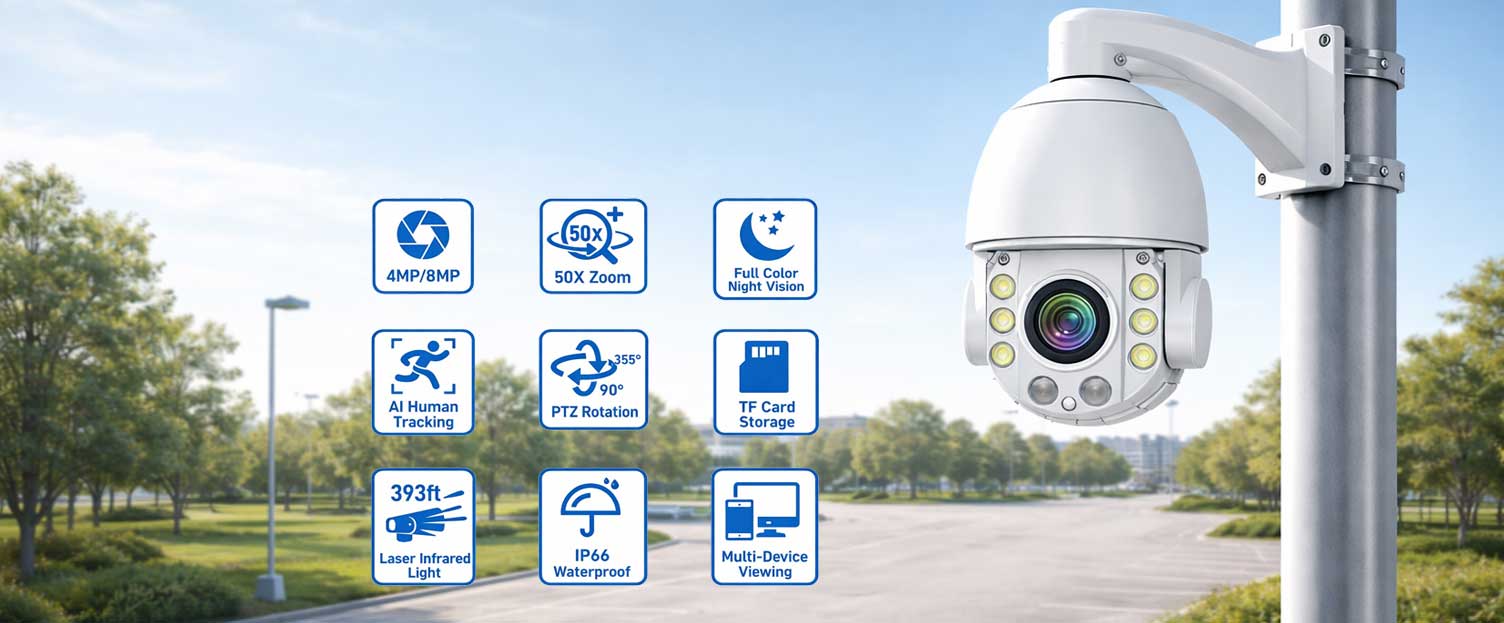
For monitoring large areas where cameras need to follow moving objects, Cámaras PTZ (Pan-Tilt-Zoom) provide excellent flexibility and coverage.
Bokysee PTZ cameras support:
-
20X–40X optical zoom
-
360° pan and tilt rotation
-
Smart AI auto-tracking
-
Long-distance monitoring
-
Preset patrol functions
Because PTZ cameras are often used to track moving targets, we typically recommend 25–30fps frame rate settings. This allows the camera to capture smoother motion when zooming or following vehicles and people across large spaces such as:
-
Parking lots
-
Industrial facilities
-
Construction sites
-
City surveillance systems
Higher frame rates reduce motion blur, making recorded footage clearer for security analysis.
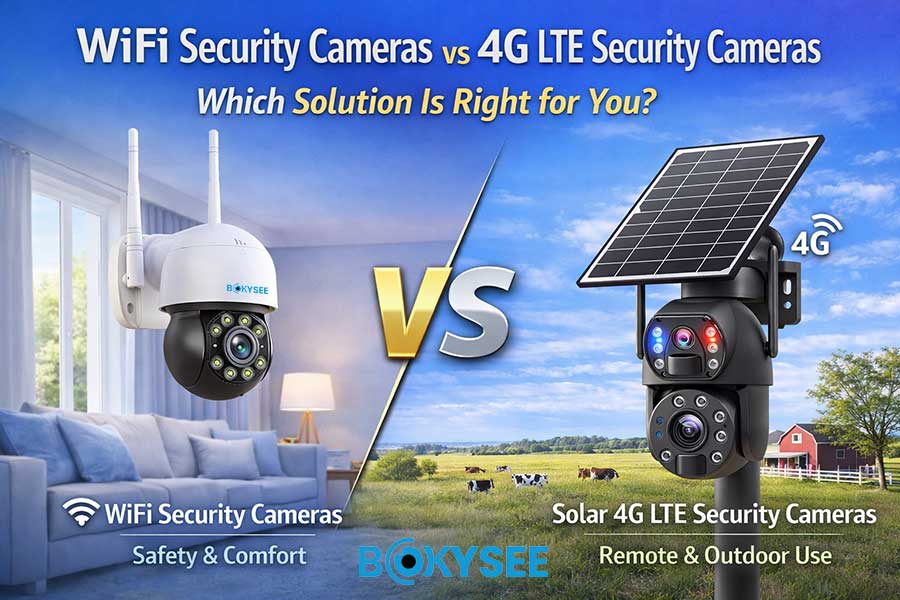
Solar 4G Security Cameras – Recommended Frame Rate: 15–20fps
For remote locations where there is no wired power or internet connection, solar-powered security cameras with 4G connectivity are an excellent solution.
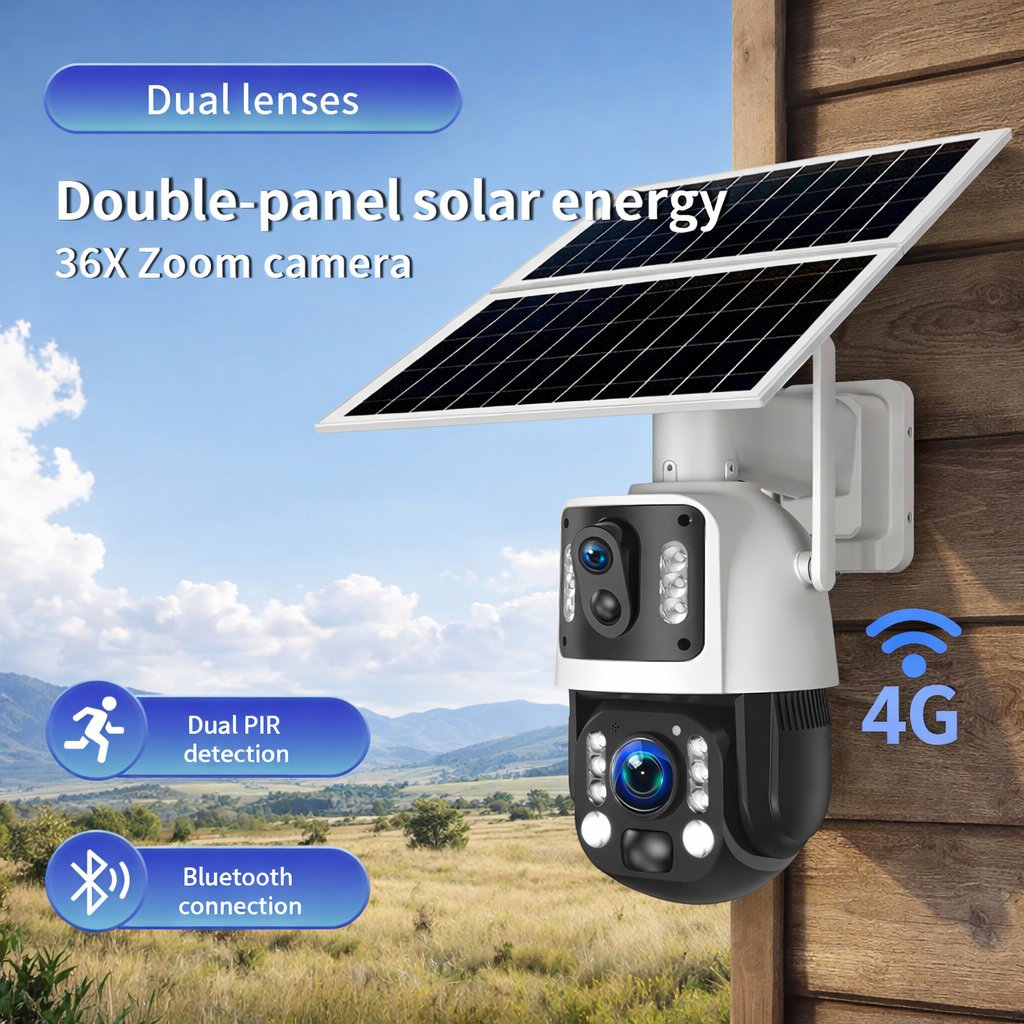
Bokysee solar camera systems include:
-
High-efficiency solar panels
-
Built-in rechargeable batteries
-
4G LTE connectivity
-
PIR human motion detection
-
Mobile app monitoring and alerts
Since solar cameras typically rely on battery power and mobile networks, using a moderate frame rate such as 15–20fps helps optimize power consumption, data transmission, and storage efficiency.
These cameras are widely used in:
-
Farms and ranches
-
Forest monitoring
-
Construction sites
-
Oil fields and remote infrastructure
Lower frame rates extend battery life while still capturing important security events.
NVR Surveillance Systems – Optimized System Frame Rate
For larger surveillance deployments, Bokysee also provides complete Grabadora de vídeo en red (NVR) security camera systems that allow multiple cameras to be managed through a centralized recording platform.
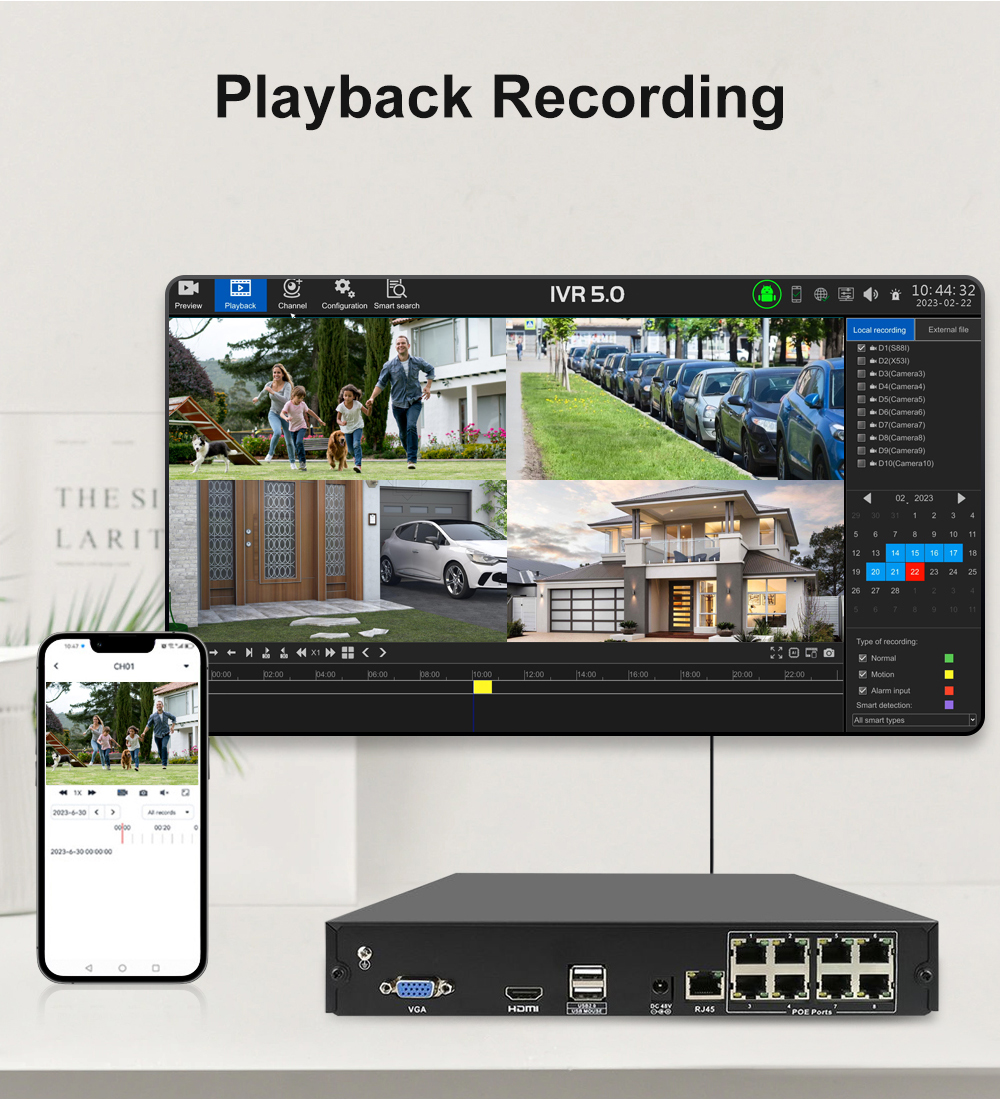
Our NVR systems support:
-
Multi-channel video recording
-
AI video analytics
-
Remote monitoring via mobile and PC software
-
High-capacity storage solutions
-
ONVIF compatibility with third-party cameras
For most multi-camera surveillance systems, professional installers typically configure the frame rate between 20–25fps, which provides the best balance between:
-
Smooth surveillance video
-
Long recording duration
-
Efficient storage utilization
-
Stable network bandwidth
For specific cameras monitoring high-motion areas such as entrances, roads, or vehicle checkpoints, the frame rate can be increased to 30fps when necessary.
Why Global Security Partners Choose Bokysee
En Bokysee, we focus on providing complete security solutions rather than just individual products. Our goal is to help distributors, installers, and security brands build reliable and competitive surveillance systems.
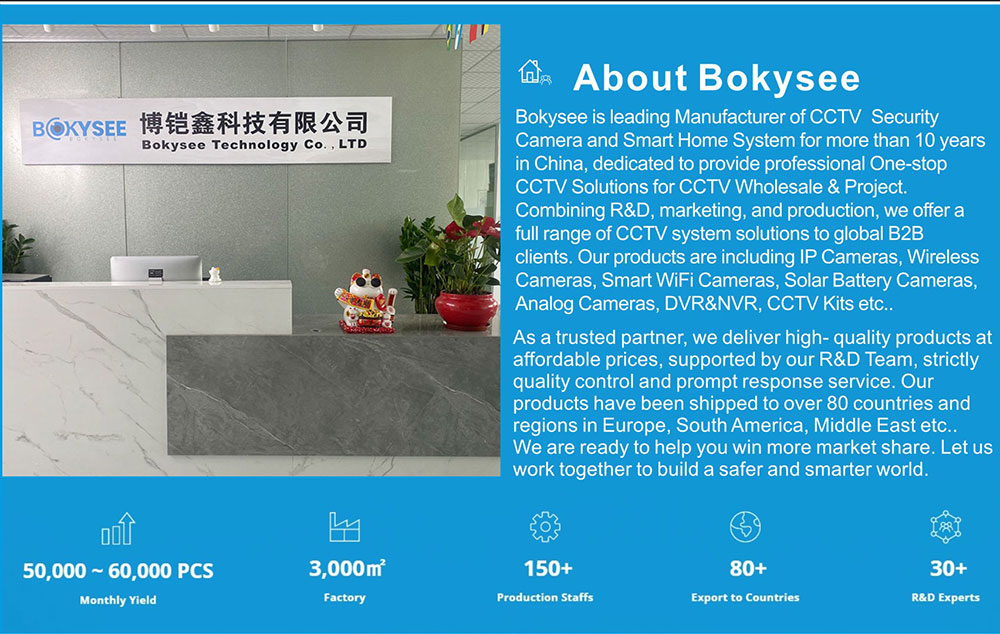
Key advantages include:
-
20+ years of CCTV manufacturing experience
-
Full OEM & ODM customization services
-
Private label security camera solutions
-
Flexible MOQ for distributors
-
Competitive project pricing
-
Export experience in 80+ countries
Many security companies partner with Bokysee to develop their own surveillance product brands, expand distribution networks, and deliver advanced security solutions to their markets.
Frame Rate Recommendation Summary
To summarize the best frame rate settings for most surveillance systems:
|
Tipo de cámara |
Recommended FPS |
Typical Application |
|---|---|---|
|
Cámaras de seguridad solares |
15–20fps |
Remote monitoring |
|
Cámaras IP PoE |
20–25fps |
Commercial buildings |
|
Cámaras PTZ |
25–30fps |
Large area monitoring |
|
Traffic / LPR Cameras |
30fps |
Vehicle monitoring |
Elegir lo correcto security camera frame rate helps optimize video quality, storage efficiency, and overall system performance.
With Bokysee’s complete product range and professional support, installers and distributors can easily build a scalable, reliable, and cost-efficient surveillance system for a wide range of security applications.
FAQ
Is 15fps enough for security cameras?
Yes. For most surveillance environments such as homes, offices, and warehouses, 15fps provides clear monitoring while saving storage space.
Is 30fps better for security cameras?
30fps produces smoother video and is better for fast-moving objects, such as vehicles or license plate recognition systems.
Does higher FPS improve image quality?
Not necessarily. Resolution determines image detail, while FPS affects motion smoothness.
What FPS do most CCTV cameras use?
Most CCTV systems operate between 15fps and 25fps, which offers a good balance between video clarity and storage efficiency.
SEE ALSO
How to Choose the Right Security Camera Resolution
Wired vs Wireless Security Cameras
Types of Wired Security Cameras
Innovaciones emergentes en cámaras IP que darán forma a las soluciones de vigilancia de 2025
Ultimate Guide to 4K Security Camera Systems in 2025
Choosing Between Analog And IP Security Cameras Effectively





 Spanish
  English
  Russian